

Best Microphones for Video (Wireless, Shotgun & On-Camera Picks)
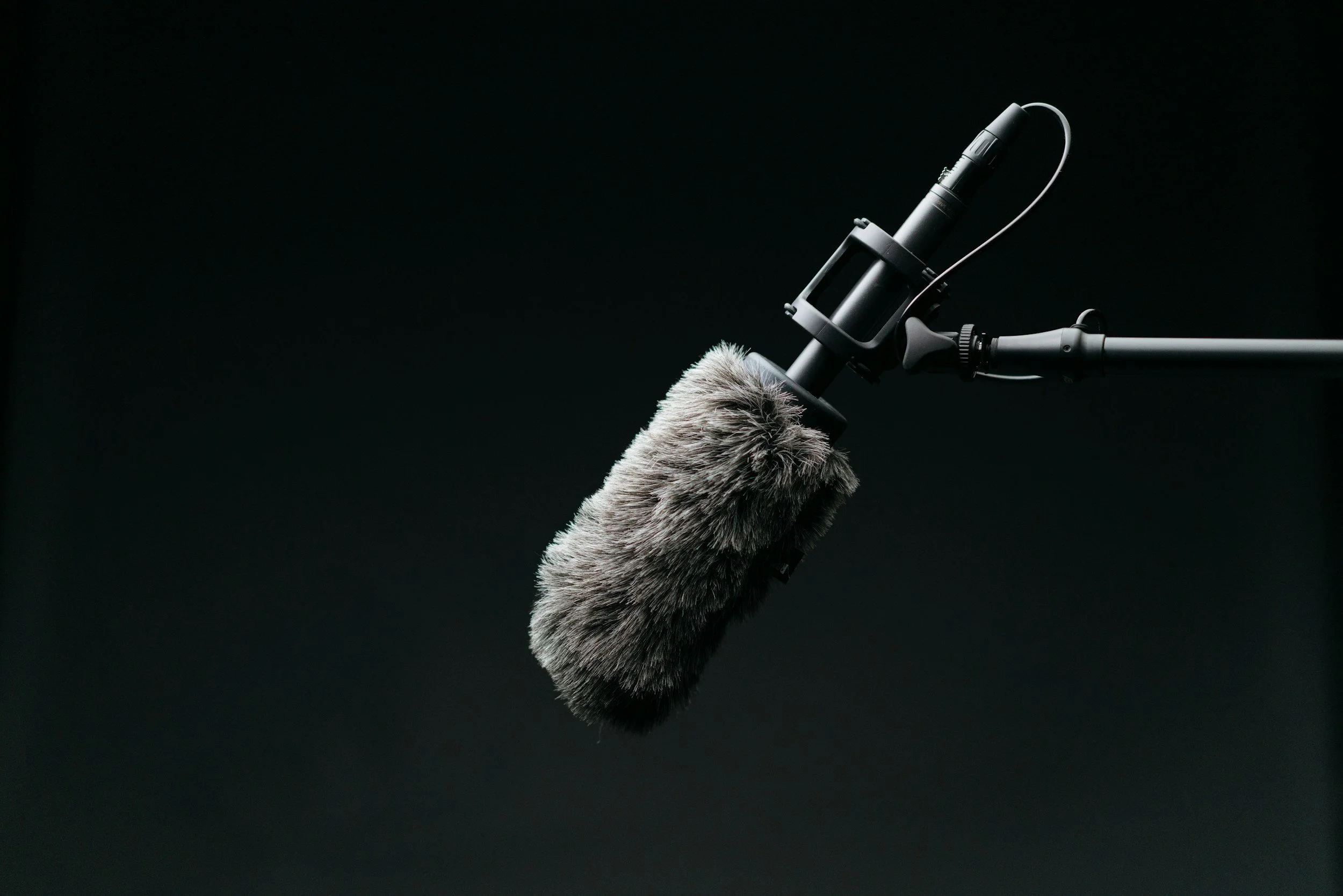
Photo by Keagan Henman / Unsplash
*Some links in this guide are affiliate links. If you purchase through them, it helps support my work at no extra cost to you.
==========
Last Updated: August 2026
Poor audio is one of the fastest ways to make an otherwise great video feel unprofessional.
Viewers will often forgive footage that's slightly noisy or imperfectly lit, but they'll quickly stop watching if dialogue is difficult to hear or distracting background noise overwhelms the recording.
Fortunately, improving your audio doesn't always require an expensive setup. Choosing the right microphone for the way you film can make a dramatic difference, whether you're recording YouTube videos, interviews, concerts, travel content, or behind-the-scenes footage.
In this guide, I'll explain the different types of microphones used for video, who each one is best for, and the models I recommend based on real-world shooting rather than marketing claims.
My Quick Recommendations
If you just want the short version, these are the microphones I'd recommend for most creators.
| Category | Recommendation |
|---|---|
| Best Overall Wireless | DJI Mic 3 |
| Best Premium Wireless | Rode Wireless PRO |
| Best Budget Wireless | Hollyland LARK M2 |
| Best Shotgun | Rode VideoMic NTG |
| Best Compact Shotgun | Deity V-Mic D4 Mini |
| Best On-Camera Mic | Rode VideoMicro II |
| Best Interview Audio | Sennheiser MKE 600 |
Best Overall Wireless
Recommendation: DJI Mic 3
Best Premium Wireless
Recommendation: Rode Wireless PRO
Best Budget Wireless
Recommendation: Hollyland LARK M2
Best Shotgun
Recommendation: Rode VideoMic NTG
Best Compact Shotgun
Recommendation: Deity V-Mic D4 Mini
Best On-Camera Mic
Recommendation: Rode VideoMicro II
Best Interview Audio
Recommendation: Sennheiser MKE 600
These recommendations balance audio quality, ease of use, reliability, and value.
Why Audio Matters More Than Most Creators Realize
When people think about improving video quality, they usually focus on:
buying a new camera
upgrading lenses
shooting in 4K
improving lighting
Those upgrades certainly help, but poor audio is often far more noticeable than imperfect visuals.
Clear, consistent sound helps your audience stay engaged because they aren't struggling to understand what they're hearing.
Good audio also makes editing easier, reduces the need for aggressive noise reduction, and creates a more professional final product.
If you're building a video kit on a budget, I'd almost always recommend investing in a quality microphone before upgrading to a more expensive camera body.
Which Type of Microphone Do You Need?
Different types of microphones solve different problems. Choosing the right one depends on how—and where—you film.
Wireless Microphones
Best for:
talking-head videos
interviews
YouTube creators
wedding videography
travel videos
event coverage
Wireless systems clip directly onto your subject, allowing you to record clean dialogue while moving freely.
For many creators, this is the single biggest improvement they can make to their audio quality.
Shotgun Microphones
Best for:
filmmaking
documentary work
interviews
controlled environments
outdoor recording
Shotgun microphones capture sound primarily from the direction they're pointed while reducing noise from the sides and rear.
Mounted on a camera or boom pole, they're excellent when you can't attach a wireless transmitter to your subject.
On-Camera Microphones
Best for:
run-and-gun shooting
travel
events
quick B-roll
behind-the-scenes footage
An on-camera microphone won't match the quality of a properly placed wireless mic, but it's a significant improvement over the microphone built into your camera.
They're simple, lightweight, and always ready to record.
Desktop & USB Microphones
Best for:
voiceovers
tutorials
podcasts
streaming
editing narration
These microphones aren't designed for field recording but are excellent for recording narration in a quiet indoor environment.
How I Evaluate Video Microphones
Rather than focusing only on specifications, I evaluate microphones based on how they perform during real productions.
The factors I pay the closest attention to include:
overall sound quality
background noise rejection
ease of setup
reliability
battery life
wireless range
build quality
compatibility with hybrid cameras
value for the money
The "best" microphone isn't always the most expensive—it's the one that fits your workflow and consistently captures clean, usable audio.
Common Recording Situations
Different shooting styles benefit from different microphones.
| Recording Situation | Best Choice |
|---|---|
| YouTube videos | Wireless microphone |
| Interviews | Wireless or shotgun |
| Concerts | Shotgun microphone |
| Weddings | Wireless microphone |
| Travel videos | Compact wireless |
| Vlogging | On-camera microphone |
| Documentaries | Shotgun microphone |
| Voiceovers | USB or studio microphone |
YouTube videos
Best Choice: Wireless microphone
Interviews
Best Choice: Wireless or shotgun
Concerts
Best Choice: Shotgun microphone
Weddings
Best Choice: Wireless microphone
Travel videos
Best Choice: Compact wireless
Vlogging
Best Choice: On-camera microphone
Documentaries
Best Choice: Shotgun microphone
Voiceovers
Best Choice: USB or studio microphone
Using the right microphone for the job almost always produces better results than trying to make one microphone handle every situation.
Before You Buy
Before choosing a microphone, ask yourself a few simple questions:
Will I mostly film indoors or outdoors?
Do I record myself or other people?
Will my subjects move around?
Do I need two-person recording?
Will I connect directly to a camera, smartphone, or computer?
Is portability important?
Answering these questions will quickly narrow your options and help you avoid buying equipment that doesn't fit the way you actually create videos.
Best Microphones for Video (Buying Guide)
Best Wireless Microphones
Wireless microphones have become the go-to choice for most content creators because they combine excellent sound quality with the freedom to move naturally on camera.
They're ideal when recording:
YouTube videos
interviews
weddings
real estate walkthroughs
travel content
behind-the-scenes footage
social media videos
Most modern systems record directly into your camera while simultaneously recording internally as a backup, providing extra security if wireless interference occurs.
For creators who frequently appear on camera, a quality wireless system is usually the single biggest audio upgrade you can make.
DJI Mic 3 — Best Overall Wireless Microphone
Best for: Content creators, YouTubers, weddings, travel, hybrid shooters
The DJI Mic 3 is my top recommendation for most creators because it balances excellent sound quality, long battery life, dependable wireless performance, and an incredibly simple setup.
Its compact transmitters are easy to hide on clothing, while the receiver integrates cleanly with modern mirrorless cameras.
Pros
Outstanding sound quality
Excellent wireless range
Compact transmitters
Internal backup recording
Long battery life
Easy touchscreen interface
Cons
Higher price than entry-level systems
Who should buy it?
If you create videos regularly and want one wireless system that can handle almost everything, this is the microphone I'd buy first.
Check pricing and availability:
Amazon | Adorama
Rode Wireless PRO — Best Premium Wireless System
Best for: Professional creators and filmmakers
The Rode Wireless PRO adds professional features including 32-bit float internal recording, making it extremely forgiving if audio levels unexpectedly spike or clip.
It's an outstanding choice for professionals who need maximum flexibility in post-production.
Pros
Professional audio quality
32-bit float recording
Timecode support
Excellent backup recording
Outstanding reliability
Cons
Expensive
More features than many beginners need
Check pricing and availability:
Adorama
Hollyland LARK M2 — Best Budget Wireless Microphone
Best for: New creators and budget-conscious buyers
If you're looking for an affordable wireless system that still delivers impressive audio quality, the LARK M2 is one of the strongest values available.
It's lightweight, easy to use, and significantly outperforms your camera's built-in microphone.
Best Shotgun Microphones
Shotgun microphones capture sound primarily from the direction they're pointed while reducing unwanted background noise from surrounding areas.
They're excellent when you cannot attach a microphone directly to your subject.
Typical uses include:
filmmaking
interviews
documentaries
concerts
outdoor productions
Rode VideoMic NTG — Best Overall Shotgun Microphone
Best for: Professional video creators
The Rode VideoMic NTG has become one of the most popular hybrid shotgun microphones because it works equally well mounted on cameras, boom poles, or connected directly to computers via USB.
It offers clean sound, excellent directionality, and remarkable flexibility.
Pros
Excellent sound quality
Very directional
USB and camera compatibility
Built-in rechargeable battery
Lightweight
Cons
More expensive than beginner microphones
Check pricing and availability:
Adorama
Deity V-Mic D4 Mini — Best Compact Shotgun
Best for: Travel, vlogging, run-and-gun filmmaking
If size matters, the D4 Mini is an outstanding choice.
It weighs very little while still dramatically improving audio over internal camera microphones.
It's especially popular among travel creators who want to keep their kits lightweight.
Check pricing and availability:
Amazon | Adorama
Sennheiser MKE 600 — Best Professional Interview Shotgun
Best for: Interviews, documentaries, corporate work
The MKE 600 has earned an outstanding reputation among professional videographers thanks to its smooth, natural sound and excellent off-axis rejection.
If you're regularly filming interviews, it's difficult to go wrong with this microphone.
Best On-Camera Microphones
Sometimes simplicity wins.
If you don't need wireless transmitters or a dedicated shotgun setup, an on-camera microphone offers a huge improvement with virtually no extra setup.
They're perfect for:
travel
family videos
events
behind-the-scenes footage
casual YouTube production
Rode VideoMicro II — Best Compact On-Camera Microphone
This microphone is small enough to live on your camera permanently.
It requires no batteries, is extremely lightweight, and delivers noticeably cleaner audio than built-in microphones.
For many creators, it's the easiest upgrade they'll ever make.
Best Microphones for Concert Video
Concerts create one of the most difficult recording environments.
You'll often deal with:
extremely loud music
crowd noise
changing sound pressure levels
unpredictable lighting
constant movement
For most concert videography, I recommend a shotgun microphone over a wireless lavalier.
A shotgun mounted on the camera captures the overall atmosphere while handling loud environments more naturally.
If possible, combine that recording with a soundboard feed during editing.
The result is often far superior to relying on a single recording source.
Best Microphones for YouTube
YouTube creators have different priorities than filmmakers.
Most want:
fast setup
consistent dialogue
minimal editing
reliable performance
For most YouTubers:
is my first recommendation.
If you rarely appear on camera but narrate behind the lens, a quality shotgun microphone may be a better investment.
Best Microphones for Interviews
Interview audio depends largely on your production style.
Seated Interviews
A shotgun microphone positioned just outside the frame often produces the most natural sound.
Walking Interviews
Wireless microphones are the clear winner because they maintain consistent audio while subjects move.
Two-Person Interviews
Look for wireless systems that include:
two transmitters
one receiver
internal recording
independent gain controls
Most premium wireless systems now include these features.
Budget vs Premium Microphones
One of the biggest misconceptions is that you need a $500 microphone to sound professional.
In reality, microphone placement usually matters more than price.
Budget ($50–150)
Great for:
beginners
students
hobbyists
casual YouTube creators
Expect:
good sound
basic controls
fewer advanced features
Mid-Range ($150–350)
Ideal for:
growing creators
freelancers
event videographers
You'll typically gain:
better wireless reliability
stronger build quality
cleaner preamps
longer battery life
Premium ($350+)
Best for:
commercial work
documentaries
professional production
Expect:
backup recording
advanced wireless systems
better weather resistance
professional connectivity
greater reliability under demanding conditions
My Individual Product Recommendations
Best Overall
The easiest recommendation for most creators.
Best Premium
Ideal for professional video production.
Best Budget Wireless
Excellent value with impressive performance.
Best Shotgun
Outstanding versatility and sound quality.
Best Compact Shotgun
Perfect for lightweight hybrid camera kits.
Best On-Camera Mic
A simple, affordable upgrade over internal camera microphones.
Best Professional Interview Mic
An excellent long-term investment for documentary and interview work.
Which Microphone Should You Buy?
If you're unsure where to begin, here's the advice I give most people:
YouTube creator? Buy a wireless microphone.
Filmmaker? Buy a shotgun microphone.
Travel creator? Choose a compact on-camera mic or lightweight wireless system.
Wedding or event videographer? Invest in a premium wireless kit with backup recording.
Concert videographer? Use a shotgun microphone and, whenever possible, record a separate soundboard feed.
Buying the right microphone for the type of videos you actually create will almost always have a bigger impact than buying the most expensive microphone available.
Audio Accessories Worth Buying
A good microphone is the foundation of better video audio, but the right accessories can make an even bigger difference.
Many audio problems are not caused by the microphone itself. They come from poor placement, unstable mounting, wind noise, or improper monitoring.
These are some of the accessories that can significantly improve your results.
Windscreens and Deadcats
Outdoor recording creates one of the biggest challenges for microphones:
👉 wind noise
Even a great microphone can become unusable when exposed to strong wind.
A quality windscreen helps reduce:
wind rumble
sudden gusts
outdoor noise interference
For outdoor shoots, interviews, and travel content, a proper wind protection setup is almost always worth having.
Shock Mounts
Camera movement creates vibration.
Without isolation, microphones can pick up:
handling noise
camera button presses
tripod movement
accidental bumps
A shock mount separates the microphone from the camera body and reduces unwanted mechanical noise.
This is especially important for:
handheld filming
run-and-gun video
documentary-style shooting
Headphones for Monitoring
One of the biggest beginner mistakes is recording without monitoring audio.
You may not notice:
distortion
background noise
interference
low recording levels
until you start editing.
A simple pair of closed-back headphones lets you hear problems immediately.
For professional video work:
👉 always monitor your audio when possible.
Extra Batteries and Memory Cards
Wireless microphones rely on batteries.
Nothing ruins a shoot faster than losing audio because your transmitter died halfway through recording.
For important projects:
carry spare batteries
charge equipment before every shoot
bring extra memory cards
Small preparation prevents major problems.
My Complete Audio Workflow
Over time, I have found that reliable audio comes from having a simple repeatable process.
The goal is not the most complicated setup.
The goal is:
👉 clean, consistent, usable audio every time.
Step 1 — Choose the Right Microphone
Before recording, determine the situation.
For example:
Concert video:
wireless microphone
shotgun microphone for ambient sound
direct audio feed when available
Interviews:
wireless lav microphone
shotgun microphone backup
YouTube/content:
wireless microphone
on-camera shotgun microphone
The best microphone is the one that matches the situation.
Step 2 — Set Recording Levels
Avoid recording too quietly.
Boosting weak audio later increases noise.
Avoid recording too loudly.
Clipping cannot be fixed in editing.
A good starting point:
peaks around -12dB to -6dB
consistent levels
monitor before recording
Step 3 — Record Backup Audio When Possible
For important shoots, redundancy matters.
Examples:
Concert:
camera audio
wireless microphone
soundboard recording
Interview:
wireless microphone
backup shotgun
YouTube:
primary microphone
camera scratch audio
Backup audio gives you options during editing.
Step 4 — Test Before the Real Recording
Before filming:
record a short test clip
listen with headphones
check levels
confirm connections
A 30-second test can save an entire shoot.
Common Microphone Mistakes
Even expensive microphones cannot fix poor technique.
These are some of the most common mistakes creators make.
1. Using the Built-In Camera Microphone
Camera microphones are convenient, but they are rarely ideal.
Problems include:
distant sound
excessive room noise
poor directionality
An external microphone is usually one of the biggest upgrades you can make.
2. Placing the Microphone Too Far Away
Distance matters more than many people realize.
A $300 microphone placed close to a subject will usually outperform a $1,000 microphone placed too far away.
The closer the microphone:
the clearer the voice
the lower the background noise
the better the recording
3. Ignoring Audio Levels
Automatic audio settings can create inconsistent results.
They may:
raise background noise
change volume during recording
react poorly to loud sounds
Manual levels are usually more reliable.
4. Not Monitoring Audio
Many creators discover audio problems after filming.
By then:
the event is over
the interview is finished
the moment is gone
Monitoring prevents surprises.
5. Buying a Microphone Without Considering the Use Case
A common mistake is buying the “best” microphone instead of the right microphone.
A concert shooter, YouTube creator, and wedding filmmaker may all need completely different setups.
Advanced Audio Techniques
Once your basic audio is reliable, there are several ways to improve your results further.
Combine Multiple Audio Sources
Professional productions often combine:
close microphone audio
ambient room sound
crowd reaction
direct recordings
This creates a more realistic final mix.
For live music:
A clean soundboard feed provides clarity.
Audience microphones provide energy.
Together, they create a more immersive experience.
Use Ambient Audio Intentionally
Perfectly clean audio can sometimes feel unnatural.
Small details add realism:
crowd reactions
room tone
applause
background environment
The goal is not removing all sound.
The goal is controlling the right sounds.
Improve Audio in Post Production
Editing can improve:
volume balance
background noise
equalization
compression
But editing should enhance good recordings—not rescue unusable ones.
A strong recording always starts at the microphone.
Record Room Tone
For interviews and documentary work, record a few seconds of natural background sound.
This helps smooth edits by providing consistent background audio.
Final Recommendations
The best microphone depends on what you create.
There is no single perfect option.
Best Overall Wireless Microphone
A strong choice for creators who want:
wireless flexibility
easy setup
portability
reliable everyday performance
Great for:
YouTube
interviews
behind-the-scenes content
travel videos
Best Professional Wireless Option
A higher-end wireless system designed for creators who need:
professional features
reliable recording
flexible workflows
Best Shotgun Microphone
A versatile shotgun microphone for:
cameras
interviews
documentary work
general video production
Best Budget Options
For beginners, affordable microphones from brands like:
can provide major improvements over built-in camera audio.
Frequently Asked Questions
What microphone is best for video?
The best microphone depends on your shooting style. Wireless microphones are best for creators and interviews, while shotgun microphones work well for directional recording and camera-mounted setups.
Is a wireless microphone better than a shotgun microphone?
Neither is universally better.
Wireless microphones are better when the microphone needs to stay close to the subject.
Shotgun microphones are better when you need directional audio from the camera position.
Do I need an expensive microphone for YouTube?
No.
A basic external microphone can create a major improvement over built-in camera audio.
Good placement and recording technique matter more than price.
What microphone is best for concert videos?
Concert videos often benefit from a combination of:
wireless microphones
shotgun microphones
soundboard recordings
The best results usually come from combining clean audio with natural crowd atmosphere.
Why does my microphone sound bad?
Common causes include:
microphone placement
incorrect audio levels
background noise
poor monitoring
using the wrong microphone type
Should I record audio separately from video?
For professional work, separate audio recording can provide better control.
However, modern wireless systems make high-quality synced audio much easier for solo creators.
==========
Related Photography and Video Guides
Continue improving your video workflow:
