

Best Memory Cards for Concert Photography (2026 Guide)
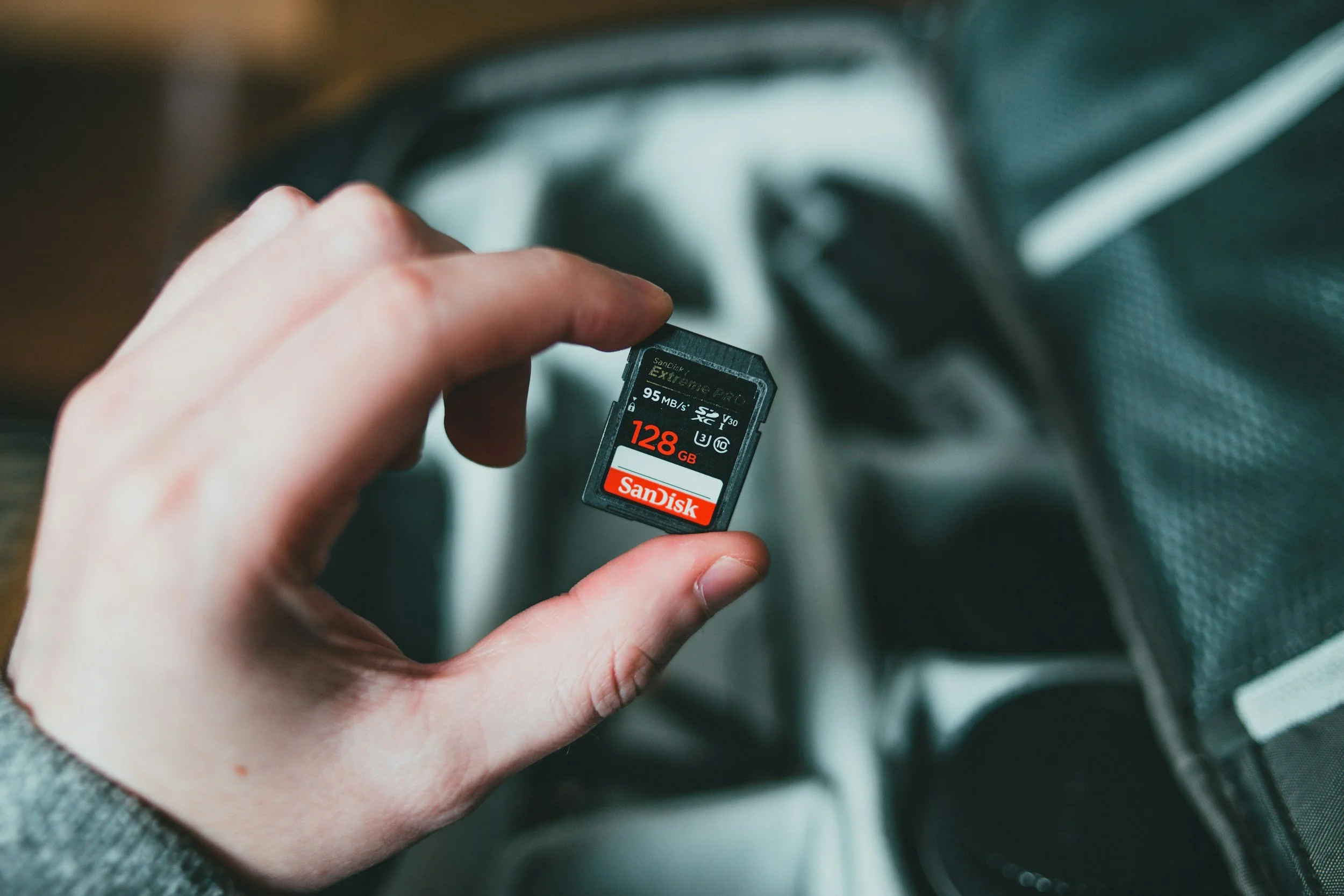
Photo by Erik Mclean / Unsplash
*Some links in this guide are affiliate links. If you purchase through them, it helps support my work at no extra cost to you.
==========
Last Updated: August 2026
Quick Jump
- Best Memory Cards Quick Picks
- What Makes a Good Memory Card for Concert Photography?
- Why Write Speed Matters
- Read Speed vs Write Speed
- SD vs CFexpress Memory Cards
- UHS-I vs UHS-II Cards
- Best Memory Cards for Concert Photography
- How Much Storage Do You Need?
- Frequently Asked Questions
- Related Photography Gear Guides
Memory cards are one of the easiest pieces of photography gear to overlook.
Most photographers spend time choosing cameras, lenses, and lighting equipment — but the memory card is what actually stores the images you worked so hard to capture.
During a concert, there are no second chances.
A slow card can cause:
buffer delays during important moments
missed shots during bursts
interrupted shooting when the camera cannot write files fast enough
A failed card can mean losing an entire performance.
For concert photography, the best memory card is not necessarily the one with the biggest numbers on the box.
It is the one that:
keeps up with your camera
handles long bursts reliably
has enough storage for the event
gives you confidence when the lights come up and the action starts
This guide covers the best SD and CFexpress memory cards for concert photography, including what speeds actually matter, how much storage you need, and which cards make sense for different cameras.
Best Memory Cards for Concert Photography (Quick Picks)
If you want the short answer, these are the cards I would consider for live music photography.
| Category | Recommendation | Best For |
|---|---|---|
| Best Overall SD Card | SanDisk Extreme PRO UHS-II | Most concert photographers |
| Best Durability | Sony Tough SF-G UHS-II | Professionals shooting demanding environments |
| Best Value UHS-II | ProGrade Digital SDXC UHS-II | Performance without premium pricing |
| Best CFexpress Type B | ProGrade / SanDisk CFexpress Type B | Nikon Z8, Z9, Canon R5-series users |
| Best Budget SD Card | SanDisk Extreme UHS-I | Beginners and entry-level cameras |
| Best Beginner Upgrade | Lexar Professional 1066x UHS-I | Affordable improvement over basic cards |
Best Overall SD Card
Recommendation: SanDisk Extreme PRO UHS-II
Best For: Most concert photographers
Best Durability
Recommendation: Sony Tough SF-G UHS-II
Best For: Professionals shooting demanding environments
Best Value UHS-II
Recommendation: ProGrade Digital SDXC UHS-II
Best For: Performance without premium pricing
Best CFexpress Type B
Recommendation: ProGrade / SanDisk CFexpress Type B
Best For: Nikon Z8, Z9, Canon R5-series users
Best Budget SD Card
Recommendation: SanDisk Extreme UHS-I
Best For: Beginners and entry-level cameras
Best Beginner Upgrade
Recommendation: Lexar Professional 1066x UHS-I
Best For: Affordable improvement over basic cards
For most photographers using modern mirrorless cameras:
A reliable 128GB UHS-II card is the safest starting point.
If you are using a high-resolution professional body with CFexpress support, that may be the better option.
What Makes a Good Memory Card for Concert Photography?
Concert photography places different demands on memory cards than many other types of photography.
A landscape photographer may take a few carefully composed images.
A concert photographer may capture:
hundreds of RAW files in minutes
rapid bursts during peak moments
multiple performers under changing lighting
entire sets without changing cards
The best memory cards for concerts prioritize five things:
1. Write Speed
Write speed determines how quickly your camera can save images to the card.
This affects:
burst shooting
buffer clearing
continuous shooting performance
A fast write speed helps your camera keep working when the action happens.
2. Sustained Performance
A card may advertise impressive peak speeds, but sustained performance matters more during real shoots.
During a long burst sequence, the camera eventually fills its internal buffer.
At that point, the card becomes the limiting factor.
A quality card maintains consistent performance instead of slowing dramatically.
3. Reliability
A slightly slower reliable card is better than an extremely fast card that fails.
Important factors include:
build quality
manufacturer reputation
warranty support
counterfeit protection
Memory cards are not the place to buy the cheapest option available.
4. Storage Capacity
Your card needs to hold enough images for your shooting style.
A photographer covering:
a single club show
will have different needs than someone shooting:
festivals
multiple bands
photo + video coverage
5. Compatibility
Not every camera supports every card format.
Before buying, check:
SD vs CFexpress compatibility
UHS-I vs UHS-II support
CFexpress Type A vs Type B
The fastest card in the world does nothing if your camera cannot use it.
Why Write Speed Matters for Concert Photography
For photographers, write speed is one of the most important specifications on a memory card.
When you press the shutter, the camera temporarily stores images in its internal buffer.
The process looks like this:
Camera sensor → Internal buffer → Memory card
If the card cannot keep up:
the buffer fills
continuous shooting slows down
the camera may temporarily stop capturing images
That can happen at the worst possible moment:
a singer jumping into the spotlight
a guitarist solo
a drummer's peak movement
a perfect crowd interaction
Fast write speeds allow the camera to clear the buffer faster and keep shooting.
This matters even more with modern cameras producing:
24MP RAW files
45MP+ RAW files
high-speed burst sequences
See related: Best Settings for Concert Photography
Read Speed vs Write Speed: What Photographers Actually Need
One of the biggest mistakes photographers make is choosing a card based only on read speed.
The number advertised on the front of the package is often the maximum read speed.
Example:
300 MB/s read speed
sounds impressive.
But read speed mainly affects:
transferring files to your computer
importing images
copying backups
For shooting performance, write speed matters more.
When comparing cards for concert photography, pay attention to:
sustained write speed
V rating (V30/V60/V90)
manufacturer specifications
A card that transfers files quickly but writes slowly may not improve your actual shooting experience.
SD vs CFexpress: Which Memory Card Should You Use?
Modern cameras typically use one of two formats:
SD cards
CFexpress cards
Both can work well, but they target different levels of performance.
SD Cards
Advantages:
affordable
widely supported
easy to find
excellent performance with UHS-II
Best for:
most mirrorless cameras
event photographers
concert photographers using moderate burst rates
CFexpress Cards
Advantages:
significantly faster
better for large RAW files
faster buffer clearing
designed for professional workflows
Best for:
flagship cameras
high-resolution bodies
photographers who shoot heavy bursts
Examples:
professional hybrid workflows
Which One Should Concert Photographers Buy?
For most shooters:
UHS-II SD cards are enough.
For photographers using high-end bodies:
CFexpress is worth considering.
The camera you use matters more than the card itself.
A Nikon Z9 and a beginner APS-C camera have very different requirements.
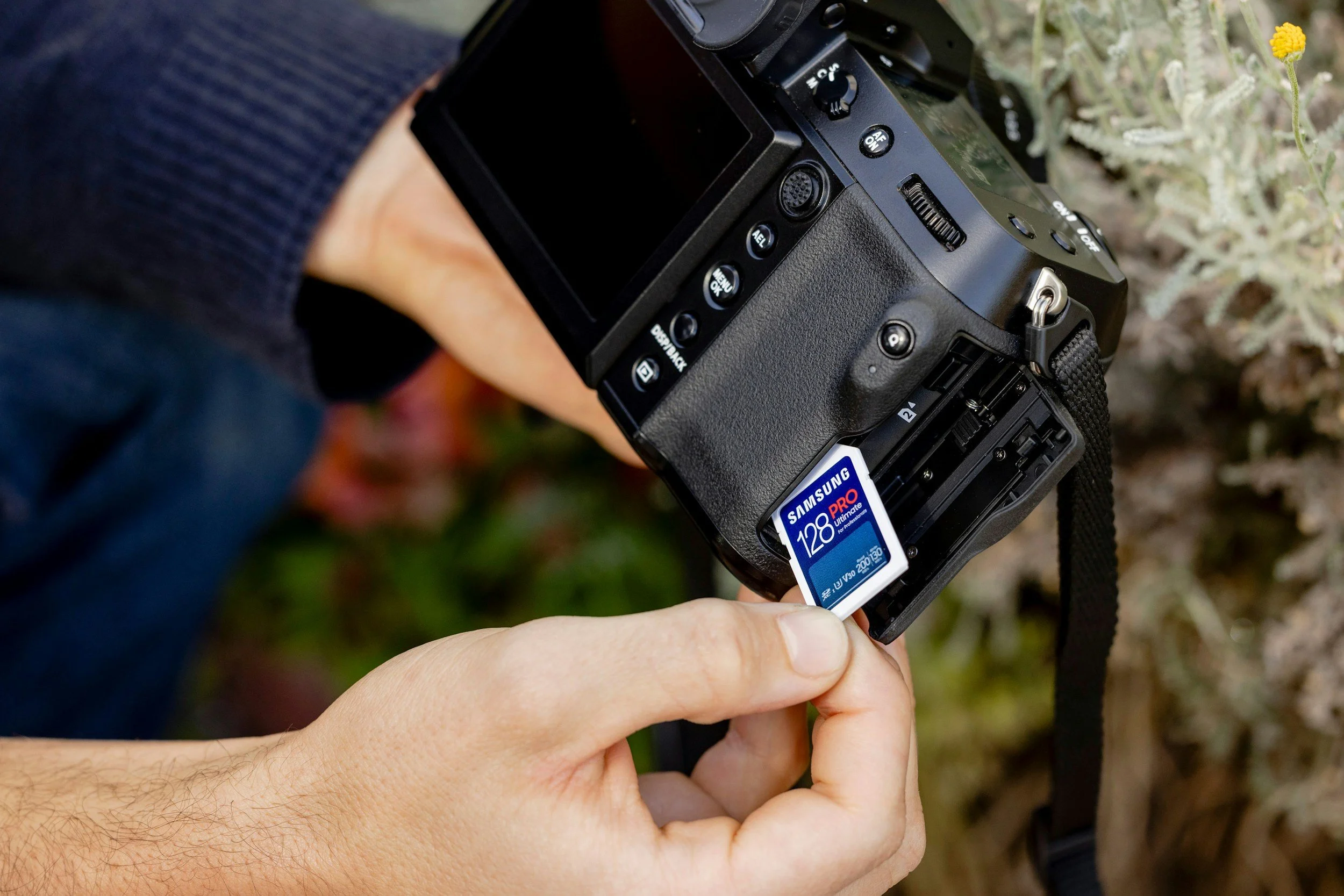
Stock image om Unsplash by: Samsung Memory
UHS-I vs UHS-II Memory Cards for Concert Photography
Not all SD cards are created equal.
One of the biggest differences between memory cards is the speed class, specifically whether the card uses the older UHS-I standard or the faster UHS-II standard.
The right choice depends on your camera and how aggressively you shoot.
UHS-I Memory Cards
UHS-I cards are the most common and affordable SD cards.
Advantages:
lower cost
widely compatible
available in large capacities
good enough for many cameras
Best for:
beginner photographers
entry-level mirrorless cameras
casual concert shooters
photographers who do not shoot long bursts
Limitations:
slower write speeds
slower buffer clearing
less ideal for high-resolution RAW bursts
For cameras with modest burst speeds, a quality UHS-I card can still perform well.
UHS-II Memory Cards
UHS-II cards add a second row of contacts on the back of the card, allowing much higher transfer speeds.
Advantages:
faster write speeds
quicker buffer clearing
better sustained performance
ideal for professional workflows
Best for:
concert photographers
event photographers
high-resolution cameras
photographers shooting RAW bursts
If your camera supports UHS-II, it is usually the better choice for serious live photography.
Do You Need UHS-II?
For most concert photographers:
Yes, if your camera supports it.
The difference becomes noticeable when shooting:
continuous bursts
30+ megapixel cameras
RAW files
fast-moving performers
A UHS-II card will not improve autofocus or image quality, but it can help your camera stay ready for the next moment.
Understanding Memory Card Speed Ratings
Memory card packaging can be confusing.
You may see:
U3
V30
V60
V90
200 MB/s
300 MB/s
These numbers do not all mean the same thing.
U3 Rating
U3 means the card supports a minimum sustained write speed of:
30 MB/s
Most modern photography-focused cards are U3 rated.
For concert photography:
acceptable for many cameras
entry point for serious shooting
V30 Speed Class
V30 means:
minimum sustained write speed of 30 MB/s
Good for:
general photography
moderate RAW shooting
many mirrorless cameras
V60 Speed Class
V60 means:
minimum sustained write speed of 60 MB/s
Better for:
larger RAW files
longer bursts
hybrid photo/video workflows
V90 Speed Class
V90 means:
minimum sustained write speed of 90 MB/s
Designed for:
professional video
demanding cameras
maximum sustained performance
For photography alone, V90 is not always necessary, but it provides additional headroom.
What Should Concert Photographers Buy?
A practical recommendation:
Beginner cameras:
UHS-I U3 / V30
Mid-range mirrorless cameras:
UHS-II V60
Professional cameras:
UHS-II V90 or CFexpress
The camera matters more than chasing the highest specification.
Best Memory Cards for Concert Photography (2026 Picks)
SanDisk Extreme PRO SDXC UHS-II
Best Overall Memory Card for Concert Photography
The SanDisk Extreme PRO UHS-II is one of the safest recommendations for photographers who want dependable performance.
Why it stands out:
fast write speeds
excellent reliability
widely supported
strong professional reputation
Best for:
concert photographers
event photographers
wedding photographers
high-resolution mirrorless cameras
Where it falls short:
more expensive than basic SD cards
Bottom line:
For most photographers using a UHS-II camera, this is the card I would trust first.
Check pricing and availibility:
Sony Tough SF-G Series UHS-II
Best Durability Option
Sony's Tough series is designed for photographers who work in demanding conditions.
Advantages:
rugged construction
water resistance
dust resistance
excellent performance
Best for:
outdoor concerts
festivals
travel photographers
photographers working in harsh environments
Where it falls short:
premium pricing
Bottom line:
If durability matters as much as speed, Sony Tough is one of the strongest options.
Check pricing and availibility:
ProGrade Digital SDXC UHS-II
Best Performance-to-Price Balance
ProGrade has become popular among photographers who want professional performance without always paying the highest prices.
Advantages:
strong write speeds
reliable performance
good value
Best for:
photographers shooting frequent events
high-resolution cameras
professionals needing multiple cards
Bottom line:
A great choice when you need several cards without overspending.
Check pricing and availibility:
CFexpress Type B Cards
Best for Professional High-Speed Cameras
CFexpress Type B is the next step beyond UHS-II SD cards.
Advantages:
extremely fast write speeds
excellent buffer performance
designed for demanding workflows
Common cameras using CFexpress Type B include:
other professional mirrorless bodies
Best for:
photographers shooting long bursts
high-resolution RAW files
professional assignments
Popular options include:
Bottom line:
If your camera supports CFexpress Type B, it is often the best performance choice.
SanDisk Extreme UHS-I
Best Budget Memory Card
Not every photographer needs a professional UHS-II card.
The SanDisk Extreme UHS-I is a reliable budget option.
Advantages:
affordable
dependable
widely compatible
Best for:
beginners
entry-level cameras
photographers upgrading from basic cards
Limitations:
slower than UHS-II
not ideal for extreme burst shooting
Bottom line:
A strong first card for newer photographers.
Check pricing and availibility:
Lexar Professional 1066x UHS-I
Best Beginner Alternative
Another affordable option for photographers who want better performance without moving to UHS-II pricing.
Advantages:
good speed
reasonable price
widely available
Best for:
beginner mirrorless cameras
casual event shooting
Check pricing and availibility:
Best Memory Cards by Camera
The best card depends heavily on the camera body.
Here are practical recommendations for popular concert photography cameras.
| Camera | Recommended Memory Card |
|---|---|
| Nikon Z6 III | UHS-II SD or CFexpress Type B |
| Nikon Z8 | CFexpress Type B |
| Nikon Z9 | CFexpress Type B |
| Canon EOS R6 Mark III | UHS-II SD |
| Canon EOS R6 Mark II | UHS-II SD |
| Canon EOS R5 Series | CFexpress Type B + UHS-II SD |
| Sony A7 IV | UHS-II SD |
| Sony A1 Series | CFexpress Type A or UHS-II SD |
| Fujifilm X-T5 | UHS-II SD |
Nikon Z6 III
Recommended Memory Card: UHS-II SD or CFexpress Type B
Nikon Z8
Recommended Memory Card: CFexpress Type B
Nikon Z9
Recommended Memory Card: CFexpress Type B
Canon EOS R6 Mark III
Recommended Memory Card: UHS-II SD
Canon EOS R6 Mark II
Recommended Memory Card: UHS-II SD
Canon EOS R5 Series
Recommended Memory Card: CFexpress Type B + UHS-II SD
Sony A7 IV
Recommended Memory Card: UHS-II SD
Sony A1 Series
Recommended Memory Card: CFexpress Type A or UHS-II SD
Fujifilm X-T5
Recommended Memory Card: UHS-II SD
For dual-card cameras, consider using:
faster card for primary RAW files
second card as backup
How Much Storage Do You Need for Concert Photography?
Choosing card size is a balance between convenience and risk.
A larger card means:
fewer card changes
more room for RAW files
easier event coverage
But one massive card also creates a bigger problem if something goes wrong.
64GB Memory Cards
Good for:
short club shows
photographers who change cards frequently
backup cards
Not ideal for:
festivals
high-resolution cameras
128GB Memory Cards
The best overall choice for most photographers.
Advantages:
enough capacity for most concerts
manageable file loss risk
affordable
For many shooters, this is the sweet spot.
256GB Memory Cards
Useful for:
festivals
multiple sets
high-resolution cameras
photographers shooting photo + video
512GB+ Cards
Usually unnecessary unless you are:
shooting video
covering extremely long events
using very high-resolution cameras
Backup Strategy for Concert Photography
A memory card is not a permanent storage device.
It is temporary transportation between your camera and your archive.
A professional workflow should include redundancy.
Use Dual Card Slots When Available
Many professional cameras allow:
RAW files written to two cards simultaneously
automatic backup during shooting
For important assignments, this is one of the best protections available.
Carry Multiple Cards
Instead of relying on:
one 512GB card
consider:
two or three 128GB cards
Benefits:
lower risk
easier organization
less catastrophic failure
Do Not Format Cards Too Early
A common mistake:
shoot event → format card immediately
Better:
shoot event → copy files → verify backup → format card
Replace Cards Periodically
Memory cards do not last forever.
Replace cards that show:
corruption errors
slowdowns
physical damage
unusual behavior
A card is cheap compared with losing an entire concert.

concert photography burst shooting example
Real-World Memory Card Workflow for Concert Photography
The best memory card setup is not just about buying a fast card.
It is about creating a workflow that reduces risk before, during, and after a show.
A reliable concert photography workflow looks like this:
Before the Concert
Before arriving at a venue:
Format Cards In-Camera
Always format memory cards using the camera that will be shooting.
This helps:
reduce file system errors
ensure compatibility
keep card performance consistent
Avoid formatting cards on your computer unless necessary.
Check Available Storage
Before the show starts:
confirm remaining capacity
verify the card is recognized
check that the camera is writing correctly
Running out of storage during the best song of the night is completely avoidable.
Label Your Cards
For photographers carrying multiple cards, organization helps.
Simple options:
Card 1
Card 2
Backup
Empty
You can also rotate cards by event:
March Concerts
Festival Day 1
Festival Day 2
The goal is knowing exactly which cards contain important images.
During the Concert
A good card strategy keeps you focused on shooting instead of worrying about storage.
Avoid Filling Cards Completely
Try not to shoot until the card reaches 100%.
Leaving some available space helps avoid:
unexpected storage issues
slower workflow
emergency card swaps
A good habit:
swap cards before they are completely full.
Use Multiple Cards During Long Events
For festivals or multi-band events:
Instead of:
one giant card for the entire day
consider:
one card per artist
one card per stage
one card per performance block
This makes organization easier and limits risk.
Keep Used Cards Safe
After a card is full:
remove it carefully
place it in a card case
mark it as used
Do not leave important cards loose in pockets where they can be:
damaged
lost
accidentally reformatted
Fake Memory Cards: A Serious Problem
Counterfeit memory cards are more common than many photographers realize.
A card may appear to be:
a high-capacity professional card
a major brand
a great deal
but actually contain:
lower-quality storage chips
incorrect capacity
slower performance
unreliable components
Warning Signs of Fake Memory Cards
Be cautious if you see:
prices far below normal retail
unknown sellers
unusual brand names
suspiciously large capacities
inconsistent packaging
A "1TB professional card" for an unbelievable price is usually a warning sign.
Buy From Trusted Sellers
For important photography work, purchase from reputable retailers.
Examples:
manufacturer stores
established camera retailers
authorized dealers
Saving $30 on a card is not worth risking an entire concert shoot.
How to Test a New Memory Card Before Using It
Never trust a brand-new card at an important event without testing it first.
A simple testing process:
Step 1: Format the Card
Format it in your camera.
Step 2: Shoot a Test Burst
Take several long bursts:
RAW files
continuous autofocus
high-speed drive mode
Make sure the camera performs normally.
Step 3: Fill the Card
For professional use, test the card under realistic conditions.
Check:
writing speed
stability
file integrity
Step 4: Transfer and Verify Files
Copy the images to your computer.
Open multiple files.
Confirm:
images load correctly
no corruption exists
file numbers are normal
Step 5: Use It as a Backup First
For critical assignments:
use new cards on smaller shoots before trusting them for major events.

live music photography final image high iso
Common Memory Card Mistakes Concert Photographers Make
Buying Based Only on Read Speed
One of the most common mistakes.
Manufacturers often advertise:
"300 MB/s"
but that may refer to read speed.
For photographers, write speed matters more because it affects:
buffer clearing
burst performance
continuous shooting
Buying the Cheapest Card Available
A memory card is not the place to save a few dollars.
Cheap cards can lead to:
slower performance
corrupted files
inconsistent results
Using One Giant Memory Card
A huge card feels convenient.
But if it fails:
everything from the entire event may be gone.
Multiple cards reduce risk.
Ignoring Camera Compatibility
Not every camera supports:
UHS-II
CFexpress
certain card formats
Always check your camera specifications before buying.
Keeping Cards Forever
Memory cards are not lifetime products.
Replace cards that have:
heavy use
errors
physical damage
inconsistent performance
Removing Cards While Writing
Never remove a card while the camera is:
saving images
recording video
accessing files
This is one of the easiest ways to corrupt data.
Final Recommendations
For most concert photographers:
Best Overall Choice
UHS-II SD Card
Recommended for:
A quality UHS-II card provides the best balance of:
speed
reliability
price
Best Professional Choice
CFexpress Type B
Best for:
Choose this if you regularly shoot:
long bursts
festivals
high-resolution RAW files
Best Budget Choice
Quality UHS-I Card
Perfect for:
beginners
entry-level cameras
casual concert shooting
Just understand the limitations.
See related: Best Lenses for Concert Photography
Recommended Concert Photography Setup
A simple professional setup:
Primary cards
2 × 128GB UHS-II cards
Backup
1 × additional card
For high-end cameras:
CFexpress Type B primary
secondary SD card backup
The goal is not maximum storage.
The goal is confidence.
Final Thoughts
Memory cards are not the most exciting part of photography gear.
But for concert photography, they are one of the most important.
A great camera and lens mean nothing if your storage cannot keep up or your files are not protected.
The best setup is simple:
buy reliable cards
match the card to your camera
carry backups
test new cards before important shoots
The goal is not just capturing the moment.
It is making sure that moment is still there afterward.
Frequently Asked Questions
What is the best memory card for concert photography?
A reliable UHS-II SD card from a trusted brand is the best choice for most concert photographers. CFexpress Type B is better for professional cameras that support it.
Do I need a UHS-II card for concert photography?
Not always.
If your camera supports UHS-II and you shoot RAW bursts, it is usually worth the upgrade. Entry-level cameras may perform perfectly well with UHS-I cards.
Is CFexpress better than SD cards?
Yes, in terms of speed.
CFexpress cards provide much faster write performance, but they are more expensive and only work with compatible cameras.
How many memory cards should I bring to a concert?
At minimum, bring two cards.
For professional assignments, three or more cards provide better redundancy.
What size memory card is best for concerts?
For most photographers, 128GB is the best balance between storage and risk.
256GB is useful for festivals or high-resolution cameras.
Are expensive memory cards worth it?
Usually yes.
The difference between a professional card and a cheap card is small compared with the value of the images being protected.
How often should I replace memory cards?
There is no exact replacement schedule, but replace cards showing:
errors
corruption
physical wear
inconsistent performance
Can a memory card damage my camera?
A properly functioning memory card should not damage a camera.
However, counterfeit or defective cards can create problems such as:
failed writes
corrupted files
unreliable operation
==========
