

Best Video Autofocus Settings for Hybrid Cameras (AF Tracking Guide)
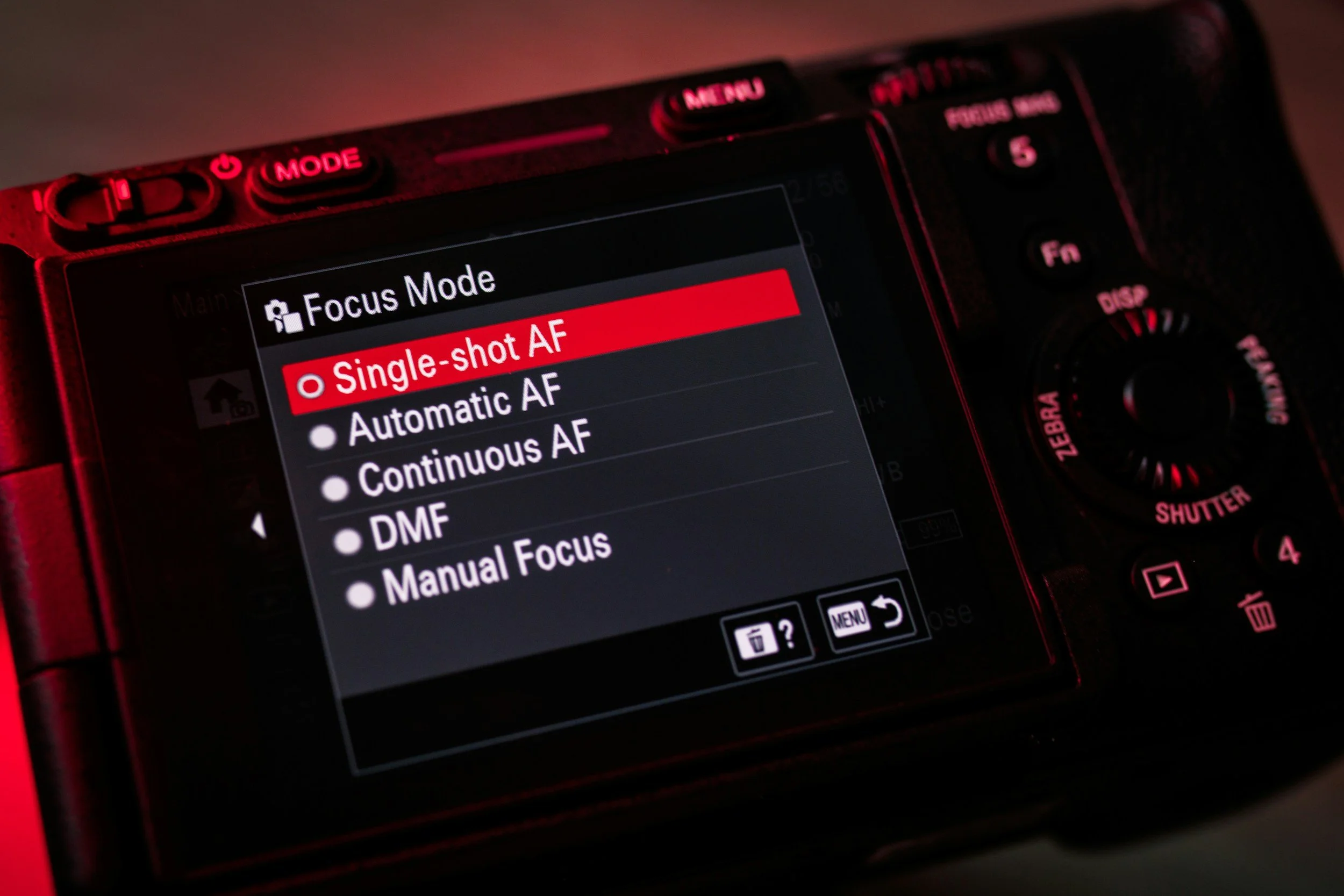
Photo by Denise Jans / Unsplash
*Some links in this guide are affiliate links. If you purchase through them, it helps support my work at no extra cost to you.
==========
Last Updated: August 2026
Modern hybrid cameras have transformed video autofocus.
What used to require manual focus pulling, multiple takes, and careful planning can now be handled automatically in many situations.
But there is a catch:
Great autofocus does not happen automatically.
Many autofocus problems are not caused by the camera itself. They are caused by settings that are not optimized for video.
If your footage has:
focus hunting
missed subjects
autofocus jumping to the background
inconsistent tracking
distracting focus changes
the solution is often adjusting your autofocus setup.
This guide explains the best video autofocus settings for hybrid cameras and how to configure them for real-world shooting situations like:
concerts
live events
interviews
behind-the-scenes content
creator videos
run-and-gun filmmaking
The goal is not simply keeping everything in focus.
The goal is creating footage where autofocus works naturally and stays out of the way.
Why Video Autofocus Is Different From Photography Autofocus
Photography and video use autofocus in very different ways.
When taking a photo, autofocus only needs to do one thing:
Find focus at the moment you press the shutter.
Video is different.
Your camera is continuously making focus decisions while recording.
During a video clip, the autofocus system is constantly:
analyzing the scene
detecting subjects
adjusting focus distance
predicting movement
deciding what should remain sharp
This means small autofocus settings can dramatically change how your footage looks.
A camera that performs perfectly for still photography may produce distracting video if the autofocus behavior is not adjusted.
How Modern Hybrid Camera Autofocus Works
Today's mirrorless cameras use advanced autofocus systems that combine multiple technologies.
Common systems include:
phase detection autofocus
contrast detection
subject recognition
face detection
eye detection
AI-powered tracking
Different manufacturers use different names:
Canon
Canon cameras use:
Dual Pixel CMOS AF
Known for:
smooth transitions
reliable face tracking
natural focus pulls
Sony
Sony cameras use:
Real-Time Tracking and Eye AF
Known for:
strong subject recognition
excellent tracking
reliable moving subject performance
Nikon
Nikon mirrorless cameras use:
3D tracking and subject detection
Known for:
strong human detection
animal detection
flexible focus-area options
Fujifilm
Fujifilm cameras offer:
subject detection autofocus
Known for:
face and eye detection
travel and creator-friendly features
improved tracking in newer models
Regardless of brand, the goal is the same:
Tell the camera what matters most in the scene.
Start With the Right Autofocus Mode
The first autofocus setting to understand is focus mode.
Most hybrid cameras offer three main options:
Continuous autofocus
Single autofocus
Manual focus
Continuous Autofocus (AF-C / Servo AF)
For most video situations, this is the best starting point.
Different brands use different names:
Canon:
Servo AF
Sony:
AF-C (Continuous AF)
Nikon:
AF-C
Fujifilm:
Continuous AF
Continuous autofocus allows your camera to:
track moving subjects
adjust focus during recording
maintain focus while you move
follow performers and people
This is usually the best choice for:
concerts
events
weddings
behind-the-scenes videos
handheld shooting
documentary-style footage
Single Autofocus (AF-S)
Single autofocus focuses once and then locks.
This can work well for:
interviews
product shots
tripod shots
controlled scenes
However, it is usually not ideal for moving subjects.
If your subject moves toward or away from the camera, AF-S will not continuously adjust focus.
Manual Focus
Manual focus still has an important place in video.
It provides complete control and eliminates autofocus surprises.
Manual focus works especially well for:
cinematic shots
controlled interviews
locked camera positions
dark environments where autofocus struggles
However, manual focus requires:
practice
preparation
accurate monitoring
For fast-moving situations, autofocus is often more practical.
Recommended Starting Autofocus Setup
For most hybrid camera video shooters, start with:
Focus Mode
→ AF-C / Servo AF
Subject Detection
→ Enabled when filming people
Eye Detection
→ Enabled when available
Tracking
→ Enabled for moving subjects
AF Transition Speed
→ Slightly slower than default
Tracking Sensitivity
→ Slightly reduced from default
This setup creates smoother, more natural autofocus behavior.
Subject Detection and Tracking Explained
Modern cameras can recognize more than just contrast.
They can identify:
faces
eyes
people
animals
vehicles
This changes how autofocus works.
Instead of simply focusing on the closest object, the camera attempts to understand:
"What should stay in focus?"
For people-focused video, subject detection is usually one of the biggest improvements available.
Face Detection vs Eye Detection
These settings are related, but they are not identical.
Face Detection
Face detection tells the camera:
"Prioritize this person's face."
Useful for:
interviews
events
behind-the-scenes content
general people-focused video
Eye Detection
Eye detection takes it one step further.
The camera attempts to keep the subject's eye sharp.
This is especially useful for:
close-up performances
interviews
portraits
cinematic shots
For professional-looking footage, keeping eyes sharp is often more important than simply keeping the entire face in focus.
Subject Tracking: When to Use It
Subject tracking works best when:
your subject is moving
the background is distracting
you need flexibility
you cannot manually control focus
Examples:
Concert Performer
Tracking can help maintain focus while:
performers move across the stage
lighting changes
the camera operator moves
Event Coverage
Tracking helps with unpredictable moments:
speakers walking
guests moving
candid interactions
Behind-the-Scenes Video
Tracking allows you to focus on:
the person
the action
the story
instead of constantly adjusting focus.
When Not to Use Autofocus Tracking
Autofocus tracking is powerful, but it is not always the best choice.
Avoid relying on tracking when:
multiple subjects compete for attention
the camera should remain focused on one area
lighting is extremely difficult
the subject is intentionally moving out of focus
Sometimes a simple focus lock or manual focus approach creates better results.
The Foundation of Great Video Autofocus
The biggest mistake many creators make is treating autofocus as an "on or off" feature.
Professional results come from controlling:
what the camera tracks
how quickly it reacts
how aggressively it changes focus
when autofocus should be overridden
A modern hybrid camera can produce excellent video autofocus, but only when the settings match the situation.
Best Video Autofocus Settings for Hybrid Cameras
Autofocus Settings That Matter Most
Once you choose the correct autofocus mode, the next step is controlling how the autofocus system behaves.
Modern cameras give you several options that affect:
how quickly focus changes
how aggressively the camera switches subjects
how wide the autofocus area searches
how smoothly transitions appear
The default settings are designed to work for general users.
For professional-looking video, they often need adjustment.
Autofocus Transition Speed
Autofocus transition speed controls:
How quickly your camera changes focus from one subject to another.
This setting is especially important for video because focus changes are visible.
A fast transition may look:
sudden
distracting
less cinematic
A slower transition creates:
smoother focus changes
more natural movement
a more professional appearance
Fast Autofocus Transition Speed
A faster setting can be useful for:
sports
fast action
unpredictable movement
situations where missing focus is worse than a quick transition
Example:
A performer suddenly moves from one side of the stage to another.
A faster response helps the camera catch the movement.
Slow Autofocus Transition Speed
A slower setting is usually better for:
concerts
interviews
cinematic footage
behind-the-scenes content
The camera makes gradual focus changes instead of immediately jumping.
This creates a more intentional look.
Recommended Setting
For most video work:
Start slightly slower than the default setting.
This provides:
smoother transitions
fewer distracting focus shifts
more natural-looking footage
You can always increase speed when filming fast action.
Autofocus Tracking Sensitivity
Tracking sensitivity controls:
How easily the camera decides to switch to something else.
This setting is one of the biggest causes of autofocus frustration.
High Tracking Sensitivity
The camera reacts quickly.
Advantages:
finds new subjects quickly
useful for fast-moving action
Disadvantages:
jumps to backgrounds
loses your intended subject
creates focus hunting
Example:
A singer moves behind a microphone stand.
A high sensitivity setting may decide the microphone is the new focus target.
Low Tracking Sensitivity
The camera stays committed longer.
Advantages:
keeps focus on your subject
avoids distractions
creates smoother footage
Disadvantages:
slower to change subjects
For most video work, this is usually preferable.
Recommended Setting
For concerts, events, and people-focused video:
Use lower tracking sensitivity.
The camera should stay with your subject instead of constantly searching for something new.
Choosing the Right Focus Area
Your focus area determines how much of the frame your camera analyzes.
Different situations require different approaches.
Wide Area Autofocus
The camera searches a large portion of the frame.
Best for:
casual shooting
moving subjects
situations where composition changes quickly
Advantages:
simple
flexible
requires less camera operation
Disadvantages:
can choose the wrong subject
less predictable in busy scenes
Zone Autofocus
The camera focuses within a selected area.
This is often one of the best options for professional video.
Advantages:
more control
reduces distractions
works well for stage performances
Example:
You can tell the camera:
"Focus on this side of the stage."
Tracking Autofocus
Tracking follows a selected subject.
Best for:
performers
speakers
moving people
Works especially well when combined with:
face detection
eye detection
Single Point Autofocus
Single point gives the most control.
Useful for:
controlled shots
product footage
scenes where you know exactly where focus should be
For fast-moving concerts, it can be more difficult because the operator must constantly reposition the focus point.
Low-Light Autofocus Settings
Low light is where autofocus systems are tested the most.
Common problems include:
focus hunting
slow focusing
switching to background objects
losing subjects during movement
This is especially common in:
concerts
clubs
theaters
nighttime events
How to Improve Low-Light Autofocus
Use a Smaller Focus Area
In dark environments, giving the camera too much freedom can create problems.
A smaller focus area helps the camera understand what matters.
Enable Subject Detection
Modern cameras often perform better when they know what they are looking for.
Face and eye detection can dramatically improve reliability.
Avoid Excessively Fast AF Transitions
A fast transition in low light often creates visible hunting.
Slower transitions usually look better.
Give Autofocus Enough Contrast
Autofocus needs something to detect.
It struggles with:
completely dark backgrounds
flat surfaces
heavy shadows
Try focusing on:
facial features
edges
clothing details
areas with contrast
When to Switch to Manual Focus
Autofocus is powerful, but there are times when manual focus is the better tool.
Use Autofocus When:
subjects are moving unpredictably
you are handheld
you need flexibility
you are documenting live events
you cannot predict the action
Examples:
concerts
festivals
behind-the-scenes footage
event coverage
Use Manual Focus When:
the shot is controlled
the camera position is fixed
lighting is extremely difficult
autofocus keeps making mistakes
Examples:
interviews
cinematic shots
establishing shots
tripod-mounted scenes
Hybrid Approach: Autofocus + Manual Override
Many professional shooters combine both methods.
A common workflow:
Use autofocus to acquire focus
Confirm the subject is sharp
Switch to manual focus if needed
Record without focus changes
This works especially well for:
performances
speeches
planned camera angles
Best Autofocus Setup for Concerts and Events
Concert video is one of the hardest autofocus situations.
You are dealing with:
low light
flashing lights
smoke
movement
performers crossing the stage
microphones and instruments blocking faces
A good starting setup:
Concert Autofocus Settings
Focus Mode
→ AF-C / Servo AF
Subject Detection
→ On
Face/Eye Detection
→ On when available
Tracking Sensitivity
→ Lower setting
AF Transition Speed
→ Slow to moderate
Focus Area
→ Tracking or Zone AF
Why This Works
Concert footage usually does not require the camera to constantly find new subjects.
Instead, you want:
stable focus
smooth transitions
fewer distractions
The goal is keeping the performer sharp while allowing the performance itself to create movement.
Real-World Hybrid Camera Configurations
Every camera system uses slightly different names, but the concepts are similar.
Canon Video Autofocus Setup
Recommended starting point:
Servo AF enabled
Face + Eye Detection enabled
slower AF transition speed
reduced tracking sensitivity
appropriate AF area selection
Canon cameras are known for smooth autofocus transitions, especially for:
interviews
events
creator video
Sony Video Autofocus Setup
Recommended starting point:
AF-C enabled
Real-Time Tracking enabled
Human Eye AF enabled
slower transition speed
reduced subject switching
Sony systems are especially strong for:
hybrid shooters
run-and-gun video
event coverage
Nikon Video Autofocus Setup
Recommended starting point:
AF-C enabled
subject detection enabled
wide-area AF or tracking depending on situation
adjusted AF speed for smoother transitions
Nikon hybrid cameras have become much stronger for video-focused workflows.
Fujifilm Video Autofocus Setup
Recommended starting point:
AF-C enabled
subject detection enabled
adjusted tracking settings
slower transitions for cinematic results
Fujifilm systems are popular for:
travel
documentary-style video
creator content
The Best Autofocus Setup Depends on the Story
There is no universal "perfect" autofocus setting.
A concert requires different behavior than:
an interview
a travel video
a product review
a cinematic sequence
The best autofocus setup is the one that lets you focus on creating—not fighting your camera.
Best Video Autofocus Settings for Hybrid Cameras
My Hybrid Camera Autofocus Workflow
After years of shooting real-world content, the biggest lesson with autofocus is simple:
Do not rely on default settings.
Modern cameras are extremely capable, but they still need direction.
My approach is to create a predictable autofocus setup before the shoot, then adjust only when the environment requires it.
Step 1 — Choose the Right Autofocus Mode
For most video work:
AF-C / Servo AF
is the starting point.
This works best for:
concerts
events
behind-the-scenes footage
moving subjects
handheld video
For controlled shots:
interviews
product footage
tripod shots
I may switch to:
manual focus
single autofocus
locked focus
The key is matching autofocus behavior to the situation.
Step 2 — Enable Subject Detection When It Helps
For people-focused video:
Enable:
face detection
eye detection
subject tracking
This allows the camera to prioritize what actually matters.
Examples:
Concert Performance
The camera should prioritize:
singer's face
performer movement
stage subject
Not:
microphone stands
lights
background screens
Event Coverage
The camera should follow:
speakers
guests
important interactions
rather than constantly jumping between objects.
Step 3 — Slow Down Autofocus Behavior
One of the biggest mistakes creators make is leaving autofocus too aggressive.
For professional-looking footage:
I prefer:
slower focus transitions
reduced tracking sensitivity
controlled focus changes
This prevents footage from looking like the camera is constantly searching.
Step 4 — Know When to Override Autofocus
Even the best autofocus systems have limits.
If the camera begins:
hunting repeatedly
jumping between subjects
losing focus during important moments
take control.
Options include:
switching to manual focus
locking focus temporarily
changing focus area
repositioning yourself
A professional workflow is not "always autofocus."
It is knowing when autofocus helps—and when it gets in the way.
Step 5 — Test Before Recording Important Moments
Before an important performance or event:
Test:
subject tracking
face detection
focus transitions
low-light performance
A few minutes of testing can prevent missed footage later.
Recommended Cameras for Video Autofocus
Autofocus performance depends heavily on the camera system.
The best hybrid cameras combine:
reliable subject tracking
strong low-light performance
smooth focus transitions
good video features
Canon EOS R Series
Canon has long been known for excellent video autofocus.
Strengths:
smooth Dual Pixel autofocus
reliable face tracking
natural focus transitions
Great for:
events
interviews
creator work
hybrid photo/video shooters
Popular choices include:
Sony Alpha Series
Sony cameras are among the strongest autofocus performers available.
Strengths:
Real-Time Tracking
excellent eye detection
strong subject recognition
Great for:
run-and-gun shooting
concerts
documentary-style work
Popular choices include:
Nikon Z Series
Nikon has significantly improved video autofocus with newer Z-series cameras.
Strengths:
strong subject detection
excellent image quality
hybrid shooting capability
Great options include:
Fujifilm X Series
Fujifilm cameras provide strong autofocus in compact systems.
Strengths:
subject detection
lightweight bodies
creator-friendly features
Popular options:
Advanced Video Autofocus Techniques
Once you understand the basics, these techniques can improve reliability and creativity.
Use Autofocus to Acquire, Then Lock
One professional technique is:
Use autofocus to find your subject
Confirm focus
Lock focus manually
This works well for:
interviews
planned performances
cinematic shots
You get the speed of autofocus with the reliability of manual focus.
Use Focus Pulls Intentionally
Autofocus can create cinematic focus changes when controlled properly.
Examples:
performer in foreground → audience in background
instrument → musician
detail shot → wide scene
However, intentional focus pulls should look planned.
Random autofocus changes usually distract viewers.
Combine Tracking With Composition
Do not let autofocus control your entire shot.
You still control:
framing
timing
movement
storytelling
Autofocus should support your creative decisions—not replace them.
Use Focus Peaking When Manual Focusing
If switching to manual focus:
Enable:
focus peaking
magnification
external monitor assistance
These tools make manual focus much easier.
Common Video Autofocus Mistakes
Leaving Everything on Default
Factory settings are designed for general use.
They are not optimized for professional video.
Using Too Much Tracking Sensitivity
High sensitivity often causes:
focus jumping
background distractions
inconsistent footage
Making Autofocus Too Fast
Fast transitions may look impressive in a demo.
In real footage, they often look unnatural.
Expecting Autofocus to Work Perfectly in Darkness
Low light is difficult for every autofocus system.
Even premium cameras can struggle with:
black backgrounds
smoke
haze
flashing lights
Never Learning Manual Focus
Autofocus is powerful.
But manual focus remains an important skill.
Knowing both gives you more control.
Using the Wrong Focus Area
A wide autofocus area in a crowded scene may cause the camera to choose the wrong subject.
Choose your focus area based on the situation.
Gear That Helps Video Autofocus Performance
Autofocus is not only about the camera body.
Your supporting gear matters too.
Fast Lenses
Fast lenses help autofocus by allowing more light into the camera.
Useful ranges:
f/1.4
f/1.8
f/2.8
Especially valuable for:
concerts
theaters
indoor events
External Monitor
A larger monitor helps with:
confirming focus
checking exposure
manual focus accuracy
Useful for:
interviews
productions
controlled shoots
Stabilization Tools
Stable footage makes autofocus look better.
Helpful options:
tripods
monopods
gimbals
camera cages
Good Audio Setup
While not directly related to autofocus, professional video requires more than sharp footage.
A complete setup includes:
reliable autofocus
good exposure
stable movement
clean audio
Final Thoughts
Video autofocus has changed dramatically.
Modern hybrid cameras can now track:
performers
speakers
moving subjects
everyday moments
with incredible accuracy.
But the best results come from understanding how autofocus works.
The goal is not simply turning autofocus on.
The goal is controlling:
what your camera tracks
how quickly it reacts
when it should change focus
when you should take control
For concerts, events, and real-world video, the best autofocus setup is usually:
AF-C / Servo AF
subject detection enabled
eye detection when available
slower focus transitions
reduced tracking sensitivity
Once your autofocus settings match your shooting style, your camera becomes far more reliable—and your footage becomes much more professional.
Frequently Asked Questions
What autofocus mode is best for video?
For most video situations, continuous autofocus (AF-C / Servo AF) is the best choice because it allows the camera to track moving subjects throughout the clip.
Should I use eye autofocus for video?
Yes. Eye autofocus is extremely useful when filming people because it helps keep attention on the most important part of the subject.
Why does my video autofocus keep hunting?
Common causes include:
tracking sensitivity set too high
difficult lighting
busy backgrounds
incorrect focus area settings
Reducing sensitivity and narrowing your focus area often helps.
Is autofocus or manual focus better for video?
Neither is always better.
Autofocus is usually best for:
concerts
events
moving subjects
Manual focus is often better for:
controlled scenes
cinematic shots
interviews
Professional shooters often use both.
What is the best autofocus setting for concert video?
A strong starting point:
AF-C / Servo AF
face detection enabled
subject tracking enabled
slower autofocus transitions
lower tracking sensitivity
Concert environments are challenging, so always be ready to override autofocus when needed.
Do expensive cameras have better autofocus?
Generally, yes.
Higher-end cameras usually provide:
better subject recognition
faster processors
improved low-light autofocus
more reliable tracking
However, correct settings often make a bigger difference than simply buying a more expensive camera.
What cameras have the best video autofocus?
Popular hybrid cameras with excellent autofocus include:
The best choice depends on your shooting style, lens system, and whether you prioritize photography, video, or both.
==========
Related Photography & Video Resources
Continue improving your hybrid camera workflow:
