

24 vs 30 vs 60 FPS: Which Frame Rate Should You Use?
*Some links in this guide are affiliate links. If you purchase through them, it helps support my work at no extra cost to you.
==========
Last Updated: August 2026
Whether you're filming YouTube videos, concerts, travel adventures, weddings, or family memories, one of the first video settings you'll choose is your frame rate.
That single setting has a huge impact on how your footage looks.
A lower frame rate creates the cinematic motion associated with movies, while higher frame rates produce smoother motion and allow for slow-motion playback.
None of these options is objectively "better." The best frame rate depends on what you're filming and how you plan to edit it.
In this guide, you'll learn:
what frame rate actually means
the differences between 24, 30, and 60 FPS
when to use each setting
how frame rate affects shutter speed
which frame rates work best for concerts, YouTube, sports, travel, and everyday video
By the end, you'll know exactly which frame rate to choose for nearly every shooting situation.
What Is Frame Rate?
Frame rate refers to how many individual images (frames) your camera records every second.
Each frame is a still photograph.
When those images are played back rapidly, your eyes perceive smooth motion.
For example:
24 FPS records 24 images every second.
30 FPS records 30 images every second.
60 FPS records 60 images every second.
More frames create smoother motion.
Fewer frames create more natural motion blur, which is why movies have their distinctive cinematic appearance.
The key is understanding that higher frame rates aren't automatically better—they simply produce a different look.
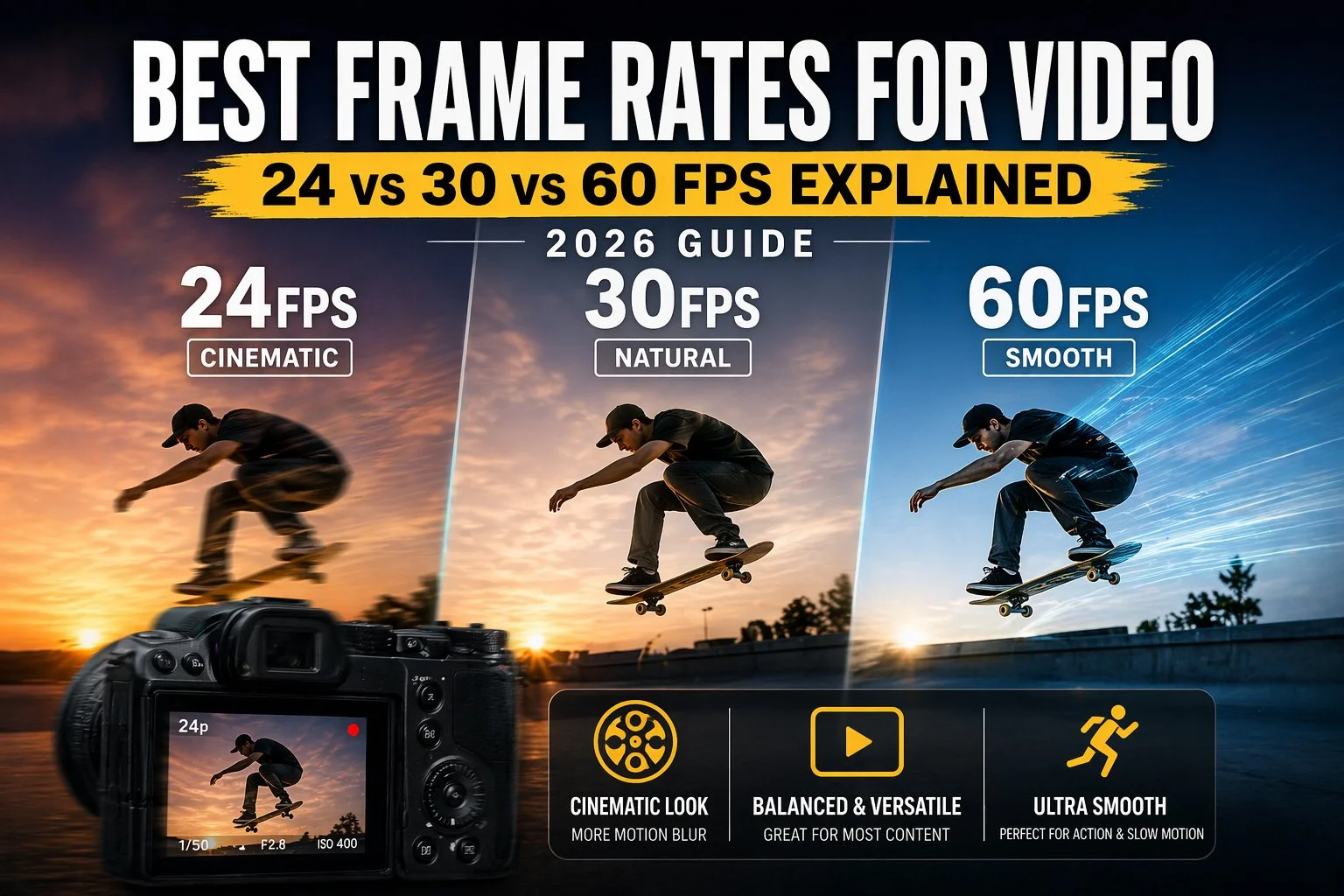
Quick Comparison
| Frame Rate | Motion | Best For | Slow Motion |
|---|---|---|---|
| 24 FPS | Cinematic | Films, documentaries, music videos | Limited |
| 30 FPS | Natural | YouTube, interviews, everyday video | Minimal |
| 60 FPS | Very smooth | Sports, concerts, action, wildlife | Excellent |
24 FPS
Motion: Cinematic
Best For: Films, documentaries, music videos
Slow Motion: Limited
30 FPS
Motion: Natural
Best For: YouTube, interviews, everyday video
Slow Motion: Minimal
60 FPS
Motion: Very smooth
Best For: Sports, concerts, action, wildlife
Slow Motion: Excellent
For most creators:
24 FPS = cinematic storytelling
30 FPS = general-purpose video
60 FPS = action and slow motion
24 FPS (The Cinematic Standard)
For more than a century, movies have been filmed at 24 frames per second.
Because audiences have watched films at this frame rate for generations, our brains naturally associate it with cinema.
Advantages
Film-like motion
Natural motion blur
Classic cinematic appearance
Excellent for storytelling
Best For
Narrative filmmaking
Short films
Music videos
Commercial work
Weddings
Travel films
Documentary projects
If you're trying to create an emotional or cinematic feel, 24 FPS is usually the best choice.
Why Does 24 FPS Look Cinematic?
It isn't just because it's slower.
The combination of:
fewer frames
natural motion blur
proper shutter speed
creates movement that feels organic rather than overly sharp.
When paired with the traditional 180-degree shutter rule, 24 FPS delivers the classic movie look.
If you're unfamiliar with shutter angle, be sure to read:
→ 180 Degree Shutter Rule Explained
Downsides
24 FPS isn't perfect.
Fast movement can appear:
blurry
choppy
less detailed
That's completely normal.
In fact, it's part of the cinematic aesthetic.
However, it isn't always ideal for sports or fast action.
30 FPS (The Everyday Choice)
Thirty frames per second sits comfortably between cinematic and ultra-smooth.
It looks slightly smoother than 24 FPS while still feeling natural.
For many creators, it's the safest all-around option.
Advantages
Smooth without looking overly sharp
Excellent for online content
Easy to edit
Great for mixed photography/video creators
Best For
YouTube videos
Tutorials
Interviews
Product reviews
Travel vlogs
Corporate videos
Family events
If you're unsure which frame rate to use, 30 FPS is rarely a bad decision.
Why Many YouTubers Shoot 30 FPS
Much of YouTube content focuses on:
talking-head videos
reviews
tutorials
everyday life
These don't require dramatic cinematic motion or slow motion.
Instead, they benefit from footage that's clean, natural, and easy to watch.
That's exactly where 30 FPS shines.
60 FPS (Smooth Motion & Slow Motion)
Sixty frames per second captures more than twice as many frames as 24 FPS.
That extra information produces much smoother motion.
It also gives editors far more flexibility in post-production.
Advantages
Extremely smooth movement
Better for fast action
Excellent subject tracking
Ideal for slow-motion footage
Cleaner playback during rapid camera movement
Best For
Concerts
Sports
Wildlife
Motorsports
Action sequences
Fast-moving performers
Dance performances
If you plan to slow footage down during editing, recording at 60 FPS is one of the easiest ways to produce smooth slow-motion video.
Why Concert Videographers Often Choose 60 FPS
Concerts are unpredictable.
Lighting changes constantly.
Performers move rapidly.
Crowds create sudden moments you can't repeat.
Recording at 60 FPS provides:
smoother performer movement
cleaner handheld footage
better slow-motion options
more flexibility during editing
If you regularly shoot live music, 60 FPS is often the safest choice.
For additional concert shooting techniques, see:
24 vs 30 vs 60 FPS Comparison
Now that you've seen what each frame rate is designed for, the next question becomes:
Which one should you actually use?
The answer depends on your subject, your editing workflow, and the type of look you're trying to achieve.
Motion Comparison
| Feature | 24 FPS | 30 FPS | 60 FPS |
|---|---|---|---|
| Motion Blur | High | Moderate | Low |
| Smoothness | Cinematic | Natural | Very Smooth |
| Slow Motion | Limited | Limited | Excellent |
| Action Photography | Fair | Good | Excellent |
| Storytelling | Excellent | Very Good | Good |
| Sports | Fair | Good | Excellent |
| Concerts | Good | Very Good | Excellent |
| YouTube | Good | Excellent | Excellent |
| Editing Flexibility | Good | Good | Excellent |
Motion Blur
24 FPS: High
30 FPS: Moderate
60 FPS: Low
Smoothness
24 FPS: Cinematic
30 FPS: Natural
60 FPS: Very Smooth
Slow Motion
24 FPS: Limited
30 FPS: Limited
60 FPS: Excellent
Action Photography
24 FPS: Fair
30 FPS: Good
60 FPS: Excellent
Storytelling
24 FPS: Excellent
30 FPS: Very Good
60 FPS: Good
Sports
24 FPS: Fair
30 FPS: Good
60 FPS: Excellent
Concerts
24 FPS: Good
30 FPS: Very Good
60 FPS: Excellent
YouTube
24 FPS: Good
30 FPS: Excellent
60 FPS: Excellent
Editing Flexibility
24 FPS: Good
30 FPS: Good
60 FPS: Excellent
The important thing to remember is that frame rate changes the feeling of motion—not image quality.
If you're filming in 4K, your footage is still 4K regardless of whether you're recording at 24, 30, or 60 FPS.
Choosing the Right Frame Rate
Instead of asking:
"What's the best frame rate?"
Ask yourself:
"What am I filming?"
That question almost always leads to the right answer.
Best Frame Rate for YouTube
For general YouTube videos, 30 FPS is usually the best choice.
It provides:
natural-looking motion
smooth camera movement
compatibility with nearly every editing workflow
professional-looking results
Typical YouTube content includes:
reviews
tutorials
interviews
travel videos
educational content
behind-the-scenes footage
For those types of videos, 30 FPS strikes an excellent balance between realism and simplicity.
Best Frame Rate for Cinematic Video
If your goal is storytelling rather than realism, choose 24 FPS.
Ideal uses include:
short films
documentaries
music videos
cinematic travel films
wedding highlight films
commercial productions
The subtle motion blur helps create the classic "movie" look audiences expect.
Best Frame Rate for Concert Videos
Concert photography often gets most of the attention, but video presents its own challenges.
Live performances involve:
flashing stage lights
unpredictable movement
musicians running across stage
handheld camera movement
changing compositions
Because of that, many concert videographers prefer 60 FPS.
Benefits include:
smoother performer movement
cleaner handheld footage
easier stabilization
beautiful slow-motion clips
If you're producing highlight reels, 60 FPS gives you far more creative flexibility in post-production.
Best Frame Rate for Sports & Action
Sports are one of the easiest decisions.
Choose 60 FPS.
Fast movement benefits from:
smoother playback
less motion blur
easier subject tracking
cleaner slow-motion replays
Common examples include:
football
basketball
racing
skateboarding
mountain biking
wildlife
Higher frame rates preserve more detail during rapid movement.
Best Frame Rate for Travel Videos
Travel videos can go either direction depending on your style.
If you're creating cinematic destination films:
24 FPS is often the better choice.
If you're filming casual travel vlogs:
30 FPS usually works best.
If you're filming adventures with lots of action—such as hiking, skiing, surfing, or wildlife—60 FPS gives you more flexibility during editing.
Best Frame Rate for Weddings
Wedding filmmakers often mix frame rates throughout the day.
A common workflow looks like this:
Ceremony → 24 FPS
Speeches → 24 or 30 FPS
Dancing → 60 FPS
Slow-motion highlights → 60 FPS
Using multiple frame rates intentionally helps emphasize different moments throughout the day.
Frame Rate and the 180-Degree Shutter Rule
Frame rate and shutter speed always work together.
One of the biggest beginner mistakes is changing frame rate without adjusting shutter speed.
The traditional guideline is called the 180-degree shutter rule.
It recommends setting shutter speed to approximately double your frame rate.
| Frame Rate | Recommended Shutter Speed |
|---|---|
| 24 FPS | 1/50 sec |
| 30 FPS | 1/60 sec |
| 60 FPS | 1/120 sec |
24 FPS
Recommended Shutter Speed: 1/50 sec
30 FPS
Recommended Shutter Speed: 1/60 sec
60 FPS
Recommended Shutter Speed: 1/120 sec
Following this rule creates natural-looking motion blur.
If your shutter speed is much faster, movement begins to look unusually sharp and jittery.
If it's much slower, motion becomes excessively blurry.
For a complete explanation, see:
How Frame Rate Affects Editing
Many people choose their frame rate based on how they plan to edit—not how they plan to shoot.
That's often the smarter approach.
24 FPS
Best if your final video will stay at 24 FPS.
Ideal for:
films
documentaries
storytelling
30 FPS
Best for:
standard online delivery
YouTube uploads
business videos
instructional content
60 FPS
Offers the greatest flexibility.
You can:
play footage at normal speed
slow it to 50%
stabilize footage more easily
create smoother transitions
Many hybrid shooters simply record everything at 60 FPS because it gives them more options during editing.
Can You Mix Frame Rates?
Yes—but do it intentionally.
Professional editors frequently combine:
24 FPS cinematic footage
30 FPS interviews
60 FPS slow-motion B-roll
The key is deciding before filming how each clip will be used.
Randomly mixing frame rates can make a project feel inconsistent.
Planned frame-rate changes, however, can add variety and improve storytelling.
Does Higher FPS Mean Better Video?
No.
This is one of the biggest misconceptions among beginners.
Higher frame rates do not improve:
sharpness
color
dynamic range
image quality
Instead, they change how motion is captured.
A beautifully lit 24 FPS clip will usually look far better than a poorly exposed 60 FPS clip.
Good lighting, proper exposure, and composition matter much more than simply increasing your frame rate.
Common Frame Rate Mistakes
Avoid these common beginner errors:
Recording everything at 60 FPS
Many creators assume more frames are always better.
They're not.
If you don't need slow motion or action footage, 30 FPS or 24 FPS often produces a more pleasing result.
Forgetting to change shutter speed
Changing frame rate without adjusting shutter speed usually creates unnatural-looking motion.
Always adjust both settings together.
Using slow motion unnecessarily
Slow motion has more impact when it's used sparingly.
If every clip is slowed down, the effect quickly loses its impact.
Ignoring storage requirements
Higher frame rates generate more data.
That means:
larger files
faster memory cards
longer export times
more hard drive space
Before switching to 60 FPS for everything, make sure your workflow can handle the extra storage and processing demands.
Not All Cameras Handle Frame Rates the Same
Almost every modern camera can record 24 FPS and 30 FPS.
Where cameras begin to separate themselves is with higher frame rates.
Depending on the model, recording at 60 FPS may involve:
a sensor crop
reduced autofocus performance
lower video quality
recording time limits
increased overheating
This is why it's important to look beyond the headline specifications.
Entry-Level Cameras
Most beginner cameras offer:
1080p at 60 FPS
4K at 24 or 30 FPS
Some also support 4K 60 FPS, but often with limitations such as sensor cropping.
Mid-Range Hybrid Cameras
This is where things become much more flexible.
Many modern hybrid cameras now offer:
uncropped 4K 30 FPS
high-quality 4K 60 FPS
excellent autofocus
strong image stabilization
These cameras strike an excellent balance between photo and video performance.
Professional Hybrid Cameras
Higher-end cameras typically provide:
higher bit-rate recording
4K 60 FPS with fewer compromises
6K or 8K recording
better heat management
larger recording buffers
For creators producing professional video regularly, these features can significantly improve workflow.
If you're shopping for a hybrid camera, see:
Recommended Cameras for Different Frame Rates
Best for 24 FPS Cinematic Video
Ideal choices include cameras that prioritize image quality and color science, such as:
These cameras deliver excellent dynamic range and low-light performance for cinematic projects.
Best for 30 FPS Everyday Video
Almost every modern mirrorless camera performs well at 30 FPS.
Popular options include:
These are excellent choices for YouTube creators, travel videos, and general content creation.
Best for 60 FPS Action
If you frequently film:
concerts
sports
wildlife
fast-moving events
look for cameras with strong 4K 60 FPS performance and reliable autofocus.
Examples include:
24, 25, 30, 50, and 60 FPS: What About PAL vs. NTSC?
You may notice that some cameras also offer:
25 FPS
50 FPS
These exist because different parts of the world use different television standards.
NTSC Regions
Common in:
United States
Canada
Japan
Typical frame rates:
30 FPS
60 FPS
PAL Regions
Common in:
Europe
Australia
much of Asia
Typical frame rates:
25 FPS
50 FPS
Does It Matter Today?
For most YouTube creators and photographers, not very much.
However, if you're filming under artificial lighting, using the frame rate that matches your local electrical frequency can help reduce flickering.
For example:
North America → 30 or 60 FPS often works best
Europe → 25 or 50 FPS may produce cleaner results
Many modern cameras include anti-flicker or flicker-reduction features that also help.
Best Frame Rates for Social Media
Different platforms don't require different frame rates, but certain styles work particularly well.
YouTube
Recommended:
30 FPS for most content
24 FPS for cinematic videos
60 FPS for action or gaming
Instagram Reels
Most creators use:
30 FPS
60 FPS
Fast-moving lifestyle content often benefits from smoother playback.
TikTok
Either:
30 FPS
60 FPS
Both work well depending on the content style.
30 FPS remains an excellent general-purpose choice.
Commercial Video
Many commercial productions continue to favor 24 FPS for its cinematic appearance.
Which Frame Rate Do I Use?
When filming different types of content, I typically choose the frame rate based on the subject rather than using one setting for everything.
Cinematic Travel
24 FPS
Reviews & Educational Content
30 FPS
Concerts & Live Events
60 FPS
Action
60 FPS
Slow Motion
Always record at 60 FPS (or higher if your camera supports it).
Thinking this way makes choosing a frame rate much simpler.
Final Recommendations
If you're still unsure which frame rate to use, here's a simple rule of thumb:
Choose 24 FPS if you want:
cinematic storytelling
natural motion blur
a traditional film look
Choose 30 FPS if you want:
general-purpose video
YouTube content
interviews
travel videos
family videos
Choose 60 FPS if you want:
smoother movement
sports
concerts
wildlife
action
slow-motion flexibility
None of these frame rates is universally better.
Each one is simply a different creative tool.
Once you understand how each affects motion, you'll make more intentional decisions before you even press Record.
Final Thoughts
Frame rate isn't about finding a single "best" setting.
It's about matching your camera settings to the story you're trying to tell.
24 FPS creates the timeless, cinematic look associated with film.
30 FPS delivers smooth, natural motion that's ideal for everyday videos, YouTube, and interviews.
60 FPS excels when filming concerts, sports, wildlife, or any fast-moving subject—and gives you the flexibility to create beautiful slow-motion footage in post-production.
Once you understand how frame rate influences motion, choosing between 24, 30, and 60 FPS becomes much more straightforward. Combined with the right shutter speed and thoughtful editing, it's one of the simplest ways to make your videos look more polished and professional.
Frequently Asked Questions
Which frame rate looks the most cinematic?
24 FPS is generally considered the cinematic standard because it produces the natural motion blur audiences associate with movies.
Is 30 FPS better than 24 FPS?
Not necessarily.
30 FPS is smoother and often better for YouTube and general content, while 24 FPS provides a more cinematic look.
Is 60 FPS always better?
No.
While 60 FPS captures smoother motion and allows for slow-motion editing, it can look overly realistic for cinematic projects.
What frame rate is best for YouTube?
30 FPS is the best all-around choice for most YouTube videos.
Choose 24 FPS for cinematic storytelling or 60 FPS for action-heavy content.
What frame rate is best for concerts?
For most live music performances, 60 FPS provides the best balance of smooth motion, fast subject tracking, and slow-motion flexibility.
Does frame rate affect image quality?
Not directly.
Frame rate changes how motion appears, but image quality depends on factors such as:
lens quality
lighting
exposure
camera sensor
bitrate
codec
Can I convert 60 FPS to 24 FPS?
Yes.
Most video editing software allows you to interpret or export 60 FPS footage as 24 FPS, although planning your workflow before shooting usually produces the best results.
Why does my video look choppy?
Common causes include:
incorrect shutter speed
frame rate mismatch
dropped frames during editing
exporting at a different frame rate than your timeline
Following the 180-degree shutter rule helps produce natural-looking motion.
Should beginners shoot 24 or 30 FPS?
For most beginners, 30 FPS is the easiest starting point because it works well for almost every type of everyday video.
As your style develops, you can begin using 24 FPS for more cinematic projects and 60 FPS when slow motion or action is important.
==========
