

180 Degree Shutter Rule Explained (How to Get Cinematic Motion)
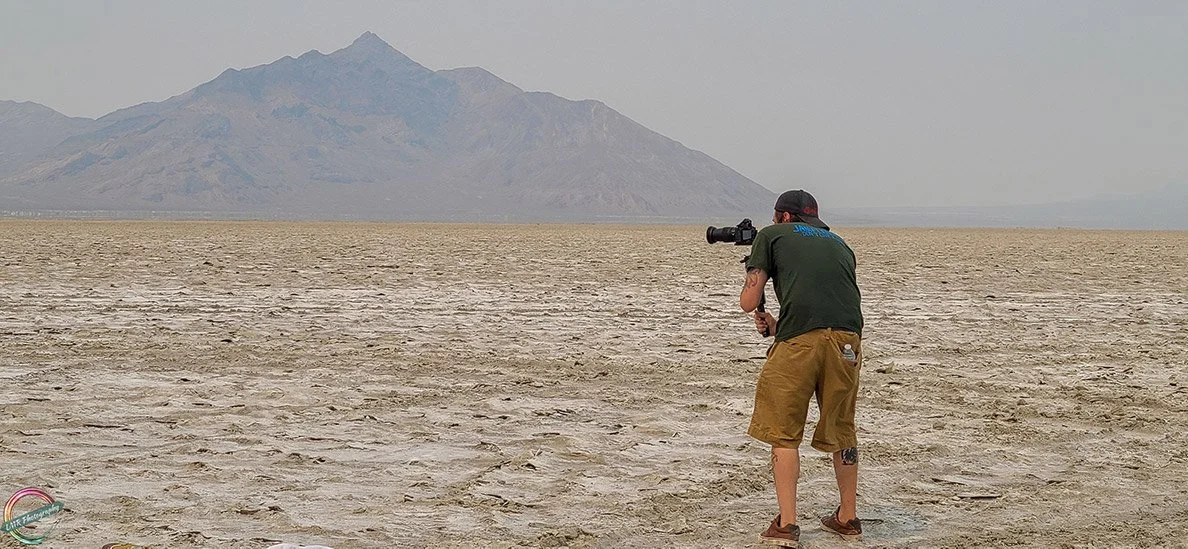
Chris Sidoruk Media filming a music video in the Utah Salt Flats. Photo- ©2021 Lisa Ryan
*Some links in this guide are affiliate links. If you purchase through them, it helps support my work at no extra cost to you.
==========
Last Updated: August 2026
Quick Jump
The 180 Degree Shutter Rule Explained
If you've started shooting video, you've almost certainly heard someone mention the 180 degree shutter rule.
It's one of the first concepts filmmakers learn—and one of the biggest reasons professional footage looks different from smartphone video.
The good news is that it's surprisingly simple.
The basic rule is:
Set your shutter speed to approximately double your frame rate.
That single guideline controls how motion appears in your footage and helps create the smooth, natural movement people associate with movies, television, documentaries, and high-quality online video.
In this guide you'll learn:
what the 180 degree shutter rule actually means
why it creates cinematic-looking footage
the correct shutter speed for every common frame rate
when it's okay to ignore the rule
how ND filters make the rule possible outdoors
real-world settings for concerts, weddings, YouTube, travel, interviews, and more
Whether you're filming with a mirrorless camera, DSLR, cinema camera, or hybrid body, understanding this one concept will immediately improve your video.
What Is the 180 Degree Shutter Rule?
The 180 degree shutter rule is a filmmaking guideline that recommends setting your shutter speed to approximately twice your frame rate.
For example:
24 fps → 1/48 second (usually 1/50)
25 fps → 1/50 second
30 fps → 1/60 second
50 fps → 1/100 second
60 fps → 1/120 second
120 fps → 1/250 second
Following this guideline creates the amount of motion blur our eyes naturally expect to see when watching moving subjects.
That natural motion blur is one of the biggest reasons cinematic footage feels smooth and realistic.
Why It Matters
Unlike photography, where shutter speed primarily determines whether motion is frozen or blurred, shutter speed in video also affects how movement feels from frame to frame.
The right shutter speed creates:
natural motion blur
smooth movement
realistic subject motion
a cinematic appearance
Using the wrong shutter speed can make footage feel:
jittery
overly sharp
artificial
distracting
It's one of those camera settings that viewers may never consciously notice—but they'll immediately notice when it's wrong.
Why Is It Called the "180 Degree" Shutter Rule?
The name comes from traditional motion picture film cameras.
Older film cameras used a rotating shutter disc positioned in front of the film. The opening in that disc was measured in degrees.
A 180-degree shutter exposed each frame for exactly half of the available frame interval before rotating closed to advance the film.
That exposure time happened to produce motion blur that looked natural to human eyes.
Modern digital cameras no longer use rotating mechanical shutters for video, but the same principle remains.
Today's cameras simply simulate that exposure time by choosing the appropriate shutter speed.
So while the rotating shutter may be gone, the rule continues because it still produces the most natural-looking motion.
180 Degree Shutter Rule Cheat Sheet
Instead of memorizing formulas, use this quick reference whenever you're changing frame rates.
| Frame Rate | Recommended Shutter Speed | Typical Use |
|---|---|---|
| 24 fps | 1/50 sec | Films, documentaries, cinematic projects |
| 25 fps | 1/50 sec | PAL broadcast regions |
| 30 fps | 1/60 sec | YouTube, online content, interviews |
| 50 fps | 1/100 sec | Slow motion and broadcast |
| 60 fps | 1/120 sec | Concerts, sports, action, slow-motion editing |
| 120 fps | 1/250 sec | High-quality slow motion |
24 fps
Recommended Shutter Speed: 1/50 sec
Typical Use: Films, documentaries, cinematic projects
25 fps
Recommended Shutter Speed: 1/50 sec
Typical Use: PAL broadcast regions
30 fps
Recommended Shutter Speed: 1/60 sec
Typical Use: YouTube, online content, interviews
50 fps
Recommended Shutter Speed: 1/100 sec
Typical Use: Slow motion and broadcast
60 fps
Recommended Shutter Speed: 1/120 sec
Typical Use: Concerts, sports, action, slow-motion editing
120 fps
Recommended Shutter Speed: 1/250 sec
Typical Use: High-quality slow motion
Whenever you change your frame rate, your shutter speed should change with it.
That's one of the most common mistakes new videographers make.
Understanding Motion Blur
Motion blur isn't a flaw.
It's actually what makes moving objects appear natural.
Every frame in a video is a still photograph. When those frames play back quickly, the amount of blur inside each frame determines how smooth the motion appears.
Too little motion blur
If your shutter speed is too fast, each frame becomes extremely sharp.
The result is footage that looks:
jittery
staccato
harsh
overly digital
This effect is often used intentionally in action films to create tension, but it usually looks unnatural for everyday video.
Too much motion blur
If your shutter speed is too slow, moving subjects smear across the frame.
This can make footage appear:
soft
blurry
dreamy
difficult to watch
Like a fast shutter, this can be a creative choice—but it's rarely ideal for normal shooting.
The 180 degree shutter rule sits right in the middle, creating motion blur that feels natural without becoming distracting.
Why Movies Look Cinematic
People often assume expensive cinema cameras create the "movie look."
In reality, several factors work together:
proper lighting
thoughtful composition
color grading
shallow depth of field
correct shutter speed
Even a modest mirrorless camera can produce cinematic footage when it's using the proper shutter speed for its frame rate.
That's why filmmakers continue following the 180 degree shutter rule decades after the transition from film to digital.
It consistently creates motion that feels familiar because audiences have been watching it in movies for generations.
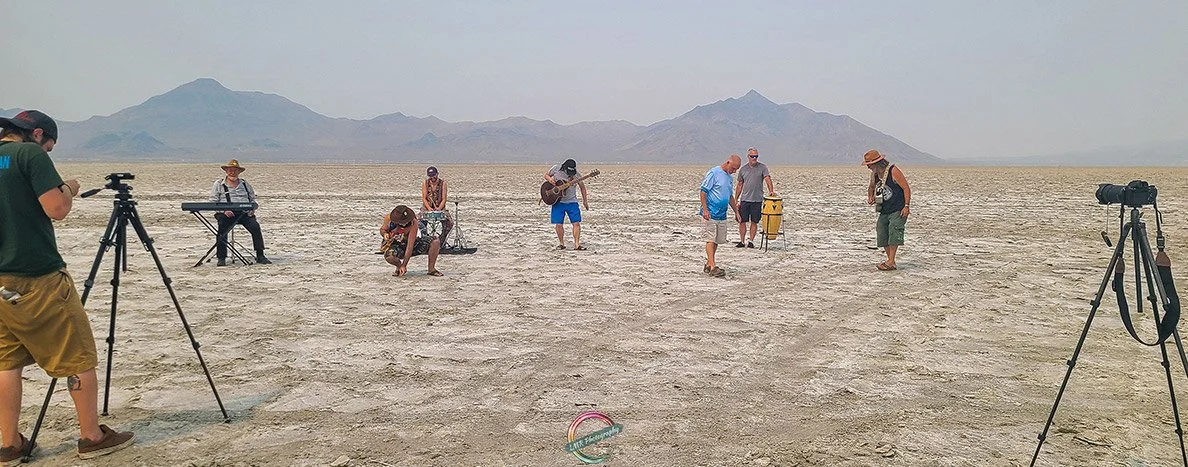
Chris Sidoruk Media filming a music video in the Utah Salt Flats. Photo- ©2021 Lisa Ryan
Real-World Applications of the 180 Degree Shutter Rule
Understanding the 180 degree shutter rule is one thing. Knowing when and how to use it in real-world situations is what separates beginner footage from professional-looking video.
Different types of productions have different priorities, but the same principle usually applies:
Set your shutter speed to approximately double your frame rate unless you have a creative reason not to.
Here's how that plays out across some of the most common shooting scenarios.
Concert & Event Videography
Concerts are one of the most challenging environments for video.
You're dealing with:
constantly changing stage lighting
performers moving unpredictably
smoke, lasers, and LED screens
limited opportunities to repeat a shot
Because of that, many concert videographers choose 60 fps when possible.
Recommended settings:
60 fps
1/120 shutter
Wide aperture (f/2.8 or faster)
ISO adjusted as needed
The benefits include:
smoother movement
better handling of fast performers
cleaner motion during pans
the ability to slow footage to 24 or 30 fps during editing
For slower performances, acoustic sets, or cinematic highlight reels, many shooters switch back to 24 fps and 1/50 second to capture a more film-like look.
Related guides:
→ Best Cameras for Concert Photography
→ How to Get Sharp Concert Photos
Wedding Videography
Wedding films are designed to feel emotional and cinematic.
Most professionals shoot the majority of a wedding day at:
24 fps
1/50 second
This combination creates natural motion blur that enhances moments like:
walking down the aisle
first dances
speeches
detail shots
establishing scenes
For moments that may become slow motion later—such as confetti tosses or dancing—many videographers switch to:
60 fps
1/120 second
during those sequences.
This creates much smoother slow-motion playback without sacrificing image quality.
Interviews
Interviews typically contain very little movement.
That makes them one of the easiest situations for following the rule.
Typical setup:
24 fps
1/50 shutter
low ISO
desired aperture for depth of field
Because subjects aren't moving quickly, maintaining the proper shutter speed produces smooth, natural-looking facial movement that feels professional.
Travel Videos
Travel videos often combine:
landscapes
people
walking shots
vehicles
handheld movement
drone footage
Many creators shoot travel content at 30 fps because it offers a nice balance between cinematic motion and everyday realism.
Recommended settings:
30 fps
1/60 shutter
If slow-motion sequences are planned, it's common to switch temporarily to:
60 fps
1/120 shutter
during action scenes.
YouTube Content Creation
There's no universal frame rate for YouTube.
Instead, choose based on your content.
Talking-head videos
24 fps
1/50 shutter
Provides a polished, cinematic presentation.
Tutorials
30 fps
1/60 shutter
Looks natural while remaining easy to edit.
Product reviews
Either:
24 fps
30 fps
depending on your preferred style.
Action-heavy content
60 fps
1/120 shutter
gives smoother movement and optional slow motion.
Music Videos
Music videos often mix cinematic storytelling with energetic performance footage.
Many productions alternate between frame rates.
For example:
Narrative scenes:
24 fps
1/50
Performance footage:
60 fps
1/120
This allows editors to blend real-time footage with dramatic slow-motion shots while maintaining natural motion blur.
It's also one of the genres where intentionally breaking the 180-degree shutter rule can create a unique visual style.
When You Should Intentionally Break the Rule
The 180 degree shutter rule is a guideline—not a law.
Professional filmmakers break it all the time when it supports the story they're trying to tell.
The important thing is doing it intentionally rather than by accident.
Use a Faster Shutter Speed
Increasing shutter speed reduces motion blur.
Instead of smooth movement, every frame becomes extremely sharp.
This creates a look that's:
intense
crisp
dramatic
energetic
You'll often see this technique used in:
action films
sports
war movies
fight scenes
extreme sports
One of the most famous examples is Saving Private Ryan, where the reduced motion blur makes combat scenes feel harsher and more immediate.
Use a Slower Shutter Speed
Reducing shutter speed creates more motion blur.
The footage becomes:
softer
dreamlike
fluid
atmospheric
This style is sometimes used for:
music videos
artistic sequences
dance performances
dream scenes
experimental filmmaking
Too much blur can become distracting, so it's generally reserved for creative moments rather than entire projects.
Fast vs. Slow Shutter Speed Comparison
| Shutter Speed | Motion Blur | Typical Look | Best Used For |
|---|---|---|---|
| Faster than 180 Rule | Very little | Crisp, sharp, intense | Sports, action, stylized sequences |
| 180 Degree Rule | Natural | Cinematic, realistic | Most video production |
| Slower than 180 Rule | Heavy | Soft, dreamy, artistic | Creative scenes, music videos |
Faster than 180 Rule
Motion Blur: Very little
Typical Look: Crisp, sharp, intense
Best Used For: Sports, action, stylized sequences
180 Degree Rule
Motion Blur: Natural
Typical Look: Cinematic, realistic
Best Used For: Most video production
Slower than 180 Rule
Motion Blur: Heavy
Typical Look: Soft, dreamy, artistic
Best Used For: Creative scenes, music videos
For most situations, staying close to the 180-degree shutter rule produces the most natural-looking footage.
Why ND Filters Are Essential for Outdoor Filming
The biggest challenge with following the 180 degree shutter rule isn't indoors.
It's outside.
Imagine you're filming:
24 fps
1/50 shutter
f/2.8
on a bright sunny afternoon.
Even at ISO 100, your image will almost certainly be overexposed.
Many beginners solve this by increasing shutter speed.
For example:
1/50
becomes
1/1000
The exposure looks correct—but now the motion blur disappears.
Instead of cinematic movement, the footage becomes harsh and choppy.
That's why professional filmmakers almost always carry neutral density (ND) filters.
An ND filter acts like sunglasses for your lens.
It reduces the amount of incoming light without changing color, allowing you to keep your preferred:
frame rate
shutter speed
aperture
while still exposing correctly.
Related guide:
→ Best ND Filters for Long Exposure Photography
Although written primarily for photographers, many of the same filter recommendations apply to hybrid shooters and videographers looking for high-quality optical performance.
Indoor vs. Outdoor Shooting Workflows
One of the easiest ways to remember the 180 degree shutter rule is to think about where you're filming.
Indoor Workflow
Indoor lighting is usually limited.
Typical workflow:
Choose frame rate
Set shutter speed using the 180 rule
Open the aperture
Raise ISO as needed
No ND filter is usually required.
Outdoor Workflow
Bright daylight changes everything.
Typical workflow:
Choose frame rate.
Set shutter speed using the 180-degree rule.
Choose your desired aperture for depth of field.
Keep ISO at its base value.
Add an ND filter until the exposure is correct.
This lets you maintain cinematic motion blur without sacrificing image quality or depth of field.
Once this workflow becomes second nature, maintaining consistent video quality becomes much easier—whether you're filming travel content, interviews, concerts, or commercial projects.
Camera Settings Examples by Camera Brand
The 180 degree shutter rule works exactly the same regardless of whether you shoot Canon, Nikon, Sony, or Fujifilm. The camera brand doesn't change the rule—it simply changes where you'll find the settings in the menu system.
Here are some practical starting points for popular hybrid cameras.
Canon
Popular cameras:
Cinematic Video
Frame rate: 24 fps
Shutter speed: 1/50 sec
Aperture: f/2.8 (or as desired)
ISO: Auto or manually adjusted
General Content
Frame rate: 30 fps
Shutter speed: 1/60 sec
Action or Slow Motion
Frame rate: 60 fps
Shutter speed: 1/120 sec
Canon users should also enable helpful video tools like:
Zebra warnings
Histogram
Focus peaking
Canon Log (when appropriate)
These make exposure and focusing much easier during filming.
Nikon
Popular cameras:
Cinematic
24 fps
1/50 sec
General Video
30 fps
1/60 sec
Concerts / Action
60 fps
1/120 sec
Nikon's Z-series cameras pair particularly well with fast Z-mount lenses for low-light video and perform exceptionally well in challenging concert environments.
Sony
Popular cameras:
Sony cameras include excellent video tools such as:
Zebras
Focus peaking
Waveform (on some models)
S-Log
Typical settings:
Narrative
24 fps
1/50 sec
YouTube
30 fps
1/60 sec
Action
60 fps
1/120 sec
Sony's autofocus is among the industry's best, making it especially popular for solo creators and run-and-gun filmmaking.
Fujifilm
Popular cameras:
Recommended starting points:
Cinematic
24 fps
1/50 sec
General Video
30 fps
1/60 sec
Slow Motion
60 fps
1/120 sec
Fujifilm's Film Simulations also provide attractive color straight out of camera, reducing grading time for many creators.
180 Degree Shutter Rule vs. Photography
One of the biggest adjustments photographers face when transitioning into video is realizing that shutter speed serves a completely different purpose.
In photography, shutter speed is primarily used to control sharpness and exposure.
You might increase it to:
freeze athletes
capture birds in flight
eliminate camera shake
Or slow it down to:
blur waterfalls
capture light trails
create long exposures
Video works differently.
Exposure is still important, but shutter speed primarily controls how motion appears from frame to frame.
That means two clips with identical exposure can look completely different simply because the shutter speed changed.
Understanding this distinction is often the moment when photographers begin producing footage that looks much more cinematic.
How Frame Rate and Shutter Speed Work Together
Frame rate and shutter speed should always be considered together.
Changing one usually requires changing the other.
Here's a simple reference:
| Frame Rate | Recommended Shutter Speed |
|---|---|
| 24 fps | 1/50 sec |
| 25 fps | 1/50 sec |
| 30 fps | 1/60 sec |
| 50 fps | 1/100 sec |
| 60 fps | 1/120 sec |
| 120 fps | 1/240 sec |
24 fps
Recommended Shutter Speed: 1/50 sec
25 fps
Recommended Shutter Speed: 1/50 sec
30 fps
Recommended Shutter Speed: 1/60 sec
50 fps
Recommended Shutter Speed: 1/100 sec
60 fps
Recommended Shutter Speed: 1/120 sec
120 fps
Recommended Shutter Speed: 1/240 sec
The higher your frame rate, the faster your shutter speed needs to be to maintain natural motion blur.
This relationship is why planning your project before filming is important.
Ask yourself:
Is this cinematic storytelling?
Is this YouTube content?
Will I need slow motion?
Am I filming sports or concerts?
Answering those questions first makes selecting the proper frame rate—and therefore shutter speed—much easier.
Common Mistakes Beginners Make
The 180 degree shutter rule is simple, but there are several common mistakes that repeatedly trip up new videographers.
Using Auto Shutter Speed
Many cameras automatically change shutter speed as lighting conditions change.
While this keeps exposure consistent, it also changes motion blur throughout a clip, making footage feel inconsistent.
For best results, manually lock your shutter speed whenever possible.
Forgetting to Change Shutter Speed
Switching from:
24 fps
to
60 fps
without changing shutter speed is surprisingly common.
Always remember:
New frame rate = New shutter speed.
Raising Shutter Speed Instead of Using an ND Filter
This is probably the biggest beginner mistake.
Bright sunlight doesn't mean you should increase shutter speed.
It means you should reduce the light entering the lens with an ND filter.
Chasing the Highest Frame Rate
Many creators assume higher frame rates automatically produce better video.
Not true.
60 fps isn't "better."
It's simply different.
Use it when it benefits the project.
Otherwise, 24 or 30 fps often creates a more pleasing final result.
Mixing Frame Rates Without a Plan
Using:
24 fps
30 fps
60 fps
randomly throughout one project often creates inconsistent motion.
Professional productions usually establish a frame-rate strategy before filming begins.
Ignoring Motion Blur
Many beginners focus entirely on exposure.
Experienced filmmakers also pay close attention to how movement looks.
Natural motion blur is one of the defining characteristics of cinematic footage.
Final Recommendations
The 180 degree shutter rule has survived for decades because it works.
It consistently produces natural-looking motion that audiences instinctively recognize as cinematic.
For most creators, these simple settings cover nearly every situation:
24 fps + 1/50 sec
Ideal for:
cinematic films
documentaries
interviews
music videos
30 fps + 1/60 sec
Ideal for:
YouTube
tutorials
travel
everyday content
60 fps + 1/120 sec
Ideal for:
concerts
sports
weddings
slow motion
action
Once you've selected your frame rate, resist the temptation to constantly change shutter speed.
Instead:
control exposure with aperture
adjust ISO carefully
use ND filters outdoors
Keeping those variables separate makes your footage more consistent and far easier to edit.
Frequently Asked Questions
What is the 180 degree shutter rule?
The 180 degree shutter rule recommends setting your shutter speed to approximately double your frame rate. This creates natural-looking motion blur that closely matches the cinematic appearance audiences are accustomed to seeing.
Why does my video look choppy?
The most common cause is using a shutter speed that's too fast.
For example, recording 24 fps at 1/500 second dramatically reduces motion blur, making movement appear harsh and unnatural.
Do I always have to follow the 180 degree shutter rule?
No.
It's a creative guideline, not a strict rule.
Many filmmakers intentionally break it for sports, action sequences, dream scenes, or stylized music videos.
Should I use 24, 30, or 60 fps?
It depends on your project.
24 fps for cinematic storytelling
30 fps for general content creation
60 fps for action and slow motion
Why do I need an ND filter for video?
Following the 180 degree shutter rule often requires relatively slow shutter speeds.
In bright sunlight this causes overexposure.
An ND filter reduces incoming light so you can maintain the proper shutter speed while keeping your preferred aperture and ISO.
Is the 180 degree shutter rule important for YouTube?
Yes.
Even though YouTube supports many frame rates, following the rule still creates smoother, more professional-looking motion.
What shutter speed should I use at 120 fps?
To follow the 180 degree shutter rule, use approximately 1/240 second.
This provides natural motion blur while capturing footage suitable for smooth slow-motion playback.
Does the 180 degree shutter rule apply to smartphones?
Yes.
Many modern smartphones allow manual video controls through built-in Pro modes or third-party apps, letting you lock shutter speed just like a dedicated camera.
Can I use Auto ISO with the 180 degree shutter rule?
Absolutely.
Many videographers manually lock frame rate and shutter speed while allowing Auto ISO to compensate for changing light, particularly during run-and-gun shooting.
===========
Continue Learning
If you're building your video workflow, these guides pair well with the 180 degree shutter rule:
Best Frame Rate for Video – Learn when to use 24, 30, or 60 fps and how frame rate changes the look and feel of your footage.
Best Hybrid Cameras (Photo + Video) – Compare the top mirrorless cameras for creators who shoot both stills and video.
Canon EOS R6 Mark III Review – See how one of today's most capable hybrid cameras performs for real-world photography and filmmaking.
Best ND Filters for Long Exposure Photography – Find high-quality ND filters that are equally useful for maintaining proper shutter speed during outdoor video.
Best Budget Cinema Cameras – Affordable options for filmmakers looking to step beyond entry-level gear.
