

Best Computers for Photographers (2026 Buying Guide)

Photo by Patrick Ward / Unsplash
*Some links in this article are affiliate links. If you purchase through them, it helps support my work at no extra cost to you.
==========
Last Updated: July 23, 2026
Best Computers for Photographers in 2026
Buying a new computer for photo editing can be overwhelming. Every manufacturer claims to have the fastest processor, the most powerful graphics card, or the brightest display—but those specs don't always translate into a better experience in Adobe Lightroom Classic, Photoshop, or Capture One.
For most photographers, editing performance comes down to choosing the right balance of processor, memory, storage, and display quality rather than simply buying the most expensive computer available.
Whether you're editing thousands of RAW files from a wedding, processing high-resolution landscape images, organizing years of photo archives, or beginning to use Adobe's growing suite of AI-powered editing tools, the right computer can dramatically improve your workflow while saving hours of waiting on imports, previews, exports, and rendering.
This guide explains what actually matters when buying a computer for photography in 2026, compares the best laptops and desktops available today, and helps you choose the right system based on your editing style and budget.
Who Should Read This Guide?
This guide is designed for:
Photographers editing RAW files in Adobe Lightroom Classic, Photoshop, or Capture One
Wedding and event photographers managing large image catalogs
Concert photographers processing hundreds or thousands of images after every show
Landscape photographers working with high-resolution files
Travel photographers who need lightweight editing systems
Content creators balancing photography, video, and AI-assisted editing
Anyone replacing an aging computer and wondering which upgrades actually matter
Whether you're a hobbyist editing a few hundred images each month or a professional delivering thousands of client photos every year, these recommendations focus on real-world editing performance rather than benchmark numbers alone.
Why You Can Trust These Recommendations
As a professional photographer, I spend far more time editing photographs than reading synthetic benchmark charts.
My workflow regularly includes editing large RAW image catalogs from concerts, events, and landscape photography using Adobe Lightroom Classic and Photoshop. Over the past several years I've learned that the biggest improvements in editing speed rarely come from chasing the highest benchmark scores. Instead, the most noticeable gains usually come from having enough RAM, fast SSD storage, an accurate display, and a balanced system designed for creative work.
Rather than recommending the most expensive computers available, this guide focuses on the systems that provide the best long-term value for photographers while remaining capable of handling Adobe's increasingly AI-powered editing tools.
Quick Picks
If you're looking for a quick recommendation, these are the computers I currently recommend for most photographers.
| Category | Recommendation |
|---|---|
| Best Overall Laptop | Apple MacBook Pro |
| Best Value Laptop | Apple MacBook Air |
| Best Windows Laptop | Dell XPS 16 |
| Best Desktop | Custom Windows PC |
| Best Budget Option | Previous-Generation MacBook Air |
| Best Travel Computer | MacBook Air |
Best Overall Laptop
Apple MacBook Pro
Best Value Laptop
Apple MacBook Air
Best Windows Laptop
Dell XPS 16
Best Desktop
Custom Windows PC
Best Budget Option
Previous-Generation MacBook Air
Best Travel Computer
MacBook Air
Comparison
| Computer | Best For | RAM Recommendation |
|---|---|---|
| MacBook Pro | Professional photographers | 32GB |
| Apple MacBook Air | Travel/value | 16–32GB |
| Dell XPS 16 | Windows users | 32GB |
| Custom PC | Maximum performance | 32–64GB |
| iMAC | Studio simplicity | 16–32GB |
MacBook Pro
Best For: Professional photographers
RAM Recommendation: 32GB
MacBook Air
Best For: Travel/value
RAM Recommendation: 16–32GB
Dell XPS 16
Best For: Windows users
RAM Recommendation: 32GB
Custom PC
Best For: Maximum performance
RAM Recommendation: 32–64GB
iMac
Best For: Studio simplicity
RAM Recommendation: 16–32GB
Best Overall Laptop
If I could recommend only one computer for most photographers, it would be the MacBook Pro.
It combines excellent battery life, outstanding display quality, fast SSD storage, and industry-leading performance in Lightroom Classic and Photoshop. Whether you're editing weddings, concerts, landscapes, wildlife, or commercial work, the MacBook Pro remains one of the safest long-term investments available.
Best for:
Professional photographers
Heavy Lightroom users
Photoshop editing
AI-powered editing tools
Long-term reliability
Best Value Laptop
The MacBook Air continues to surprise photographers with how capable it has become.
Configured with at least 16GB of unified memory, it easily handles Lightroom catalogs, Photoshop editing, travel workflows, and everyday photography tasks while remaining one of the lightest premium laptops available.
If portability matters as much as performance, it's difficult to beat.
Best for:
Travel photographers
Hobbyists
Students
Everyday editing
Lightweight mobile workflows
Prime Day 2026 Computer Deals Recap
Prime Day offered some of the best pricing of the year on Apple's MacBook Air and MacBook Pro lineup, along with discounts on several Windows laptops and desktop computers.
Although those limited-time deals have ended, the recommendations throughout this guide remain relevant year-round because they're based on overall performance, reliability, and long-term value rather than temporary sale prices.
If you're shopping during Black Friday, Cyber Monday, Prime Day, or another major sales event, it's worth comparing current prices before making a purchase.
👉 View my Amazon Prime Day Camera Deals 2026 Recap for a breakdown of this year's best photography deals.
How to Choose the Right Computer for Photography
One of the biggest mistakes photographers make is buying far more computer than they actually need—or buying the wrong upgrades.
For example, many people spend hundreds of extra dollars upgrading to the fastest processor available while still purchasing only 16GB of memory. In Lightroom and Photoshop, that often delivers less real-world improvement than spending the same money on additional RAM or larger SSD storage.
Before looking at individual computers, ask yourself these questions:
How many RAW images do you edit at one time?
Do you regularly use AI tools like Denoise, Generative Remove, or AI masking?
Do you also edit video?
Will you travel frequently with your computer?
Do you need long battery life?
Do you want something upgradeable in the future?
Answering those questions usually narrows the decision much faster than comparing processor benchmarks.
Which Computer Is Right for Your Workflow?
Different photographers have different needs. The best computer for a wedding photographer isn't necessarily the best choice for someone who primarily edits landscapes while traveling.
Casual Photography
If you edit vacations, family photos, or occasional RAW files, a MacBook Air or mid-range Windows laptop with 16–24GB of RAM is more than sufficient.
Wedding & Event Photography
Large catalogs containing thousands of RAW files benefit from additional memory and faster processors.
Recommended:
Aim for at least 32GB of RAM.
Concert Photography
Concert photographers often return home with hundreds or thousands of high-ISO RAW files that require denoising, masking, and significant post-processing.
Fast SSD storage, sufficient RAM, and a color-accurate display make a much bigger difference than chasing the most expensive graphics card.
Recommended:
Landscape Photography
Landscape photographers often work with extremely high-resolution files, panoramic stitches, focus stacks, and large Photoshop documents.
Prioritize:
Excellent display quality
Plenty of SSD storage
32GB+ RAM
Reliable backup workflow
Photo & Video Creators
If your workflow includes Lightroom, Photoshop, Premiere Pro, DaVinci Resolve, or AI-powered editing tools, you'll benefit from additional CPU cores, more RAM, and a stronger GPU.
Recommended:
MacBook Pro (Pro or Max chips)
My Recommendation
If you're still unsure which category fits your needs, don't overthink it.
For the majority of photographers, a MacBook Pro configured with enough memory and SSD storage provides the best balance of speed, reliability, display quality, battery life, and long-term value.
What Actually Matters in a Photography Computer
It's easy to get distracted by processor names, benchmark scores, and marketing claims, but photographers don't edit benchmark charts—they edit photographs.
The biggest improvements in Lightroom Classic, Photoshop, Capture One, and other editing software usually come from choosing a balanced computer rather than simply buying the fastest processor available.
If you're shopping for a new computer, these are the components that actually affect your editing experience.
CPU (Processor): The Engine Behind Your Editing Speed)
Your processor handles much of the heavy lifting during photo editing.
A faster CPU can improve:
Importing RAW files
Building previews
Exporting JPEGs
AI masking
Subject detection
Panorama and HDR merges
General responsiveness
In 2026, photographers no longer need the absolute highest-end processor available. Modern mid-to-high-tier CPUs are incredibly capable for Lightroom and Photoshop.
Recommended Processors
Apple
M5
M5 Pro
M5 Max
Windows
Intel Core Ultra 7
Intel Core Ultra 9
AMD Ryzen AI 7
AMD Ryzen AI 9
For most photographers, stepping up from an entry-level processor to a modern mid-range chip delivers a noticeable improvement. Beyond that point, additional performance tends to produce diminishing returns unless your workflow also includes demanding video editing or large commercial projects.
RAM: The Upgrade You'll Notice Every Day
If there's one specification photographers consistently underestimate, it's memory.
RAM determines how smoothly your computer can handle large catalogs, multiple applications, and Adobe's growing collection of AI-powered tools.
Running out of RAM forces the computer to rely on slower storage, which often causes lag while editing.
My Recommendations
16GB
Suitable for:
Hobbyists
Casual Lightroom editing
Smaller RAW libraries
32GB
Recommended for almost everyone purchasing a new editing computer.
Ideal for:
Lightroom Classic
Photoshop
Capture One
AI masking
Large image catalogs
Multitasking
64GB or More
Worth considering if you regularly:
Edit thousands of RAW images
Create large panoramas
Build focus stacks
Edit video
Use several Adobe applications simultaneously
Is 16GB Still Enough?
Yes—for some photographers.
If you're primarily editing smaller catalogs and don't frequently multitask, 16GB remains usable.
However, computers typically last five to seven years. Adobe's software continues adding AI-powered features that consume more memory, so I generally recommend buying 32GB whenever your budget allows.
Think of RAM as future-proofing your investment.
Storage: SSDs Are No Longer Optional
Storage affects far more than simply how many photos you can save.
A fast SSD dramatically improves:
Lightroom catalog performance
Preview generation
File imports
Export speed
Application launches
Overall responsiveness
Traditional hard drives remain useful for long-term archives and backups, but they should no longer be your primary editing drive.
Recommended Storage
Minimum
1TB SSD
Recommended
2TB SSD
Professional Workflows
2TB+ internal SSD
External SSD for active projects
Additional backup storage
Many photographers fill a 1TB drive faster than expected, especially when shooting weddings, sports, wildlife, or high-resolution landscape photography.
Buying additional storage up front often costs less than replacing the computer later because you've run out of space.
External SSDs Matter More Than You Think
Many photographers assume everything should live on their internal drive.
Instead, consider separating your workflow.
A common setup looks like this:
Internal SSD
Operating system
Lightroom catalog
Active editing
External SSD
Current client projects
Recent trips
Working backups
Archive Storage
Older projects
Finished work
Redundant backups
This approach keeps editing fast while making it easier to organize growing photo libraries.
Related: Best External Hard Drives for Photographers (SSD vs. HDD + Backup Guide)
GPU: Helpful—but Not the Most Important Upgrade
Graphics cards receive a tremendous amount of marketing attention.
For photographers, they're useful—but rarely the first priority.
A dedicated GPU helps accelerate:
AI masking
Generative Remove
Generative Fill
Denoise
Subject selection
Video editing
If your workflow consists primarily of Lightroom Classic and Photoshop, a balanced computer with sufficient RAM often provides a better experience than purchasing an expensive graphics card while cutting corners elsewhere.
Apple Users
Modern Apple Silicon GPUs perform exceptionally well for photography.
Most photographers won't need anything more powerful.
Windows Users
If purchasing a Windows desktop or laptop, NVIDIA RTX graphics provide excellent support for Adobe's AI features and future software improvements.
Display Quality Is Just as Important as Performance
The fastest computer in the world can't fix an inaccurate display.
If your monitor shows incorrect colors, every editing decision becomes less reliable.
When shopping for a photography computer, prioritize display quality just as much as processing power.
Look for:
Wide color gamut
Factory calibration
Consistent brightness
High resolution
Good viewing angles
For desktop systems, a quality external monitor often has a greater impact on editing accuracy than upgrading to a faster processor.
Color Accuracy Explained
Photographers often encounter terms like sRGB, Adobe RGB, and DCI-P3.
Here's what they mean.
sRGB
The standard color space for websites and everyday digital viewing.
Suitable for most photographers.
Adobe RGB
Offers a wider color gamut, particularly in greens and cyans.
Preferred by photographers who regularly produce high-quality prints.
DCI-P3
Common on modern Apple displays.
Excellent color reproduction and increasingly supported across creative software.
For serious editing, any display covering most or all of the P3 or Adobe RGB color space is an excellent choice.
Battery Life Matters More Than Ever
Laptop performance means very little if you're constantly searching for an outlet.
If you frequently travel for:
Weddings
Sporting events
Concerts
Destination shoots
Landscape photography
Battery life becomes an important consideration.
This remains one of Apple's biggest advantages.
Modern MacBook Air and MacBook Pro models routinely provide enough battery life for long editing sessions away from home, making them especially attractive for travel photographers.
Ports: Don't Forget Connectivity
A powerful computer becomes frustrating if you constantly need adapters.
Photographers should consider how they'll connect:
Memory card readers
External SSDs
Backup drives
Calibrators
External monitors
Docking stations
Thunderbolt and USB-C have become the standard for high-speed storage and modern accessories.
If you're using multiple external drives and monitors, make sure your computer provides enough ports—or plan on purchasing a quality Thunderbolt dock.
AI Editing Is Changing Computer Requirements
Adobe continues adding more AI-powered tools to Lightroom Classic and Photoshop every year.
Features such as:
AI Masking
Denoise
Generative Remove
Subject Selection
Sky Selection
can dramatically reduce editing time.
They're also increasing the hardware requirements for modern editing workflows.
When buying a computer today, think about where Adobe software will be three to five years from now—not just where it is today.
Choosing enough RAM and a capable processor now helps extend the useful life of your computer.
Don't Chase Specifications You Don't Need
One of the biggest mistakes photographers make is buying based entirely on specifications.
For example:
A computer with:
64GB RAM
Fast SSD
Excellent display
will often feel faster during everyday editing than another computer with:
A slightly faster processor
Minimal RAM
Smaller storage
Lower-quality display
Balance matters more than individual specifications.
Mac vs. Windows: Which Is Better for Photographers?
The good news is that there isn't a wrong answer.
Both platforms are capable of outstanding photo editing.
| Feature | Mac | Windows |
|---|---|---|
| Lightroom Performance | Excellent | Excellent |
| Photoshop Performance | Excellent | Excellent |
| Battery Life | Excellent | Good (varies by model) |
| Display Quality | Excellent | Varies by manufacturer |
| Upgradeability | Limited | Excellent |
| Custom Builds | No | Yes |
| Software Compatibility | Excellent | Excellent |
| Travel Editing | Excellent | Good |
| Long-Term Flexibility | Limited | Excellent |
Lightroom Performance
Mac: Excellent
Windows: Excellent
Photoshop Performance
Mac: Excellent
Windows: Excellent
Battery Life
Mac: Excellent
Windows: Good (varies by model)
Display Quality
Mac: Excellent
Windows: Varies by manufacturer
Upgradeability
Mac: Limited
Windows: Excellent
Custom Builds
Mac: No
Windows: Yes
Software Compatibility
Mac: Excellent
Windows: Excellent
Travel Editing
Mac: Excellent
Windows: Good
Long-Term Flexibility
Mac: Limited
Windows: Excellent
Choose a Mac if you:
Want outstanding battery life
Prefer a streamlined experience
Value display quality
Want minimal maintenance
Choose Windows if you:
Prefer more hardware options
Want upgradeability
Build your own PC
Need maximum performance per dollar
Neither platform automatically makes your photos better.
The best choice depends on how you work, where you edit, and which features matter most to you.
Your Computer Is Only One Piece of Your Workflow
Even the fastest editing computer can't compensate for poor camera equipment, inadequate storage, or an unreliable backup system.
If you're building or upgrading your photography kit, these guides may also help:
Best Laptops for Photographers in 2026

Stock Image from Unsplash by: Maxim Hopman
For many photographers, a laptop has become the primary editing computer. Modern laptops are powerful enough to handle everything from culling thousands of RAW files to AI-assisted editing in Lightroom Classic and Photoshop, while giving you the flexibility to work from home, a coffee shop, a hotel, or even the passenger seat between locations.
The best laptop for photography isn't necessarily the one with the fastest processor. Instead, look for a machine that offers a balance of performance, memory, storage, display quality, and battery life.
Below are the laptops I believe offer the best overall value for photographers in 2026.
Best Overall Laptop for Photographers
Apple MacBook Pro
Best For: Professional photographers, weddings, concerts, commercial work, landscape photography, and long-term ownership
If someone asks me which laptop I would recommend to the widest range of photographers, the answer is almost always the MacBook Pro.
Apple continues to set the standard for creative professionals by combining excellent performance, exceptional battery life, a highly accurate display, and reliable long-term software support.
For Lightroom Classic and Photoshop, the MacBook Pro simply feels fast. Importing RAW files, generating previews, editing with AI masking, and exporting finished images all happen smoothly without the computer feeling overwhelmed.
The Liquid Retina XDR display is another major advantage. Colors are accurate right out of the box, making it one of the best laptop displays available for photographers who care about editing consistency.
Why I Recommend It
Excellent Lightroom Classic performance
Outstanding Photoshop performance
Exceptional battery life
One of the best laptop displays available
Quiet operation under heavy workloads
Fast SSD storage
Excellent long-term reliability
Ideal For
Wedding photographers
Event photographers
Concert photographers
Landscape photographers
Commercial photographers
Travel photographers who need professional performance
Things to Consider
The MacBook Pro isn't the least expensive option. However, if you're planning to keep your computer for five to seven years, it's often one of the better long-term values thanks to its performance and longevity.
Recommended Configuration
Apple M5 Pro (or newer)
32GB Unified Memory
1TB SSD minimum
2TB SSD if you regularly travel or edit large projects
Check current MacBook Pro (M5) pricing at Adorama
Previous-Generation MacBook Pro
One of the best ways to save money is by purchasing the previous generation instead of the newest release.
For photography, last year's MacBook Pro often delivers nearly identical real-world editing performance while costing considerably less.
If you find a previous-generation model with enough RAM and SSD storage, don't dismiss it simply because a newer version exists.
Best Value Laptop for Photographers
Apple MacBook Air
Best For: Travel photographers, hobbyists, students, and everyday editing
The MacBook Air has become one of the easiest computers to recommend.
Years ago, the Air was viewed primarily as a lightweight productivity laptop. Today, Apple Silicon has transformed it into a surprisingly capable photo editing machine.
For Lightroom Classic, Photoshop, Capture One, and general RAW editing, it performs far better than most photographers expect.
If your work doesn't involve massive catalogs or intensive video editing, the MacBook Air delivers outstanding value.
Why I Recommend It
Lightweight and portable
Excellent battery life
Quiet fanless design
Fast Lightroom performance
Beautiful display
Lower price than the MacBook Pro
Ideal For
Travel photography
Landscape photography
Everyday editing
Students
Enthusiasts
Backup editing computer
Important Buying Tip
Avoid purchasing a base configuration if possible.
I strongly recommend choosing at least:
16GB RAM
1TB SSD
If your budget allows, 32GB of memory provides additional room for future Adobe updates and AI-powered editing tools.
Check current MacBook Air pricing at Adorama
Best Windows Laptop for Photographers
Dell XPS 16
Best For: Windows users who want premium build quality and excellent displays
The Dell XPS lineup has consistently been one of the strongest Windows alternatives for photographers.
Its combination of premium construction, high-resolution displays, strong processors, and optional NVIDIA RTX graphics makes it an excellent Lightroom and Photoshop machine.
If you're committed to Windows but want an experience comparable to the MacBook Pro, the XPS deserves a close look.
Highlights
Beautiful high-resolution displays
Strong CPU performance
Optional dedicated RTX graphics
Premium aluminum construction
Excellent keyboard and trackpad
Ideal For
Lightroom editing
Photoshop work
Hybrid photo and video creators
Professionals who prefer Windows
If choosing between configurations, prioritize RAM and SSD storage before upgrading to the most powerful graphics card.
View Dell XPS pricing on Amazon
Best OLED Windows Laptops
ASUS Zenbook Pro
Lenovo Yoga Pro
Best For: Photographers who prioritize display quality
If your editing workflow depends on rich colors and deep contrast, these OLED-equipped laptops deserve consideration.
OLED displays produce outstanding blacks, vibrant colors, and excellent contrast, making them enjoyable for editing photographs.
Both ASUS and Lenovo continue producing creator-focused laptops that offer excellent value compared to many premium competitors.
Recommended For
Graphic designers
Landscape photographers
Portrait photographers
Creative professionals
Hybrid photography and design work
My Recommendation
Regardless of which manufacturer you choose, prioritize:
32GB RAM
Fast SSD storage
Color accuracy over unnecessary processor upgrades
Check current ASUS Zenbook pricing at Adorama
View current Lenovo Yoga pricing on Amazon
Which Laptop Should You Buy?
If you're still deciding, here's the simplified version.
| If You Want... | Recommendation |
|---|---|
| Best Overall | MacBook Pro |
| Best Value | MacBook Air |
| Best Windows Laptop | Dell XPS 16 |
| Best Display | MacBook Pro |
| Lightest Travel Laptop | MacBook Air |
| Best Windows OLED | ASUS Zenbook Pro |
| Maximum Battery Life | MacBook Pro |
| Everyday Photography | MacBook Air |
Best Overall
MacBook Pro
Best Value
MacBook Air
Best Windows Laptop
Dell XPS 16
Best Display
MacBook Pro
Lightest Travel Laptop
MacBook Air
Best Windows OLED
ASUS Zenbook Pro
Maximum Battery Life
MacBook Pro
Everyday Photography
MacBook Air
Laptop Buying Mistakes to Avoid
Buying the wrong laptop can be an expensive mistake. Here are a few common pitfalls I see photographers make.
Buying Too Little RAM
A fast processor can't compensate for running out of memory.
If you're purchasing a computer you'll keep for several years, prioritize 32GB of RAM whenever possible.
Overspending on the Processor
The most expensive processor isn't always necessary.
For many photographers, investing that money in additional RAM or SSD storage produces a greater improvement in everyday editing.
Ignoring Display Quality
You'll spend thousands of hours looking at your screen.
A bright, color-accurate display is worth paying for because it directly affects every editing decision you make.
Buying More GPU Than You Need
Dedicated graphics are becoming increasingly useful thanks to Adobe's AI tools, but photography alone rarely requires the most expensive graphics card available.
Unless you also edit video or work heavily with AI features, focus on overall system balance rather than GPU specifications.
Buying Only for Today's Software
Most photographers keep their computers for five to seven years.
When possible, buy slightly more RAM and storage than you need today. Future versions of Lightroom and Photoshop are almost certain to become more demanding as AI features continue to expand.
Best Desktop Computers for Photographers in 2026
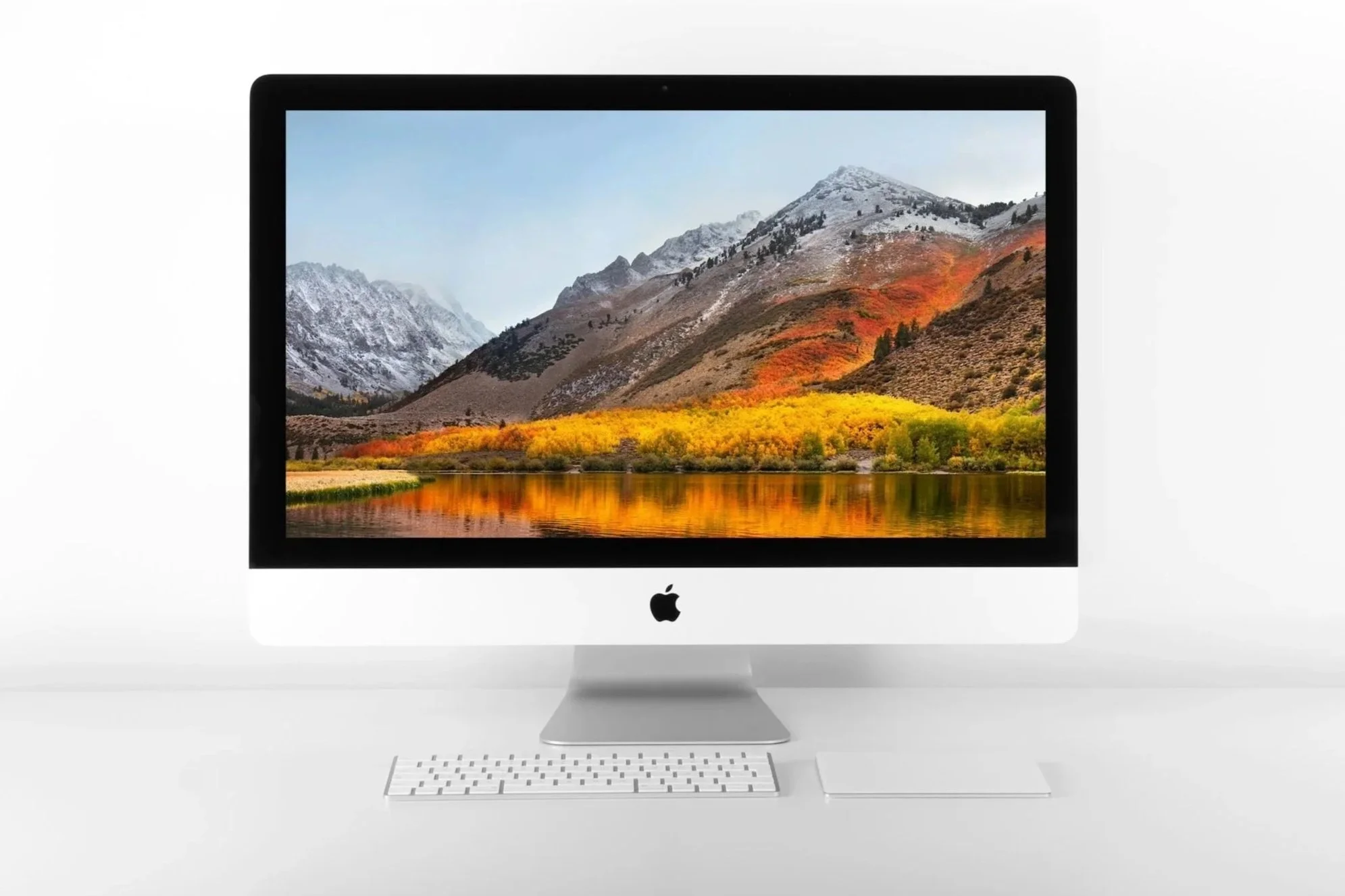
Stock image from Unsplash by: Quaritsch Photography
While laptops have become powerful enough for nearly every photography workflow, desktop computers still offer several advantages for photographers who edit primarily from a home studio.
A desktop computer can provide:
More performance for the money
Easier future upgrades
Better cooling under heavy workloads
More storage options
Larger displays
Better ergonomics for long editing sessions
For photographers managing large catalogs, editing thousands of RAW files, creating complex Photoshop composites, or combining photography with video production, a desktop workstation can be the best long-term investment.
Best All-in-One Desktop Setup
Apple iMac
Best For: Photographers who want a clean, simple studio editing setup
The iMac remains one of the most convenient desktop options for photographers who want excellent performance without building a complicated workstation.
The biggest advantage of the iMac is simplicity.
Everything is integrated into one clean setup:
Computer
Display
Speakers
Webcam
Connectivity
For photographers who value an organized workspace, it is difficult to beat.
Why Photographers Like the iMac
Excellent built-in display
Accurate colors for editing
Quiet operation
Minimal desk clutter
Strong Lightroom and Photoshop performance
Reliable Apple ecosystem integration
Ideal For
Landscape photographers
Portrait photographers
Hobbyists
Home studio users
Creators who prefer simplicity
Things to Consider
The main limitation of an iMac is upgradeability.
Unlike a custom PC, you generally cannot replace major internal components later. This means choosing the right configuration at purchase matters.
For photographers, prioritize:
More RAM
Larger SSD storage
over small processor upgrades that provide limited real-world benefits.
Check current iMac pricing at Adorama
Best Desktop for Maximum Performance
Custom PC Workstation
Best For: Professionals who want maximum performance and upgradeability
A custom-built PC remains the best option for photographers who want the most performance per dollar.
The biggest advantage is flexibility.
You can choose:
Processor
Graphics card
Memory
Storage
Cooling
Case design
Future upgrade path
A properly configured workstation can remain useful for many years because individual components can be upgraded instead of replacing the entire computer.
Best For
Professional photographers
Large Lightroom catalogs
High-resolution RAW files
Photoshop composites
Photo and video workflows
AI-assisted editing
Recommended Configuration
A strong photography workstation in 2026 would typically include:
CPU
Intel Core Ultra 7/9
AMD Ryzen AI 7/9
RAM
32GB minimum
64GB for demanding workflows
Storage
1–2TB NVMe SSD for operating system and applications
Additional SSD storage for active projects
Separate backup storage
GPU
NVIDIA RTX graphics card if using AI tools or video editing
The Advantage of Building Your Own
A custom PC lets you spend money where photographers actually benefit:
More RAM
Faster storage
Better displays
Reliable backups
rather than paying for unnecessary upgrades.
Best Plug-and-Play Windows Desktop Workstations
Dell Workstations and HP Z-Series
Best For: Photographers who want powerful Windows desktops without building their own
Not every photographer wants to build a computer.
Professional workstation lines from companies like Dell and HP provide powerful, reliable alternatives.
These systems are designed for demanding creative workloads and typically offer:
Professional processors
Large memory configurations
Multiple storage options
Strong reliability
Business-class support
Ideal For
Commercial photographers
Studios
Creative businesses
Photographers who prefer Windows
Examples include:
Dell workstation desktops
HP Z-series workstations
For many professionals, a prebuilt workstation provides the performance benefits of a custom PC without the time investment of selecting and assembling components.
Laptop vs Desktop: Which Is Better for Photographers?
There is no universal winner.
The right choice depends on how and where you work.
| If You... | Best Choice |
|---|---|
| Travel frequently | Laptop |
| Edit on location | Laptop |
| Photograph weddings/events | Laptop |
| Work from a home studio | Desktop |
| Need maximum performance | Desktop |
| Want future upgrades | Desktop |
| Want one computer for everything | Laptop |
| Use multiple monitors | Desktop |
Travel frequently
Laptop
Edit on location
Laptop
Photograph weddings/events
Laptop
Work from a home studio
Desktop
Need maximum performance
Desktop
Want future upgrades
Desktop
Want one computer for everything
Laptop
Use multiple monitors
Desktop
Many professional photographers use both.
A common setup is:
Laptop
Travel
Client meetings
Location editing
Emergency backup
Desktop
Primary editing workstation
Large monitor setup
Archive management
Heavy Photoshop work
Best Budget Computers for Photographers in 2026
You do not need a $4,000 computer to edit photographs.
Modern processors have become extremely powerful, and many affordable systems can handle Lightroom Classic and Photoshop very well.
The key is knowing where to spend your money.
Best Budget Laptop Strategy
Previous-Generation MacBook Air
Previous-generation MacBook Air models often provide excellent value after newer models are released.
For photography, a slightly older Apple Silicon MacBook Air can still deliver excellent performance.
Look for:
At least 16GB RAM
512GB–1TB SSD
Good battery health
This is often a better purchase than buying a brand-new entry-level machine with limited memory and storage.
Best Budget Windows Laptop Strategy
For Windows users, avoid choosing based only on processor names.
Instead prioritize:
16GB–32GB RAM
SSD storage
Quality display
Modern processor
A slightly less powerful processor paired with adequate RAM and fast storage will often feel better during everyday photo editing.
The Best Upgrade Order for a Budget Photography Computer
If your budget is limited, upgrade in this order:
1. RAM
More memory improves multitasking and helps Lightroom and Photoshop run smoothly.
2. SSD Storage
A faster drive improves:
Import speed
Preview generation
Catalog performance
File transfers
3. Better Display
A color-accurate monitor improves your editing decisions and final results.
4. Processor Upgrade
A faster CPU helps, but it is often not the first upgrade photographers should prioritize.
5. GPU Upgrade
Most useful for:
AI features
Video editing
Advanced workflows
Less important for basic photo editing.
Refurbished Computers: Are They Worth Buying?
Yes, refurbished computers can be excellent choices for photographers.
A high-quality refurbished computer from a reputable seller can provide significant savings while still delivering years of useful performance.
Good refurbished options include:
Previous-generation MacBook Pro models
Previous-generation MacBook Air models
Business-class Windows workstations
Before purchasing, check:
Battery health
RAM amount
SSD capacity
Warranty coverage
Seller reputation
A refurbished higher-end computer is often a better investment than a brand-new entry-level model.
How Long Should a Photography Computer Last?
A quality photography computer should typically remain productive for:
Five to seven years
However, the useful lifespan depends on your workflow.
You may need to upgrade sooner if:
Lightroom becomes noticeably slower
AI tools take too long
Export times become frustrating
Your storage is constantly full
You cannot comfortably run current editing software
Buying slightly above your current needs often saves money because you avoid replacing your system sooner.
My Desktop Recommendation
For most photographers:
Choose a laptop if you value flexibility.
A powerful laptop allows you to edit anywhere and is especially useful for:
Travel photography
Weddings
Events
Concert photography
Location shoots
Choose a desktop if you want maximum performance.
A desktop is ideal for:
Studio work
Large archives
Heavy Photoshop workflows
Multi-monitor setups
For photographers who do both, a laptop paired with an external monitor is one of the most practical setups available.
Accessories That Actually Improve Editing Speed (2026 Photography Workflow)
Most photographers focus on the computer itself when upgrading their editing setup, but the accessories surrounding your computer can have an equally significant impact on your workflow.
A fast computer paired with a poor monitor, slow storage, or an unreliable backup system can still create frustrating bottlenecks.
The right accessories can help you:
Edit more accurately
Organize files faster
Protect your photographs
Reduce repetitive tasks
Build a more professional workflow
Below are the upgrades that provide the biggest real-world improvements for photographers.
Color-Accurate External Monitors (The Biggest Editing Upgrade)
If there is one accessory that can improve your photography workflow more than almost anything else, it is a high-quality monitor.
A faster computer may save seconds during exports, but an accurate display affects every single editing decision you make.
Your monitor determines whether:
Colors look correct
Skin tones appear natural
Shadows retain detail
Prints match what you see on screen
A computer cannot fix inaccurate colors.
What Photographers Should Look For in a Monitor
When choosing a monitor for photo editing, prioritize:
Wide Color Gamut
Look for:
100% sRGB coverage minimum
Adobe RGB coverage for print-focused workflows
DCI-P3 coverage for modern creative workflows
Hardware Calibration Support
A monitor that supports hardware calibration allows you to maintain consistent color accuracy over time.
This is especially important for photographers who:
Sell prints
Deliver commercial work
Photograph products
Work with clients
Resolution
For photography, higher resolution provides:
Sharper details
More workspace
Better image review
Recommended:
4K for 27-inch monitors
4K or higher for 32-inch monitors
Brightness Consistency
A good editing monitor should maintain consistent brightness across the entire screen.
Uneven displays can make you unintentionally brighten or darken images during editing.
Recommended Monitor Brands for Photographers
Several brands consistently produce excellent displays for creative professionals.
Eizo
Often considered an industry standard for professional color-critical work.
Best for:
Commercial photographers
Print-focused photographers
Professionals who need maximum accuracy
BenQ PhotoVue Series
A strong balance between quality and value.
Best for:
Enthusiasts
Serious hobbyists
Professional photographers looking for excellent performance without the highest price
ASUS ProArt
A popular option for creative professionals who want strong color performance at a competitive price.
Best for:
Photographers
Designers
Hybrid creators
Monitor Calibration: Why It Matters
Even an excellent monitor can drift over time.
A calibration device helps maintain consistent results.
Popular calibration tools include:
X-Rite devices
Calibrite devices
A good workflow is:
Calibrate your monitor when first setting it up
Recalibrate periodically
Maintain consistent lighting in your editing environment
This helps ensure that your images look consistent across:
Your monitor
Client devices
Online galleries
Printed products
External SSDs and Backup Workflow (Critical for Photographers)
Modern photography workflows depend heavily on fast storage.
A single professional photography session can create:
Hundreds of RAW files
Hundreds of gigabytes of data
Multiple edited versions
Exported client files
Without a good storage system, managing your images becomes slower and riskier.
How Photographers Should Use External SSDs
External SSDs are excellent for:
Active Projects
Keep current shoots and editing projects on fast storage for better performance.
Examples:
Recent weddings
Concert galleries
Travel photography
Commercial assignments
Lightroom Catalogs
Many photographers benefit from keeping active Lightroom catalogs on fast SSD storage.
This can improve:
Catalog responsiveness
Preview loading
File organization
Travel Editing
Portable SSDs allow photographers to carry large libraries without relying entirely on internal laptop storage.
This is especially useful for:
Landscape photographers
Destination photographers
Event photographers
Recommended Photography Backup Workflow
A reliable photography workflow should follow the 3-2-1 backup strategy:
3 Copies
Keep three copies of your important photographs.
2 Different Storage Types
Use different types of storage to reduce the chance of a single failure destroying your files.
Examples:
Internal drive
External SSD
NAS system
1 Offsite Copy
Keep one copy away from your primary location.
Examples:
Cloud backup
Offsite drive
Secure remote storage
Example Professional Workflow
A simple professional setup could look like this:
Primary Computer
Contains:
Lightroom catalog
Current editing applications
Active projects
External SSD #1
Contains:
Working backup
Current photo projects
External SSD #2 or Cloud Backup
Contains:
Offsite protection
Long-term archive
Related: 3-2-1 Backup Strategy for Photographers (Never Lose Your Photos Again)
Pen Tablets (Speed Up Photoshop Editing)
For photographers who spend significant time in Photoshop, a pen tablet can improve both speed and precision.
A mouse works well for basic adjustments, but a tablet provides much finer control for:
Dodging and burning
Masking
Retouching
Brush adjustments
Fine selections
Who Benefits Most From a Pen Tablet?
Pen tablets are especially useful for:
Portrait photographers
Commercial photographers
Fine art photographers
Photographers doing detailed Photoshop work
For photographers who mainly perform Lightroom adjustments, a tablet is less essential.
Popular Pen Tablet Options
Wacom Intuos
A long-time industry favorite.
Best for:
Beginners
Professional retouching
Reliable everyday Photoshop work
Wacom Cintiq
A screen-based tablet that allows you to edit directly on the image.
Best for:
Professional retouchers
Artists
Heavy Photoshop users
Huion Tablets
A more affordable alternative that offers strong performance for the price.
Best for:
Photographers entering tablet-based editing
Budget-conscious creators
Card Readers and Transfer Speed
Another overlooked accessory is the memory card reader.
A slow reader can waste significant time after a shoot.
A quality card reader improves:
RAW file transfers
Import speed
Workflow efficiency
Look for:
USB-C connectivity
UHS-II compatibility
CFexpress support if your camera uses it
This matters especially for photographers shooting:
High-resolution cameras
Burst-heavy sports photography
Concert photography
Wildlife photography
External Keyboards, Mice, and Ergonomics
Photographers often spend hours editing.
A comfortable setup can reduce fatigue and improve productivity.
Consider:
Ergonomic keyboard
Comfortable mouse
Adjustable monitor height
Proper desk positioning
Editing is not just a technical workflow—it is something you physically do for many hours.
Docking Stations for Laptop Workflows
A laptop does not have to mean a compromised desktop experience.
A quality docking station can transform a laptop into a complete studio setup.
A dock can connect:
External monitor
Keyboard
Mouse
SSDs
Card readers
Backup drives
This gives photographers the flexibility of a laptop while maintaining the comfort of a desktop workstation.
The Ideal Photography Editing Setup
A professional editing setup does not need to be expensive.
A balanced workflow might include:
Computer
MacBook Pro, MacBook Air, or capable Windows workstation
Display
Color-accurate external monitor
Storage
Fast SSD working drive
Backup
3-2-1 backup system
Input
Comfortable keyboard, mouse, and optional tablet
This combination will usually provide a bigger improvement than simply buying the most powerful computer available.
Final Accessory Recommendation
If you already own a capable computer, upgrade in this order:
Color-accurate monitor
External SSD storage
Backup system
RAM (if upgradeable)
Pen tablet (if doing Photoshop-heavy work)
Computer replacement
Many photographers replace computers too early when the actual bottleneck is storage, display quality, or workflow organization.
Final Thoughts: Choosing the Best Computer for Photography in 2026
The best computer for photographers in 2026 is not necessarily the most expensive machine or the one with the highest benchmark scores.
It is the computer that matches your actual workflow.
A travel photographer may prioritize battery life and portability. A wedding photographer may need enough RAM to process thousands of RAW files quickly. A studio photographer may benefit more from a powerful desktop workstation and a professional color-accurate monitor.
The right choice comes down to balancing:
Performance
Memory
Storage
Display quality
Portability
Long-term reliability
If you remember only a few things from this guide:
32GB RAM Is the Sweet Spot
While 16GB remains usable for many photographers, 32GB provides a much more comfortable experience for Lightroom Classic, Photoshop, AI tools, and future software updates.
SSD Storage Is Essential
Fast storage improves nearly every part of your workflow:
Importing images
Generating previews
Opening catalogs
Exporting files
Managing large libraries
Avoid relying on traditional hard drives for active editing.
Color Accuracy Matters More Than Raw Power
A faster computer cannot fix inaccurate colors.
A reliable editing workflow requires a display that allows you to make confident decisions.
Buy for Your Future Workflow
A computer should last several years.
When possible, spend more on:
RAM
SSD storage
Display quality
before spending heavily on specifications you may never use.
My Computer Recommendations by Photographer Type
Best Computer for Most Photographers
Apple MacBook Pro
For most professionals, this remains the safest recommendation.
It offers:
Excellent Lightroom performance
Outstanding display quality
Long battery life
Reliable long-term support
Best Computer for Travel Photographers
Apple MacBook Air
The MacBook Air provides an excellent balance of:
Portability
Battery life
Performance
Value
It is one of the best choices for photographers who edit while traveling.
Best Computer for Windows Photographers
Dell XPS 16
A premium Windows laptop with:
Excellent build quality
Strong performance
High-quality display options
Best Computer for Maximum Performance
Custom Desktop PC
A custom workstation provides:
More performance per dollar
Better upgrade options
More storage flexibility
Ideal for photographers with demanding workflows.
Best Budget Choice
Previous-Generation MacBook Air or MacBook Pro
Buying a previous-generation Apple Silicon computer can provide excellent value while still delivering years of strong editing performance.
Frequently Asked Questions
What is the best computer for photographers in 2026?
The best computer for photographers depends on your workflow, but for most users the Apple MacBook Pro offers the best combination of performance, display quality, battery life, and reliability.
Photographers who prefer Windows should consider premium laptops such as the Dell XPS lineup or a custom desktop workstation for maximum flexibility and upgradeability.
The most important factors are not just processor speed, but also:
RAM
SSD storage
Display quality
Long-term reliability
How much RAM do photographers need in 2026?
For most photographers, 32GB of RAM is the ideal amount.
Recommended:
16GB
Good for:
Casual editing
Smaller Lightroom catalogs
Hobby photographers
32GB
Best for:
Professional photography
Lightroom Classic
Photoshop
AI editing tools
Large RAW catalogs
64GB+
Useful for:
Large commercial projects
Massive catalogs
Panorama stitching
Heavy Photoshop workflows
Photo and video production
If you are purchasing a new computer that you plan to keep for several years, 32GB is the configuration I recommend most often.
Is a Mac or Windows computer better for photo editing?
Both Mac and Windows computers are excellent choices for photography.
Choose a Mac if you prioritize:
Battery life
Display quality
A streamlined workflow
Low maintenance
Choose Windows if you prioritize:
Hardware selection
Upgradeability
Custom builds
Performance per dollar
The operating system matters less than choosing a computer with enough RAM, fast storage, and a quality display.
Can a MacBook Air handle Lightroom and Photoshop?
Yes.
Modern MacBook Air models with Apple Silicon processors are surprisingly capable photo editing computers.
They can handle:
Lightroom Classic
Photoshop
RAW processing
Everyday editing workflows
For the best long-term experience, choose:
16GB RAM minimum
32GB if your budget allows
A MacBook Air is especially well suited for:
Travel photographers
Landscape photographers
Hobbyists
Creators who value portability
Do photographers need a dedicated graphics card?
Not necessarily.
For traditional photography workflows, a powerful GPU is helpful but not always required.
A dedicated graphics card is most beneficial for:
AI masking
Photoshop Generative Fill
AI Denoise
Video editing
Large HDR and panorama projects
For many photographers, spending money on RAM and SSD storage provides a bigger improvement than buying the most powerful GPU available.
What storage size should photographers choose?
For most photographers:
1TB SSD
Minimum recommendation.
2TB SSD
Better choice for professionals.
External SSDs
Recommended for:
Active projects
Travel workflows
Backup systems
Photographers working with modern high-resolution cameras can quickly fill storage, especially when keeping RAW files and multiple edited versions.
Is a laptop or desktop better for photographers?
Both have advantages.
Choose a laptop if you:
Travel frequently
Edit on location
Photograph events
Need one computer for everything
Choose a desktop if you:
Work primarily from a studio
Need maximum performance
Want future upgrades
Use multiple monitors
Many professionals use a laptop connected to an external monitor as a flexible hybrid solution.
How long should a photography computer last?
A quality photography computer should typically remain productive for five to seven years.
You may consider upgrading sooner if:
Lightroom becomes slow
AI tools struggle
Export times become frustrating
Storage is constantly full
New editing software no longer runs smoothly
Buying a slightly better configuration today can extend the useful life of your computer.
What display features matter most for photographers?
A good photography display should have:
Wide color gamut
Accurate calibration
Consistent brightness
High resolution
Look for:
sRGB coverage
Adobe RGB coverage for print workflows
DCI-P3 support
4K resolution for larger desktop monitors
A quality display is one of the best investments a photographer can make.
Should photographers buy refurbished computers?
Yes.
Refurbished computers can provide excellent value, especially higher-end models from previous generations.
Good options include:
Previous-generation MacBook Pro models
Previous-generation MacBook Air models
Business-class Windows workstations
Before buying refurbished, check:
Battery health
Warranty
RAM
SSD capacity
Seller reputation
A refurbished professional machine is often better than a new entry-level computer.
Should photographers buy from Amazon or Adorama?
Both are reputable retailers.
Amazon
Advantages:
Fast shipping
Frequent promotions
Large selection
Adorama
Advantages:
Photography-focused expertise
Strong customer service
Experience serving creative professionals
I recommend comparing pricing between retailers, especially during major shopping events.
Explore More Photography Resources
Continue building your photography workflow with these related guides:
Photography Gear Buying Guides
Part of the Photography Gear Buying Guide Series:
→ Explore all of my camera, lens, computer, storage, tripod, and printer recommendations.
==========
