

Best Astrophotography Camera Settings (Milky Way & Night Sky Guide)
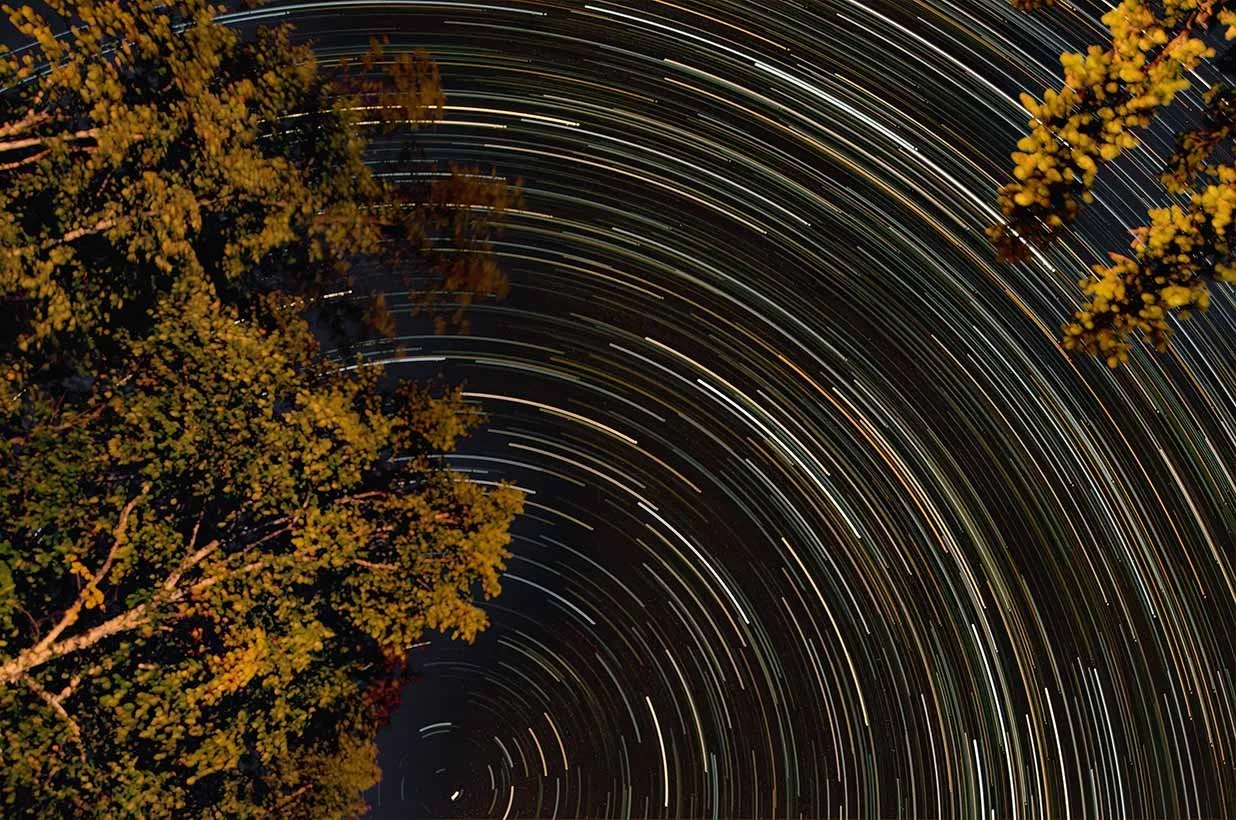
Star Trails in Ludlow, Vermont. | ©2019 Chris Sidoruk
*Some links in this article are affiliate links. If you purchase through them, it helps support my work at no extra cost to you.
==========
Last Updated: July 2026
Quick Jump
- Astrophotography Settings Cheat Sheet
- What Camera Features Matter for Astrophotography
- Best Lenses for Astrophotography
- Essential Astrophotography Gear
- Milky Way Camera Settings
- Star Trails Photography Settings
- Moon Photography Settings
- Post-Processing Workflow
- Common Mistakes
- Final Thoughts
- Frequently Asked Questions
Photographing the night sky is one of the most rewarding types of landscape photography—but it requires a completely different approach than shooting during daylight.
Unlike normal photography, astrophotography pushes your camera into challenging conditions:
extremely low light
long exposures
high ISO settings
precise manual focusing
changing sky conditions
The difference between a sharp Milky Way image and a blurry, noisy photograph usually comes down to understanding a few critical settings:
aperture
shutter speed
ISO
focus
white balance
RAW processing
The good news is you don't need the most expensive camera equipment to capture impressive night sky photos.
A modern mirrorless camera, a wide-aperture lens, and a sturdy tripod are enough to create professional-quality astrophotography images when paired with the right technique.
This guide covers the best astrophotography camera settings for:
Milky Way photography
star trails
moon photography
night landscapes
beginner astrophotography
You'll learn exactly where to start, how to adjust settings in the field, and the mistakes that prevent photographers from capturing sharp stars.
Quick Answer: Best Astrophotography Settings
If you want a reliable starting point for photographing the night sky, begin here:
Milky Way Photography Settings
| Setting | Recommended Starting Point |
|---|---|
| Camera Mode | Manual (M) |
| File Format | RAW |
| Aperture | f/1.4–f/2.8 |
| Shutter Speed | 15–25 seconds |
| ISO | 1600–3200 |
| Focus | Manual focus on stars |
| White Balance | 3500K–4500K |
| Tripod | Required |
Camera Mode
Recommended Starting Point: Manual (M)
File Format
Recommended Starting Point: RAW
Aperture
Recommended Starting Point: f/1.4–f/2.8
Shutter Speed
Recommended Starting Point: 15–25 seconds
ISO
Recommended Starting Point: 1600–3200
Focus
Recommended Starting Point: Manual focus on stars
White Balance
Recommended Starting Point: 3500K–4500K
Tripod
Recommended Starting Point: Required
These settings work well for most wide-angle Milky Way photography, but you may need adjustments depending on your lens, camera sensor, and light pollution levels.
Astrophotography Settings Cheat Sheet
Milky Way & Night Sky Photography
If you just want the best starting settings for astrophotography, use this:
| Setting | Recommended Range |
|---|---|
| Mode | Manual |
| Aperture | Widest available (f/1.4–f/2.8 ideal) |
| Shutter Speed | 10–25 seconds |
| ISO | 1600–6400 |
| Focus | Manual infinity focus (fine-tuned in Live View) |
| White Balance | 3500K–4500K |
| Format | RAW |
Mode
Recommended Range: Manual
Aperture
Recommended Range: Widest available (f/1.4–f/2.8 ideal)
Shutter Speed
Recommended Range: 10–25 seconds
ISO
Recommended Range: 1600–6400
Focus
Recommended Range: Manual infinity focus (fine-tuned in Live View)
White Balance
Recommended Range: 3500K–4500K
Format
Recommended Range: RAW
Goal: Capture as much light as possible while keeping stars sharp.
Star Trails Photography
| Setting | Recommended Range |
|---|---|
| Mode | Manual or Bulb |
| Aperture | f/2.8–f/4 |
| Shutter Speed | 15–60 minutes or stacked exposures |
| ISO | 100–400 |
| Focus | Manual infinity focus |
| White Balance | 3500K–4500K |
| Format | RAW |
Mode
Recommended Range: Manual or Bulb
Aperture
Recommended Range: f/2.8–f/4
Shutter Speed
Recommended Range: 15–60 minutes or stacked exposures
ISO
Recommended Range: 100–400
Focus
Recommended Range: Manual infinity focus
White Balance
Recommended Range: 3500K–4500K
Format
Recommended Range: RAW
Goal: Capture Earth's rotation by allowing stars to move across the frame.
Moon Photography
| Setting | Recommended Range |
|---|---|
| Mode | Manual |
| Aperture | f/8–f/11 |
| Shutter Speed | 1/125–1/250 sec |
| ISO | 100–200 |
| Focus | Manual focus using Live View |
| White Balance | 4000K–5500K |
| Format | RAW |
Mode
Recommended Range: Manual
Aperture
Recommended Range: f/8–f/11
Shutter Speed
Recommended Range: 1/125–1/250 sec
ISO
Recommended Range: 100–200
Focus
Recommended Range: Manual focus using Live View
White Balance
Recommended Range: 4000K–5500K
Format
Recommended Range: RAW
Goal: Preserve lunar surface detail without overexposing the bright moon.
What Makes Good Astrophotography Settings?
There is no single "perfect" astrophotography setting because conditions change constantly.
A photograph taken under a dark rural sky requires different adjustments than one taken near a city with light pollution.
The best astrophotography settings are a balance between five factors:
1. Aperture: Capture as Much Light as Possible
Aperture is one of the most important settings in astrophotography.
Because stars are extremely dim, your camera needs as much incoming light as possible.
A wider aperture allows:
more stars to appear
lower ISO settings
shorter exposures
cleaner images
For Milky Way photography, most photographers aim for:
f/1.4–f/2.8
Examples:
f/1.4 → excellent for maximum light gathering
f/1.8 → ideal for many fast prime lenses
f/2.8 → common with professional wide-angle zoom lenses
However, shooting completely wide open is not always perfect.
Some lenses produce:
softer corners
coma distortion
chromatic aberration
Sometimes stopping down slightly improves image quality.
Example:
A lens at f/1.4 may capture more light, but f/1.8 or f/2 can produce sharper stars.
2. Shutter Speed: Balance Brightness and Star Movement
Long exposures are necessary because the night sky is extremely dark.
However, the Earth is constantly rotating.
This means stars will begin moving across the frame during longer exposures.
For Milky Way photography:
15–25 seconds is a common starting range
Longer exposures:
capture more light
brighten the image
risk star trails
Shorter exposures:
create sharper stars
require higher ISO
capture less light
A common guideline is the:
500 Rule
The traditional formula:
500 ÷ focal length = maximum shutter speed
Example:
24mm lens:
500 ÷ 24 = approximately 20 seconds
20mm lens:
500 ÷ 20 = approximately 25 seconds
This is only a starting point. Modern high-resolution cameras often require slightly shorter exposures for the sharpest stars.
3. ISO: Find the Balance Between Brightness and Noise
ISO controls your camera's sensitivity to light.
Higher ISO settings make the image brighter, but they also increase:
digital noise
loss of fine star detail
color distortion
Typical starting points:
Milky Way
ISO:
1600–3200
Star Trails
ISO:
100–400
Moon Photography
ISO:
100–200
Modern full-frame cameras handle high ISO better, but technique still matters more than simply increasing ISO.
A cleaner ISO 1600 image is usually better than a noisy ISO 12800 image that was unnecessarily pushed too far.
4. Focus: The Most Common Astrophotography Mistake
Autofocus usually fails in true darkness.
For astrophotography:
Always use manual focus.
The common mistake is simply turning the focus ring all the way to the infinity symbol.
Many lenses focus slightly beyond infinity, meaning stars can actually become soft.
Instead:
Switch to Live View
Find a bright star
Zoom in digitally
Slowly adjust focus
Stop when the star becomes the smallest possible point
A properly focused star should look like:
✓ tiny sharp points of light
Not:
✗ blurry circles
✗ glowing blobs
✗ soft highlights
5. White Balance: Control the Night Sky Color
Auto White Balance often creates inconsistent astrophotography results.
A fixed manual white balance gives you more predictable colors.
Good starting points:
Milky Way:
3500K–4500K
Creates:
cooler night tones
reduced orange light pollution
natural sky colors
Moon Photography:
4000K–5500K
Creates:
more neutral lunar tones
realistic surface colors
Since astrophotography should always be captured in RAW, white balance can be adjusted later during editing.
The Basic Astrophotography Formula
For most beginners photographing the Milky Way:
Manual Mode
+
Wide aperture
+
15–25 second exposure
+
ISO 1600–3200
+
Manual focus
+
RAW format
+
Tripod
This combination will produce a strong starting point for most night sky photography situations.
Astrophotography Camera Settings Explained
The biggest mistake beginners make with astrophotography is treating it like regular landscape photography at night.
A typical nighttime photo might allow you to rely on:
autofocus
automatic exposure
image stabilization
higher shutter speeds
Astrophotography is different.
The goal is to collect as much faint light as possible while keeping stars sharp and minimizing noise.
That means controlling every part of the exposure manually.
1. Camera Mode: Always Use Manual Mode
For astrophotography, Manual mode (M) is the standard choice because your camera cannot accurately judge exposure in extremely dark conditions.
Automatic modes often produce inconsistent results because the camera sees:
mostly black sky
small points of bright light
uneven exposure information
Manual mode gives you control over:
aperture
shutter speed
ISO
white balance
focus
A reliable workflow:
Set your aperture first
Choose your shutter speed
Adjust ISO until the histogram looks correct
Review the image
Fine-tune based on conditions
2. Aperture: Your Most Important Night Sky Setting
Aperture is arguably the most important setting for Milky Way photography because stars are incredibly faint.
A wide aperture allows your camera to collect more photons during the exposure.
For most astrophotography:
Recommended Aperture Range
f/1.4–f/2.8
Common examples:
| Aperture | Best Use |
|---|---|
| f/1.4–f/1.8 | Maximum light gathering |
| f/2–f/2.8 | Best balance of brightness and sharpness |
| f/4+ | Star trails, moon, brighter subjects |
f/1.4–f/1.8
Best Use: Maximum light gathering
f/2–f/2.8
Best Use: Best balance of brightness and sharpness
f/4+
Best Use: Star trails, moon, brighter subjects
A lens that opens to f/2.8 is considered very useful for astrophotography.
A lens at f/1.4 or f/1.8 provides even more flexibility, especially for Milky Way images.
Should You Always Shoot Wide Open?
Not necessarily.
While maximum aperture captures the most light, some lenses perform better slightly stopped down.
Potential issues when shooting wide open:
softer corners
coma distortion
darker edges (vignetting)
reduced sharpness
Example:
A 20mm f/1.4 lens may capture more stars at f/1.4, but the image may improve at f/1.8 or f/2.
The best approach:
Start wide open.
If corner stars look distorted, stop down slightly.
3. Shutter Speed: Preventing Star Trails
Your shutter speed determines how long your sensor collects light.
Longer exposures:
Advantages:
brighter stars
lower ISO requirements
more visible Milky Way detail
Disadvantages:
star movement
motion blur
brighter sky from light pollution
For most Milky Way photography:
15–25 seconds
is the ideal starting point.
The 500 Rule vs Modern Astrophotography
The traditional 500 Rule:
500 ÷ focal length = maximum shutter speed
Example:
24mm lens:
500 ÷ 24 = approximately 20 seconds
However, modern high-resolution cameras require more caution.
A 45MP or 60MP camera reveals star movement more easily than older lower-resolution cameras.
Many photographers now use a modified approach:
300 ÷ focal length
Example:
20mm lens:
300 ÷ 20 = 15 seconds
This produces sharper stars on high-resolution sensors.
4. ISO: Finding the Right Exposure
ISO is where many beginners make mistakes.
The goal is not:
"Use the highest ISO possible."
The goal is:
"Use the lowest ISO that captures enough light."
Typical settings:
| Situation | ISO Range |
|---|---|
| Dark sky Milky Way | ISO 1600–3200 |
| Moderate light pollution | ISO 800–1600 |
| Star trails | ISO 100–400 |
| Moon photography | ISO 100–200 |
Dark sky Milky Way
ISO Range: ISO 1600–3200
Moderate light pollution
ISO Range: ISO 800–1600
Star trails
ISO Range: ISO 100–400
Moon photography
ISO Range: ISO 100–200
Higher ISO increases brightness but also increases:
noise
reduced dynamic range
color issues
Modern full-frame cameras perform extremely well at ISO 3200 and sometimes higher, but exposure technique still matters more than pushing ISO unnecessarily.
5. White Balance: Creating Natural Night Colors
White balance is often overlooked in astrophotography.
Leaving the camera on Auto White Balance can create inconsistent colors between exposures.
Recommended starting points:
| Subject | White Balance |
|---|---|
| Milky Way | 3500K–4500K |
| Star trails | 3500K–4500K |
| Moon | 4000K–5500K |
| Night landscapes | 3500K–5000K |
Milky Way
White Balance: 3500K–4500K
Star trails
White Balance: 3500K–4500K
Moon
White Balance: 4000K–5500K
Night landscapes
White Balance: 3500K–5000K
Lower temperatures can help reduce orange glow from light pollution.
Because RAW files preserve color information, white balance can always be adjusted later.
6. RAW Format: Always Capture RAW
JPEG removes valuable information through compression and processing.
Astrophotography benefits greatly from RAW because you need flexibility when editing:
recovering shadow detail
reducing noise
adjusting color
controlling contrast
balancing foreground and sky
RAW files provide much more editing latitude.
7. Image Stabilization: When to Turn It Off
Many modern cameras include:
IBIS (in-body image stabilization)
lens stabilization
These features are helpful for handheld photography.
However, when using a tripod, stabilization can sometimes create unwanted movement.
For long exposures:
Recommended:
Turn IBIS off if your camera manual recommends it
Disable lens stabilization when mounted on a tripod
Always test your specific camera because some newer systems automatically detect tripod use.
Full Frame vs APS-C for Astrophotography
The sensor size debate is important, but it is often misunderstood.
A larger sensor does provide advantages, but crop sensor cameras are absolutely capable of excellent astrophotography.
Full Frame Cameras
Advantages
Full-frame sensors generally provide:
Better high ISO performance
Larger pixels often produce cleaner images at high ISO settings.
Improved dynamic range
Useful when balancing:
dark skies
bright stars
foreground landscapes
Wider field of view
A 20mm lens remains 20mm.
This is valuable for:
Milky Way panoramas
large night landscapes
dramatic sky compositions
Best For
Full-frame cameras are ideal for:
serious Milky Way photography
professional landscape photographers
large prints
low-light specialists
APS-C Cameras
Crop sensor cameras remain a great option.
Advantages
Lower cost
You can build a complete astrophotography setup for less money.
Extra reach
The crop factor helps with:
moon photography
distant subjects
some deep-sky applications
Smaller systems
APS-C cameras and lenses are often lighter for hiking and travel.
Limitations
Compared with full frame:
more noise at very high ISO
narrower field of view
less low-light flexibility
However, lens choice often matters more than sensor size.
An APS-C camera with a fast f/1.4 lens can outperform a full-frame camera with a slow kit lens.
Full Frame vs APS-C Recommendation
For most beginners:
APS-C + fast wide-angle lens = excellent starting point
For advanced landscape photographers:
Full-frame + professional wide-angle lens = best long-term system
The camera matters, but the lens and shooting technique matter just as much.
What Is Astrophotography?
Astrophotography is the process of photographing the night sky, including stars, the Milky Way, the moon, and deep-sky objects like galaxies and nebulae.
Unlike normal photography, astrophotography requires:
High ISO performance
Precise manual focusing
Careful control of light pollution and movement
Best Camera for Astrophotography (What Actually Matters)
You don’t need the most expensive camera—but you do need strong low-light performance.
Full-Frame vs Crop Sensor
Full-frame cameras
Better low-light performance
Cleaner high ISO images
More dynamic range (better star detail)
Crop sensor cameras
More affordable
Extra “reach” for moon and planets
Great for beginners
👉 What matters most is high ISO performance with low noise, not brand or resolution.
See more: Best Cameras for Astrophotography
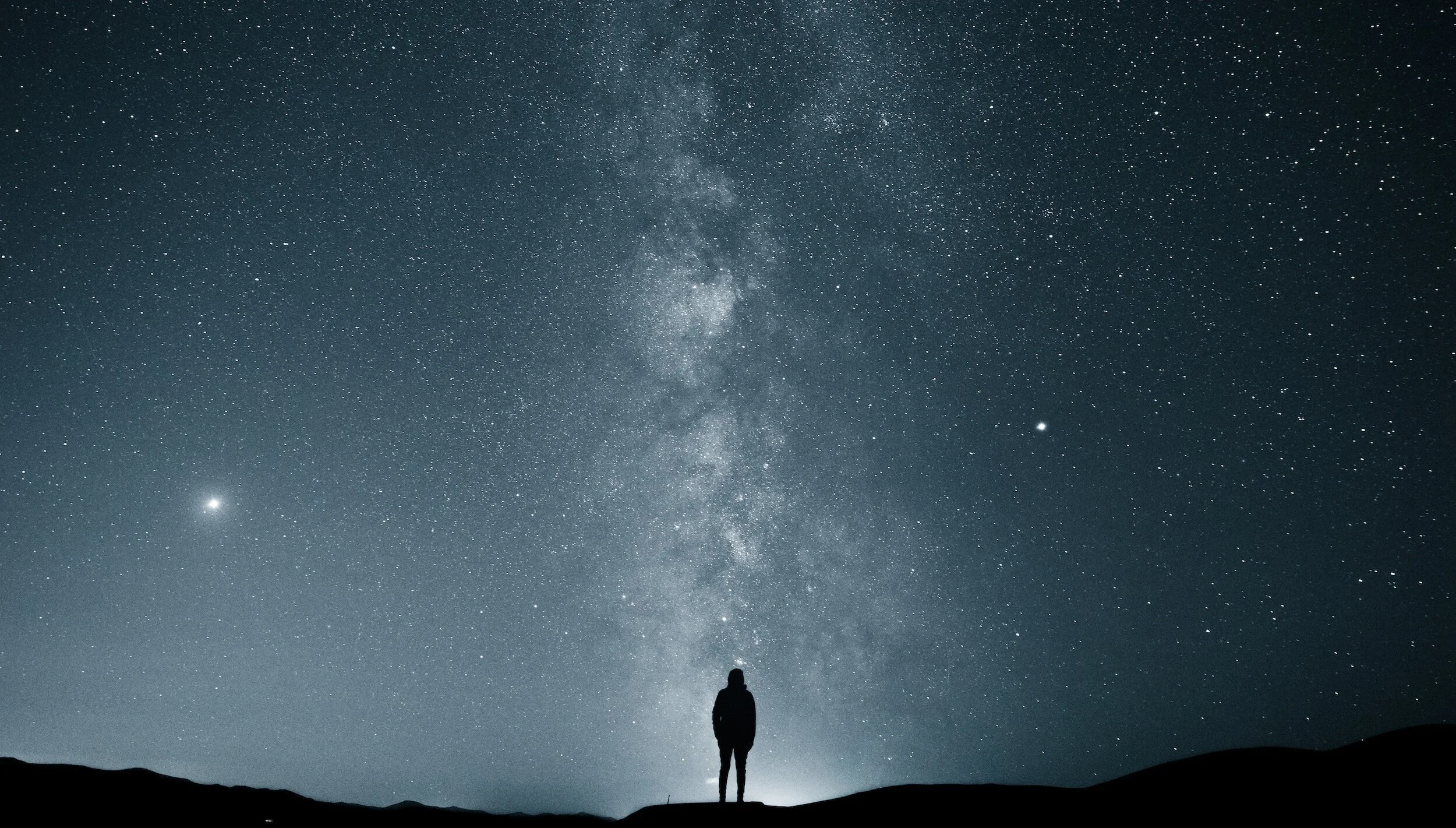
Stock Image by @usukbayer from Unsplash
DSLR vs Mirrorless for Astrophotography
Both DSLR and mirrorless cameras can produce excellent astrophotography.
However, mirrorless has become the preferred choice for many photographers.
Mirrorless Advantages
Electronic Viewfinder and Exposure Preview
You can see:
exposure changes
brightness adjustments
composition in darkness
This is extremely helpful at night.
Better Manual Focus Experience
Many mirrorless cameras offer:
focus magnification
focus peaking
brighter Live View displays
This makes focusing on stars much easier.
Newer Sensor Technology
Most current mirrorless cameras benefit from:
improved high ISO performance
better autofocus systems
modern processors
DSLR Advantages
DSLR cameras still offer:
Longer Battery Life
Optical viewfinders consume less power.
Lower Cost Used Market
Older DSLR systems can be excellent entry points.
Proven Reliability
Many photographers have captured outstanding astrophotography with cameras that are several generations old.
Which Should You Choose?
For a new purchase in 2026:
Mirrorless is generally the better choice.
For photographers who already own a DSLR:
There is no need to upgrade immediately.
A DSLR with:
a fast wide-angle lens
tripod
proper technique
can still create excellent astrophotography.
What Camera Features Actually Matter for Astrophotography?
Megapixels are not the most important specification.
The features that matter most are:
1. High ISO Performance
The camera should produce clean images at:
ISO 1600
ISO 3200
ISO 6400
Low-noise files make editing much easier.
2. Low-Light Live View
A good astrophotography camera should make it easy to:
see stars
compose in darkness
manually focus accurately
3. Long Exposure Capability
Important features:
Bulb mode
interval timer
long exposure controls
Especially useful for:
star trails
image stacking
time-lapse sequences
4. Battery Life
Cold nights drain batteries quickly.
Important features:
large battery capacity
USB charging capability
battery grip compatibility
Always carry extra batteries.
5. Weather Sealing
Night photography often happens in:
mountains
forests
coastal environments
unpredictable weather
Weather sealing helps protect your investment.
6. Lens Ecosystem
The best astrophotography camera is limited by the lenses available.
A strong system should offer:
wide-angle lenses
fast primes
minimal optical distortion
low coma performance
In many cases:
A great lens on a good camera beats a great camera with a mediocre lens.
Bottom Line: What Matters Most
For astrophotography, prioritize:
Fast wide-angle lens
Good high ISO performance
Manual controls
RAW capability
Reliable tripod setup
Accurate manual focusing
A $2,000 camera with the wrong lens will struggle.
A $1,000 camera with the right lens and technique can create incredible night sky images.
Best Lenses for Astrophotography (What Actually Matters)
Many photographers assume the camera body is the most important piece of astrophotography equipment.
It usually isn't.
Your lens often has the biggest impact on the final image because astrophotography is fundamentally about collecting as much light as possible while maintaining sharp stars.
A great astrophotography lens should prioritize:
Wide maximum aperture
Sharpness at the corners
Low coma
Minimal chromatic aberration
Wide enough focal length for the subject
Good manual focusing control
A technically excellent camera paired with a slow kit lens will struggle.
A modest camera paired with a fast wide-angle lens can produce impressive results.
What Makes a Good Astrophotography Lens?
1. Wide Aperture (The Most Important Feature)
The night sky is extremely dark, so your lens needs to gather as much light as possible.
Ideal apertures:
| Aperture | Recommendation |
|---|---|
| f/1.4–f/1.8 | Excellent for Milky Way |
| f/2.0–f/2.8 | Ideal balance |
| f/3.5+ | More challenging |
f/1.4–f/1.8
Recommendation: Excellent for Milky Way
f/2.0–f/2.8
Recommendation: Ideal balance
f/3.5+
Recommendation: More challenging
A wider aperture allows you to:
Capture more stars
Use lower ISO settings
Shorten exposure times
Reduce star trailing
For most Milky Way photography, f/2.8 is considered the minimum professional standard.
2. Focal Length: Choosing the Right Perspective
Different focal lengths create completely different astrophotography styles.
Ultra Wide Angle (14mm–20mm)
Best for:
Milky Way landscapes
Night skies over mountains
Large star fields
Including foreground elements
Advantages:
Longer possible shutter speeds
Large portion of sky captured
Easier focusing
Common use:
A 14mm lens is one of the most popular choices for beginner Milky Way photography.
Wide Angle (20mm–35mm)
Best for:
Balanced sky and foreground compositions
Environmental astrophotography
Night landscapes
Advantages:
Less distortion
More natural perspective
Better subject isolation
A 24mm lens is often considered a “do everything” astrophotography focal length.
Standard and Telephoto (50mm–200mm)
Best for:
Moon photography
Star clusters
Nebulae
Deep-sky objects
Advantages:
More detail
Better subject compression
Disadvantages:
Requires more precise tracking
Shorter exposure times
Recommended Astrophotography Lenses (2026)
Budget-Friendly Options
Rokinon / Samyang 14mm f/2.8
Best for:
Beginners
Milky Way landscapes
Budget setups
Why photographers choose it:
Extremely wide field of view
Affordable
Excellent night sky performance for the price
Limitations:
Manual focus
Some distortion
Corner sharpness varies
Best pairing:
Entry-level full-frame camera
Tripod-based Milky Way photography
Sigma 14mm f/1.8 DG HSM Art
Best for:
Maximum light gathering
Serious Milky Way photographers
Advantages:
Extremely bright aperture
Excellent star rendering
Minimal coma
Best for:
Dark-sky landscape astrophotography
Tradeoff:
Large and heavy
Sigma 14–24mm f/2.8 DG DN Art
Best Overall Wide-Angle Zoom
Why it stands out:
Professional image quality
Flexible focal range
Excellent sharpness
Best for:
Landscape photographers who also shoot astrophotography
Travel photographers
Advantages:
14mm for huge skies
24mm for tighter compositions
Weather sealing
Sony FE 14mm f/1.8 GM
Best Premium Sony Option
Advantages:
Extremely fast aperture
Lightweight for its performance
Excellent optical quality
Best for:
Sony full-frame astrophotographers
Canon RF 15–35mm f/2.8L IS USM
Best Canon Landscape + Astro Hybrid
Advantages:
Professional build
Flexible zoom range
Image stabilization for general photography
Best for:
Photographers who want one lens for landscapes and night skies
Nikon Z 14–24mm f/2.8 S
Best Nikon Z Wide-Angle Option
Advantages:
Excellent edge sharpness
Compact professional design
Strong weather sealing
Best pairing:
Prime Lens vs Zoom Lens for Astrophotography
Both can work well.
The choice depends on your priorities.
| Lens Type | Advantages | Best For |
|---|---|---|
| Prime | Wider apertures, sharper | Dedicated astro |
| Zoom | More flexible compositions | Landscape + astro |
Prime
Advantages: Wider apertures, sharper
Best For: Dedicated astro
Zoom
Advantages: More flexible compositions
Best For: Landscape + astro
For photographers who only occasionally shoot stars:
A high-quality f/2.8 zoom is usually the better investment.
For photographers specifically chasing the Milky Way:
A fast prime around 14mm–20mm can be worth it.
Recommended Astrophotography Lens Pairings
Beginner Full-Frame Kit
Camera:
Lens:
14mm–24mm f/2.8
Accessories:
Solid tripod
Intervalometer
Headlamp
This covers:
Milky Way
Night landscapes
Star trails
Advanced Landscape Photographer Kit
Camera:
Lenses:
14–24mm f/2.8
24–70mm f/2.8
70–200mm f/2.8
This allows:
Wide Milky Way scenes
Compressed mountain landscapes
Moon photography
Deep sky experimentation
Essential Astrophotography Gear
Goal:
Maximum capability with minimal weight.
Recommended:
Mirrorless full-frame body
20mm f/1.8 prime
Compact tripod
Small camera bag
Ideal for:
Backpacking
National parks
Remote locations
Tripods for Astrophotography
A tripod is not optional.
Every astrophotography image depends on:
Absolute stability
Zero camera movement
Precise composition
A lightweight travel tripod that works for daytime landscapes may struggle at night.
What Makes a Good Astrophotography Tripod?
Look for:
Stability Over Weight
The biggest mistake beginners make is buying the lightest tripod possible.
At night, stability matters more than portability.
A good tripod should handle:
Camera body
Large lens
Wind
Uneven terrain
Strong Ball Head
A good ball head allows:
Fast composition changes
Secure locking
Smooth adjustments
Avoid inexpensive heads that slowly sag after positioning.
Carbon Fiber vs Aluminum
Carbon Fiber
Advantages:
Lighter
Better vibration resistance
Easier for travel
Disadvantages:
More expensive
Aluminum
Advantages:
Affordable
Very stable
Disadvantages:
Heavier
For landscape photographers who travel often, carbon fiber is usually worth the investment.
Recommended Astrophotography Tripods
Peak Design Travel Tripod
Best for:
Travel photographers
Lightweight kits
Strengths:
Extremely compact
Excellent portability
Gitzo Mountaineer Series
Best for:
Professional landscape photographers
Strengths:
Premium stability
Long-term durability
Manfrotto Befree Advanced
Best for:
Beginners
Travel setups
Strengths:
Good balance of price and performance
Essential Astrophotography Accessories
The camera and lens are only part of the system.
1. Intervalometer / Remote Trigger
Purpose:
Prevents camera shake during long exposures.
Useful for:
Star trails
Timelapses
Multiple exposures
Many modern mirrorless cameras can do this internally, but a remote trigger is still useful.
2. Extra Batteries
Cold temperatures drain batteries quickly.
Bring:
Minimum 2–3 batteries
More for winter shooting
Mirrorless cameras especially benefit from carrying backups.
3. Memory Cards
Astrophotography can create large files.
Recommended:
Fast UHS-II SD cards
Large capacity cards
Reliable brands
For star trails:
You may capture hundreds of frames.
4. Headlamp With Red Light Mode
One of the most underrated accessories.
Red light helps:
Preserve night vision
Avoid disturbing others
Navigate without ruining your eyes' adaptation
5. Lens Heater
Important for humid environments.
Why:
Temperature changes can cause condensation on the front element.
A lens heater helps prevent:
Fogged lenses
Interrupted sessions
Lost exposures
Especially useful for:
Coastal locations
Forest environments
Summer nights
6. Microfiber Cloths
Always carry them.
Useful for:
Dew
Fog
Condensation
Dust
7. Star Tracker (Advanced)
A star tracker compensates for Earth's rotation.
Benefits:
Longer exposures
Lower ISO
More star detail
Used for:
Deep-sky photography
Nebulae
Galaxies
Examples:
Sky-Watcher Star Adventurer
iOptron SkyGuider
Not necessary for beginners, but it opens the door to advanced astrophotography.
Building a Complete Beginner Astrophotography Kit
You do not need thousands of dollars of equipment to start.
A practical beginner system:
Camera
Any modern interchangeable lens camera:
Full-frame preferred
APS-C works well
Lens
Recommended:
14mm–24mm f/2.8
or
20mm f/1.8 prime
Support
Required:
Stable tripod
Recommended:
Remote trigger
Extra batteries
Headlamp
Beginner Budget Setup
Approximate system:
Camera you already own
+
Fast wide-angle lens
+
Tripod
+
Accessories
The lens and tripod often make a bigger difference than upgrading the camera body.
Professional Astrophotography Kit
For photographers regularly shooting night landscapes:
Camera:
High-resolution full-frame mirrorless
Lenses:
14–24mm f/2.8
24–70mm f/2.8
70–200mm f/2.8
Support:
Professional tripod
Star tracker
Lens heater
Multiple batteries
Large storage workflow
This setup covers:
Milky Way
Star trails
Moon
Night landscapes
Deep-sky experimentation
Key Takeaway
The best astrophotography setup is not the most expensive one.
It is the one that gives you:
Enough light gathering ability
A stable platform
Reliable operation in darkness
The ability to stay outside long enough to capture the conditions
A great lens, sturdy tripod, and careful technique will outperform expensive gear used incorrectly.
Milky Way Photography: Complete Shooting Workflow
Photographing the Milky Way is one of the most rewarding forms of landscape astrophotography, but success depends on much more than simply pointing your camera at the sky.
The strongest Milky Way images combine:
Dark skies
Proper planning
Strong composition
Correct exposure settings
Careful focusing
Thoughtful editing
The biggest mistake beginners make is treating astrophotography like normal landscape photography.
The camera settings are only one part of the process.
Step 1: Plan the Location Before You Shoot
The Milky Way is not visible equally everywhere.
Light pollution is the biggest factor limiting night sky photography.
Look for:
Rural locations
Dark sky areas
Minimal nearby cities
Clear atmospheric conditions
A location that looks beautiful during the day may produce poor astrophotography results at night.
Dark Sky Ratings (Bortle Scale)
The Bortle Scale measures nighttime light pollution.
| Bortle Level | Conditions |
|---|---|
| 1–2 | Excellent dark skies |
| 3–4 | Very good for Milky Way photography |
| 5–6 | Possible but reduced contrast |
| 7–9 | Heavy light pollution |
Bortle Level 1–2
Conditions: Excellent dark skies
Bortle Level 3–4
Conditions: Very good for Milky Way photography
Bortle Level 5–6
Conditions: Possible but reduced contrast
Bortle Level 7–9
Conditions: Heavy light pollution
For beginners, Bortle 3–4 locations provide a great balance between accessibility and image quality.
Step 2: Check the Milky Way Position
The Milky Way changes position throughout the year.
Before heading out, check:
Milky Way core visibility
Moon phase
Rise/set times
Weather conditions
Cloud cover
Useful planning tools:
PhotoPills
Stellarium
Sky Guide
The goal is not just “photograph the stars.”
The goal is:
Place the Milky Way where it strengthens the composition.
Step 3: Compose Before Darkness
One of the hardest parts of astrophotography is composing in complete darkness.
Whenever possible:
Scout locations during daylight.
Look for:
Interesting foreground elements
Leading lines
Mountains
Trees
Buildings
Water reflections
A sky full of stars is impressive, but the foreground creates the story.
Milky Way Camera Settings (Starting Point)
Use this as your baseline:
| Setting | Starting Point |
|---|---|
| Mode | Manual |
| Aperture | f/1.4–f/2.8 |
| Shutter Speed | 15–25 seconds |
| ISO | 1600–3200 |
| White Balance | 3500K–4500K |
| File Format | RAW |
| Focus | Manual infinity |
Mode
Starting Point: Manual
Aperture
Starting Point: f/1.4–f/2.8
Shutter Speed
Starting Point: 15–25 seconds
ISO
Starting Point: 1600–3200
White Balance
Starting Point: 3500K–4500K
File Format
Starting Point: RAW
Focus
Starting Point: Manual infinity
Adjust based on:
Lens aperture
Camera sensor
Light pollution
Desired brightness
The 500 Rule Explained
The 500 Rule is a basic guideline for preventing star trails.
Formula:
500 ÷ focal length = maximum shutter speed
Example:
20mm lens:
500 ÷ 20 = 25 seconds
Meaning:
Approximately 25 seconds before stars begin showing noticeable movement.
The 500 Rule Has Limitations
Modern high-resolution cameras often reveal star movement sooner.
A better approach:
Full-frame high-resolution cameras → use a more conservative shutter speed
APS-C cameras → reduce shutter speed further
Many photographers now use:
300 Rule
NPF Rule
for more accurate results.
Milky Way Composition Techniques
A technically perfect Milky Way image can still feel empty.
Strong compositions usually include:
Foreground Interest
Examples:
Trees
Mountains
Rocks
Buildings
Lakes
The foreground creates scale.
Leading Lines
Use:
Roads
Trails
Shorelines
Rivers
to guide the viewer toward the sky.
Vertical Orientation
Portrait orientation works extremely well for:
Tall Milky Way arches
Mountain scenes
Including foreground
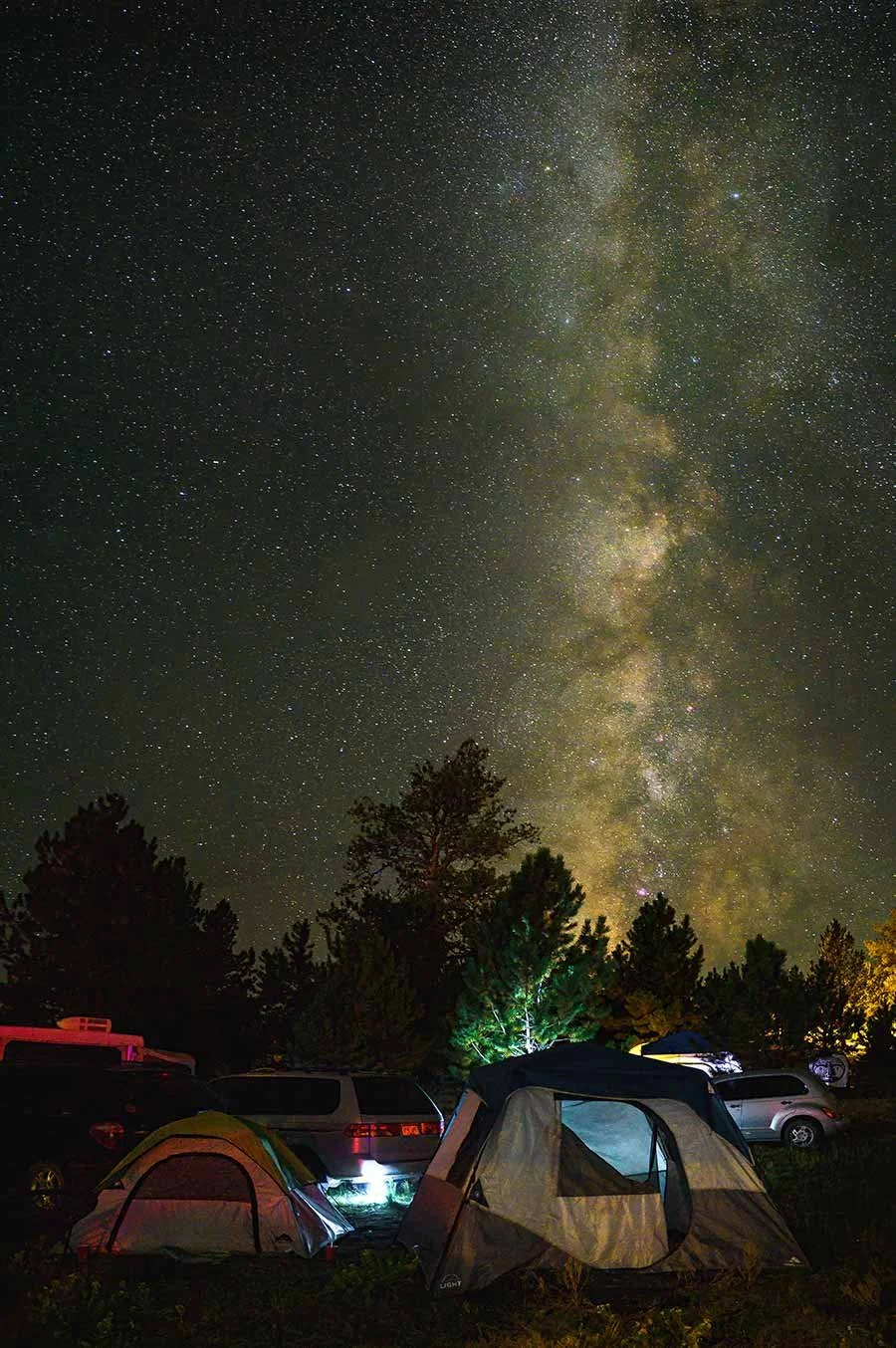
The Milky Way in Colorado. | ©2021 Chris Sidoruk
Shooting Star Trails
Star trails show Earth's rotation by creating circular movement patterns in the sky.
They are one of the most creative forms of astrophotography because they transform time into a visible image.
Two Main Star Trail Methods
Method 1: Single Long Exposure
Traditional approach:
Settings:
| Setting | Starting Point |
|---|---|
| Aperture | f/2.8–f/4 |
| ISO | 100–400 |
| Shutter | 15–60 minutes |
| Focus | Manual infinity |
Aperture
Starting Point: f/2.8–f/4
ISO
Starting Point: 100–400
Shutter
Starting Point: 15–60 minutes
Focus
Starting Point: Manual infinity
Advantages:
Simple workflow
One final image
Disadvantages:
More noise
Higher battery usage
Risk of ruined exposure
Method 2: Image Stacking (Recommended)
Modern photographers usually prefer stacking.
Process:
Capture many shorter exposures
Combine them in software
Create continuous star trails
Typical settings:
100–300 images
15–30 seconds each
Small gap between exposures
Why Star Trail Stacking Is Better
Advantages:
Lower Noise
Shorter exposures create cleaner individual frames.
More Control
You can remove:
Aircraft
People
Accidental light sources
Bad frames
Easier Recovery
If one frame fails, you still have hundreds of others.
Star Trail Composition Tips
The strongest star trail images often include:
Polaris (North Star)
When facing Polaris:
Stars create circular trails
This creates the classic spiral effect.
Foreground Lighting
A subtle foreground exposure can dramatically improve the final image.
Options:
Blue hour foreground capture
Light painting
Separate exposure blend
Moon Photography Workflow
The moon is completely different from Milky Way photography.
Many beginners overexpose the moon because they assume it is dark.
It is not.
The moon is sunlight reflecting off a surface.
It is extremely bright.
Best Moon Camera Settings
Starting point:
| Setting | Recommendation |
|---|---|
| Mode | Manual |
| Aperture | f/8–f/11 |
| Shutter Speed | 1/125–1/250 sec |
| ISO | 100–200 |
| Focus | Manual |
| File | RAW |
Mode
Recommendation: Manual
Aperture
Recommendation: f/8–f/11
Shutter Speed
Recommendation: 1/125–1/250 sec
ISO
Recommendation: 100–200
Focus
Recommendation: Manual
File
Recommendation: RAW
Best Lenses for Moon Photography
Unlike Milky Way photography, moon photography benefits from longer focal lengths.
Recommended:
200mm minimum
300mm+
400mm+ for detailed lunar shots
Longer lenses allow:
More crater detail
Larger moon size
Better compression
Moon Composition Ideas
Avoid simply photographing a large white circle.
Instead:
Include:
Mountains
Trees
Lighthouses
Buildings
Landscapes
The moon becomes part of the story.
Photographing Moonrise and Moonset
Some of the most dramatic moon images happen near the horizon.
Benefits:
Larger perceived moon
Atmospheric color
Environmental context
Great conditions:
Clear horizon
Low humidity
Interesting foreground
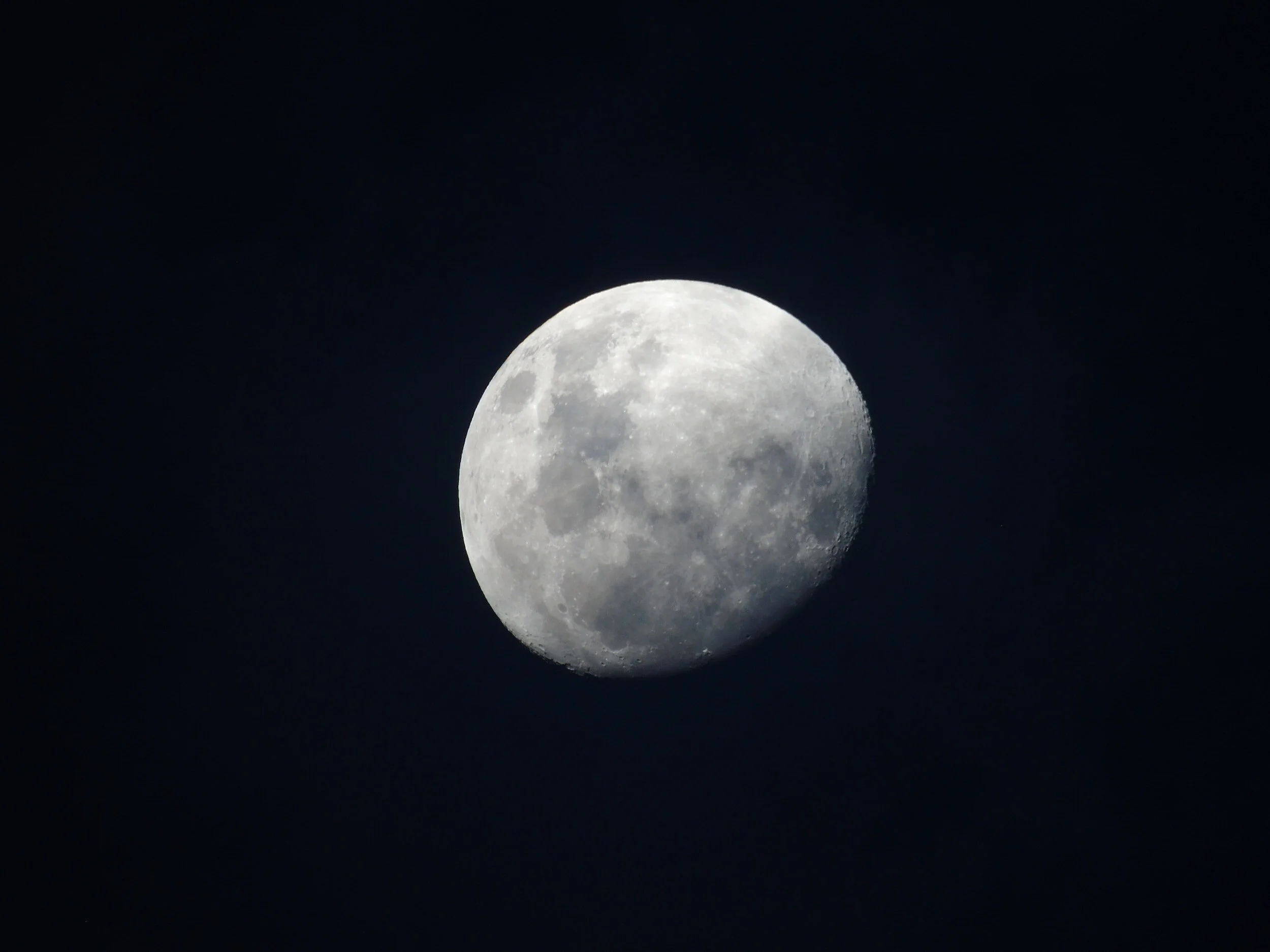
Stock Image by @romenig from Unsplash
Advanced Astrophotography Techniques
Once you understand the basics, several techniques can dramatically improve image quality.
Image Stacking for Noise Reduction
Stacking is not only for star trails.
It also improves Milky Way images.
Workflow:
Capture multiple identical exposures
Align frames
Average noise
Blend final result
Benefits:
Cleaner shadows
Better star detail
Reduced ISO noise
Foreground + Sky Blending
Many professional astrophotography images are composites.
Example:
Exposure 1:
Blue hour foreground
Low ISO
Maximum detail
Exposure 2:
Night sky
High ISO
Stars visible
Combined:
Detailed foreground
Clean Milky Way
This creates a more realistic final image.
Focus Stacking
Useful when you want:
Sharp foreground
Sharp stars
Capture:
Image 1:
Foreground focus
Image 2:
Stars focused
Blend together in post.
Light Painting
Light painting can add detail to foreground subjects.
Examples:
Trees
Rocks
Buildings
Best practices:
Keep it subtle
Use warm light carefully
Avoid overpowering the stars
Astrophotography Field Checklist
Before leaving home:
Camera
☐ RAW format enabled
☐ Manual mode
☐ Batteries charged
☐ Memory cards ready
Lens
☐ Clean front element
☐ Manual focus available
☐ Wide aperture selected
Tripod
☐ Stable setup
☐ Ball head locked
☐ Remote trigger ready
Environment
☐ Weather checked
☐ Moon phase checked
☐ Location planned
☐ Red light headlamp packed
The Biggest Upgrade Is Planning
The difference between average and excellent astrophotography is rarely expensive equipment.
It is usually:
Better location
Better timing
Better composition
Better preparation
A $5,000 camera in a poor location will struggle.
A properly planned shoot with modest equipment can create incredible results.
Astrophotography Post-Processing Workflow (Creating a Natural Night Sky Image)
Capturing the image is only half the process.
Astrophotography files usually require careful editing because the camera is working in extremely difficult conditions:
Very low light
High ISO noise
Extreme contrast between stars and foreground
Color shifts from atmospheric conditions and light pollution
The goal of editing should not be to create an unrealistic neon sky.
The best astrophotography processing enhances what was already captured.
A strong workflow focuses on:
Recovering detail
Reducing noise
Improving contrast
Maintaining natural colors
Preserving the feeling of the night
Step 1: Start With a RAW File
Always shoot RAW.
RAW files provide:
Greater dynamic range
More control over white balance
Better shadow recovery
Improved noise reduction
More flexibility with color adjustments
JPEG files discard much of this information before editing even begins.
For serious astrophotography, RAW is essential.
Step 2: Correct Exposure and White Balance
The first adjustments should establish a natural baseline.
Exposure
Avoid simply increasing brightness.
A brighter image does not always mean a better image.
Instead:
Raise exposure carefully
Protect star highlights
Preserve natural darkness
The night sky should still look like night.
White Balance
Astrophotography often benefits from cooler tones.
Common starting points:
| Subject | White Balance |
|---|---|
| Milky Way | 3500K–4500K |
| Star trails | 3500K–4500K |
| Moon photography | 4500K–5500K |
Milky Way
White Balance: 3500K–4500K
Star trails
White Balance: 3500K–4500K
Moon photography
White Balance: 4500K–5500K
Adjust based on:
Light pollution
Atmospheric conditions
Personal style
Step 3: Reduce Noise Carefully
High ISO noise is unavoidable in astrophotography.
The goal is reducing noise without destroying star detail.
Use:
Luminance Noise Reduction
Helps with:
Grain
Sensor noise
Avoid excessive amounts because it can make stars look soft.
Color Noise Reduction
Useful for:
Red/green/blue noise artifacts
High ISO color speckles
Usually requires less aggressive adjustment.
Step 4: Improve Contrast and Star Detail
A common astrophotography edit involves increasing separation between:
Sky
Stars
Milky Way structure
Useful adjustments:
Contrast
Adds separation.
Blacks
Deepens the sky.
Clarity / Texture
Can emphasize structure.
Use carefully.
Too much creates:
Artificial-looking stars
Crunchy detail
Excessive noise
Step 5: Enhance the Milky Way
The Milky Way core often needs selective editing.
Common adjustments:
Increase:
Local contrast
Texture
Slight saturation
Clarity
Reduce:
Orange light pollution
Green color casts
Excessive brightness
The goal is bringing out detail—not creating something that was never there.
Step 6: Remove Light Pollution
Light pollution is one of the biggest challenges in astrophotography.
Symptoms:
Orange sky glow
Reduced contrast
Washed-out stars
Solutions:
During Capture
The best solution is always location.
Shoot:
Away from cities
During darker moon phases
Under clear conditions
During Editing
Adjust:
Color temperature
HSL controls
Gradient masks
Local adjustments
Be careful not to remove all natural atmosphere.
Step 7: Sharpen Selectively
Sharpening is useful, but applying it globally can damage the image.
Avoid sharpening:
Empty sky areas
Noise-heavy shadows
Instead:
Target:
Stars
Milky Way structure
Important foreground details
Step 8: Editing Star Trails
Star trails require slightly different processing.
Recommended workflow:
Edit one base image
Apply adjustments across the sequence
Stack frames
Fine-tune the final image
Important:
Turn off:
Long exposure noise reduction
when capturing stacked star trails.
Why?
The camera creates gaps between exposures while processing each image.
Popular Astrophotography Editing Software
Adobe Lightroom / Camera Raw
Best for:
Basic RAW adjustments
Color correction
Noise reduction
Photoshop
Best for:
Layer blending
Foreground + sky composites
Advanced adjustments
Sequator
Best for:
Milky Way stacking
Foreground separation
StarStaX
Best for:
Star trail stacking
Common Astrophotography Mistakes (And How to Fix Them)
Many beginners struggle because of small technical issues.
These mistakes are usually not caused by expensive gear limitations.
1. Using Auto Mode
Problem:
The camera tries to brighten a dark scene incorrectly.
Results:
Washed-out sky
Wrong exposure
Weak star detail
Fix:
Use:
Manual mode
Manual ISO
Manual shutter speed
Manual aperture
2. Incorrect Focus
This is one of the most common failures.
A slightly out-of-focus star field can ruin an otherwise excellent image.
Fix:
Before shooting:
Switch to manual focus
Use Live View
Zoom into a bright star
Adjust until the star becomes a sharp point
Do not assume the infinity mark on the lens is perfect.
3. Shooting at the Wrong Location
Great astrophotography requires darkness.
Common mistake:
Shooting near:
Cities
Parking lots
Suburban neighborhoods
Result:
Weak Milky Way
Poor contrast
Orange sky
Fix:
Find darker locations.
4. Using a Slow Lens
A kit lens at f/4–f/5.6 may work, but it limits results.
Problems:
Higher ISO required
More noise
Less star detail
Fix:
Use:
f/1.4–f/2.8 lenses
5. Ignoring the Foreground
A sky full of stars is impressive, but without context the image can feel empty.
Better images include:
Mountains
Trees
Buildings
Water
Landscapes
The foreground creates the story.
6. Overprocessing the Image
Common signs:
Neon-colored Milky Way
Excessive clarity
Artificial-looking stars
Completely black shadows
Better approach:
Make adjustments subtle.
A natural astrophotography image usually ages better.
7. Forgetting Battery Management
Cold weather drains batteries quickly.
Solutions:
Carry extras
Keep batteries warm
Turn off unnecessary features
Reduce LCD usage
8. Not Planning the Moon Phase
The moon can completely change the scene.
A bright full moon:
Reduces visible stars
Adds foreground illumination
A new moon:
Maximizes Milky Way visibility
Neither is always better—it depends on your goal.
Final Thoughts: Astrophotography Is About Patience and Precision
Astrophotography looks complicated because it combines several challenging skills at once:
Understanding exposure
Finding dark locations
Focusing in darkness
Managing noise
Processing carefully
But the fundamentals are simple.
The strongest images usually come from mastering:
A stable tripod setup
A fast wide-angle lens
Manual exposure control
Accurate focus
Good planning
You do not need the newest camera or the most expensive gear to photograph the night sky.
A well-planned shoot with a simple setup can outperform a complicated setup used without preparation.
The biggest improvements usually come from:
Better locations
Better timing
Better compositions
More time practicing
Astrophotography rewards photographers who slow down, plan ahead, and learn how light behaves—even when that light is millions of miles away.
Astrophotography Frequently Asked Questions
What are the best camera settings for astrophotography?
A strong starting point:
Manual mode
f/1.4–f/2.8 aperture
15–25 second shutter speed
ISO 1600–3200
Manual focus
RAW format
Adjust based on your lens, camera, and sky conditions.
What is the best ISO for Milky Way photography?
Most photographers start between:
ISO 1600–3200
Higher ISO can brighten the image but increases noise.
Modern full-frame cameras may allow higher ISO settings, while older cameras may perform better staying lower.
Do I need a full-frame camera for astrophotography?
No.
Full-frame cameras offer:
Better high ISO performance
Lower noise
More dynamic range
However, APS-C cameras can produce excellent astrophotography images with:
A fast lens
Good technique
Dark skies
The lens and location often matter more than the sensor size.
What lens is best for Milky Way photography?
Most photographers prefer:
14mm–24mm
f/1.4–f/2.8 aperture
Popular choices include:
14mm primes
14–24mm f/2.8 zooms
20mm f/1.8 lenses
Can you photograph the Milky Way with a kit lens?
Yes, but results will be limited.
A kit lens can work if:
The location is very dark
You use a tripod
You accept higher ISO settings
A faster lens is one of the biggest upgrades you can make.
Why are my stars blurry?
Common causes:
Incorrect focus
Camera movement
Shutter speed too long
Poor tripod stability
Check focus first.
Most blurry star images are simply slightly out of focus.
What shutter speed should I use for astrophotography?
For Milky Way photography:
Usually:
10–25 seconds
Longer exposures may create star trails.
For star trails:
Use:
Multiple shorter exposures
Or very long Bulb exposures
Should I use autofocus for astrophotography?
No.
Autofocus usually struggles in darkness.
Use:
Manual focus
Live View magnification
Bright star focusing technique
Is astrophotography expensive?
It can be, but it does not have to be.
A beginner setup can use:
Existing interchangeable lens camera
Fast wide-angle lens
Tripod
Technique and planning often matter more than expensive equipment.
What is the best time to photograph the Milky Way?
The best time depends on location and season.
Generally:
Clear nights
Minimal moonlight
Dark skies
Milky Way core visibility
Planning tools are extremely helpful because the Milky Way changes position throughout the year.
==========
Explore More Photography Guides
Continue building your landscape and astrophotography workflow:
→ Best Cameras for Astrophotography
→ Best Lenses for Landscape Photography
→ Best Tripods for Landscape Photography
→ Best External Hard Drives for Photographers
→ New England Photography Guide: Best Photo Locations
