

Multiple Exposure Photography: Creative Techniques & Workflow
multiple exposure photography example layered image
Last Updated: July 2026
Quick Jump
- What Is Multiple Exposure Photography?
- Multiple Exposure vs Double Exposure
- In-Camera vs Editing Workflow
- Multiple Exposure Camera Settings
- How to Create Your First Multiple Exposure
- Multiple Exposure Concert Photography
- Multiple Exposure Landscape Photography
- Common Mistakes
- Final Thoughts
- Frequently Asked Questions
Multiple exposure photography is one of the most creative ways to move beyond a traditional single-frame image.
Instead of capturing one moment, multiple exposure photography combines two or more exposures into a single photograph.
The result can be:
layered portraits
motion effects
abstract compositions
storytelling images
surreal creative effects
While the technique originally became popular with film photography, modern digital cameras make it easier than ever to create multiple exposures directly in-camera.
For photographers, the real challenge is not simply combining images. It is understanding which images work together, how contrast affects the final result, and how to create layers that feel intentional rather than random.
This guide covers how multiple exposure photography works, camera settings, creative ideas, and real-world applications for photographers.
Quick Multiple Exposure Photography Overview
| Technique | Best For | Advantages | Difficulty |
|---|---|---|---|
| In-camera Multiple Exposure | Creative experiments, portraits, concerts | Fast results and organic blending | Beginner-friendly |
| Photoshop / Editing Workflow | Detailed composites and fine control | Maximum flexibility and masking options | Intermediate |
| Silhouette + Texture | Artistic portraits and storytelling | Strong visual impact | Beginner-friendly |
| Motion + Static Scene | Concerts, sports, creative movement | Shows energy inside one frame | Intermediate |
| Landscape Layering | Nature and travel photography | Adds atmosphere and depth | Intermediate |
In-camera Multiple Exposure
Best For: Creative experiments, portraits, concerts
Advantages: Fast results and organic blending
Difficulty: Beginner-friendly
Photoshop / Editing Workflow
Best For: Detailed composites and fine control
Advantages: Maximum flexibility and masking options
Difficulty: Intermediate
Silhouette + Texture
Best For: Artistic portraits and storytelling
Advantages: Strong visual impact
Difficulty: Beginner-friendly
Motion + Static Scene
Best For: Concerts, sports, creative movement
Advantages: Shows energy inside one frame
Difficulty: Intermediate
Landscape Layering
Best For: Nature and travel photography
Advantages: Adds atmosphere and depth
Difficulty: Intermediate
What Is Multiple Exposure Photography?
Multiple exposure photography is the process of combining multiple photographs into a single image.
Instead of one exposure creating the final photograph, the camera or editing software blends several exposures together.
A simple example:
First exposure: a person or main subject
Second exposure: trees, clouds, city lights, or texture
Final image: both elements appear together in one frame
The technique creates images that feel layered because different moments occupy the same photograph.
Common multiple exposure results include:
a portrait filled with landscape details
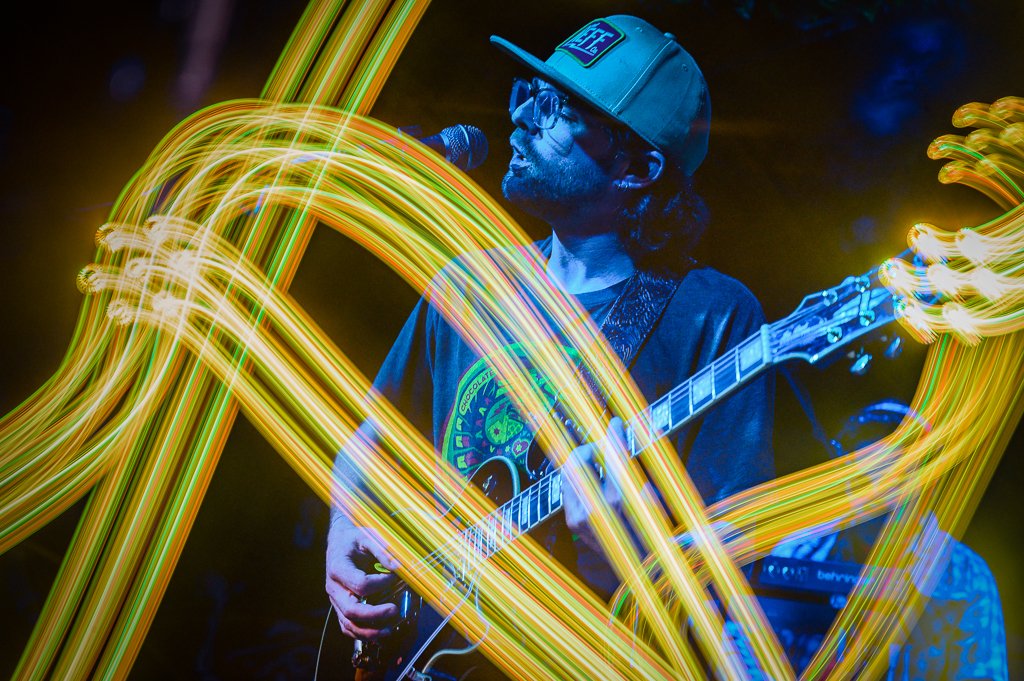
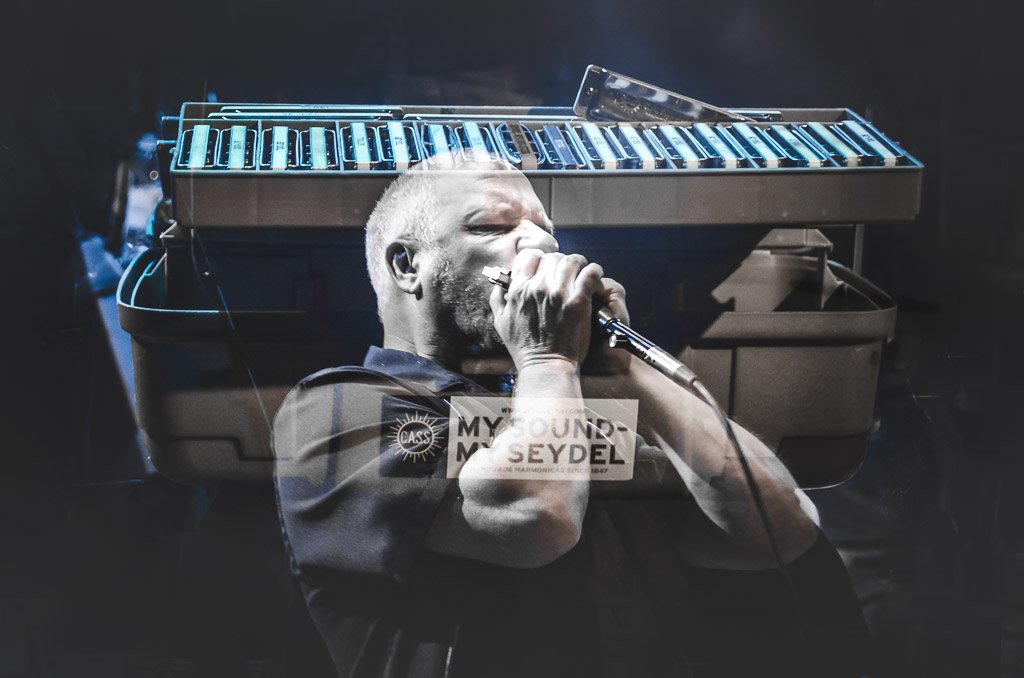
a musician blended with stage lighting
a tree silhouette containing sky textures
movement trails showing action over time
Multiple Exposure Photography vs Double Exposure
The terms are often used interchangeably, but there is a slight difference.
Double exposure traditionally refers to combining two images into one frame.
Multiple exposure is the broader term and can include:
two exposures
three exposures
several layered images
Modern digital cameras typically use the term "multiple exposure" because they allow photographers to combine more than two frames.
For practical photography today, both terms usually describe the same creative technique.
Why Multiple Exposure Photography Works
Successful multiple exposures are not created by simply stacking random images together.
The strongest images usually rely on three important concepts:
Contrast
Contrast helps separate the different layers.
Examples:
bright sky + dark silhouette
detailed texture + simple subject
moving subject + stationary background
Without contrast, the layers can compete and become difficult to understand.
Simplicity
The best multiple exposures often use:
one strong subject
one supporting texture
one clear visual idea
Too many elements usually create confusion.
Intentional Layering
Each exposure should add something meaningful.
Ask:
"Does this second image improve the story?"
If the answer is no, the layer probably does not belong.
Why Multiple Exposure Photography Is Worth Learning
Multiple exposure is useful because it changes how photographers think about an image.
Instead of asking:
"What can I photograph?"
You start asking:
"How can I combine different moments into one visual story?"
This makes it especially useful for:
creative portrait photography
concert photography
landscape photography
travel photography
fine art photography
In-Camera vs Editing Workflow
There are two main ways to create multiple exposure photography:
Using your camera’s built-in multiple exposure mode
Combining images later in editing software
Both approaches can create excellent results, but they offer very different workflows.
In-Camera Multiple Exposure Photography
Many modern cameras allow you to create multiple exposures directly in the camera.
The basic process:
Enable multiple exposure mode
Capture your first image
Capture your second image or additional layers
Let the camera combine the exposures
Review and adjust your approach
The biggest advantage is that you see the result immediately.
Benefits:
faster creative experimentation
more spontaneous shooting
unique in-camera results
less time editing later
The limitation is control.
Once the camera blends the exposures, you have less ability to fine-tune:
layer opacity
masking
positioning
individual adjustments
Editing Multiple Exposures in Photoshop or Lightroom
Creating multiple exposures in editing software gives you much more control.
A typical workflow:
Capture separate images normally
Import them into editing software
Place images into layers
Adjust opacity and blending modes
Use masks to control where each image appears
Advantages:
complete control over blending
easier experimentation
ability to fix mistakes
unlimited creative combinations
This method is often better for photographers creating:
fine art composites
commercial images
detailed storytelling photographs
The downside is that it requires more time and editing skill.
Which Method Should You Use?
For experimentation:
→ In-camera multiple exposure
For polished creative work:
→ Editing workflow
For photographers who want both:
→ Shoot normally in RAW and experiment later
A strong approach is to learn both. In-camera multiple exposure teaches visual thinking, while editing provides the ability to create more refined final images.
Camera Brands With Multiple Exposure Modes
Many modern interchangeable-lens cameras include some form of multiple exposure functionality.
Nikon Cameras
Nikon has one of the stronger implementations of multiple exposure photography.
Many Nikon DSLR and mirrorless cameras include:
multiple exposure modes
blending options
multiple frame combinations
automatic exposure adjustments
Popular Nikon cameras with the feature include:
Nikon Z series mirrorless cameras
Nikon D850
Nikon D500
For photographers already using Nikon, multiple exposure is easy to experiment with.
Canon Cameras
Many Canon EOS cameras include built-in multiple exposure modes.
Canon systems commonly offer:
additive blending
average blending
bright/dark comparison options
Popular Canon cameras include:
Canon EOS R series
Canon EOS R5
Canon EOS R6 Mark II
Sony Cameras
Sony cameras can create multiple exposure effects, although the workflow varies depending on model and software features.
Sony photographers often rely more heavily on:
in-camera creative options
Photoshop workflows
third-party editing tools
Fujifilm Cameras
Fujifilm is particularly popular among creative photographers because many models include easy-to-use multiple exposure modes.
Popular options include:
Fujifilm X-T series
Fujifilm X100 series
Fujifilm’s film simulation options also pair well with creative layered photography.
OM System / Olympus Cameras
OM System cameras are known for computational photography features and creative modes.
They are especially interesting for photographers who enjoy experimenting with:
long exposures
live composite effects
creative in-camera processing
Best Settings for Multiple Exposure Photography
There is no single perfect setting, but these guidelines create more consistent results.
Shoot RAW When Possible
RAW files provide:
more editing flexibility
better color control
more recovery options
This matters especially when the final image requires additional editing.
Use Manual Exposure
Manual exposure helps keep your layers consistent.
If your camera changes exposure between frames, the final image can become unpredictable.
Start with:
manual mode
fixed ISO
fixed shutter speed
fixed aperture
Use Lower Contrast Subjects
Multiple exposures already increase visual complexity.
Starting with simple compositions usually creates stronger results.
Look for:
clean silhouettes
simple shapes
strong outlines
Consider Underexposing Slightly
A slight underexposure can help prevent the combined image from becoming too bright.
Many photographers start around:
1/3 to 1 stop underexposed
Then adjust from there.
Use a Wide Aperture for Creative Effects
A wider aperture can create:
softer backgrounds
stronger separation
more atmospheric layers
Examples:
f/1.8 portrait + landscape texture
f/2.8 concert performer + stage lights
multiple exposure concert photography effect
How to Create Your First Multiple Exposure
A simple beginner workflow:
Step 1 — Choose a Strong Main Subject
Start with something easy to recognize.
Good choices:
person silhouette
musician
tree
building
object with a strong outline
The first image should provide the structure.
Step 2 — Capture the Texture Layer
The second image should add something interesting.
Good second layers:
clouds
trees
water movement
city lights
crowds
textures
Think of it as adding atmosphere rather than another main subject.
Step 3 — Look for Contrast
A successful blend usually has separation.
Examples:
Dark silhouette + bright sky
Person outline + forest texture
Musician + colorful stage lights
Step 4 — Experiment
Multiple exposure photography is naturally experimental.
Try changing:
order of exposures
brightness
subject placement
textures
number of frames
The first attempt rarely produces the final result.
Creative Multiple Exposure Combinations That Work Well
Some combinations consistently create strong results.
Portrait + Landscape
One of the most popular techniques.
Examples:
person silhouette filled with mountains
face blended with trees
traveler combined with destination imagery
Works well because the human element creates an emotional connection.
Subject + Texture
Simple and effective.
Examples:
portrait + leaves
musician + stage lights
building + architectural details
Motion + Static Scene
Great for showing movement.
Examples:
dancer + stationary background
musician movement + crowd
athlete + environment
Light + Shadow
Creates dramatic images.
Examples:
window light + portrait
concert lighting + performer
sunrise shadows + landscape
Nature + Nature
Works especially well for landscapes.
Examples:
trees + clouds
ocean waves + sky
mountains + weather patterns
Multiple Exposure Examples by Photography Style
Concert Photography
Multiple exposure works extremely well for live music because concerts already contain:
movement
dramatic lighting
changing colors
emotional moments
Creative ideas:
guitarist + stage lights
singer + crowd
performer movement trails
instruments blended with venue atmosphere
The technique can turn a single performance photo into something that feels like the energy of the entire show.
Related guide:
→ Concert Photography Composition Tips
Landscape Photography
Landscape multiple exposures can create more artistic interpretations.
Examples:
waterfalls + clouds
forests + sunrise colors
mountains + atmospheric textures
It works especially well when traditional landscape photography feels too literal.
Related guides:
→ Long Exposure Photography Guide
→ Bracketing Photography Guide
Portrait Photography
Portraits are one of the strongest uses of multiple exposure.
Common approaches:
silhouette portraits
environmental portraits
personality-driven composites
The second exposure should support the person rather than distract from them.
Travel Photography
Multiple exposure can help tell a stronger story.
Examples:
traveler + destination
architecture + street scenes
cultural details layered together
It creates images that represent an experience rather than just a location.
Wildlife Photography
Wildlife multiple exposures can show:
movement
environment
animal behavior
Examples:
bird flight sequences
animal silhouette + habitat
motion layered with landscape
multiple exposure concert photography creative blend
Multiple Exposure Concert Photography
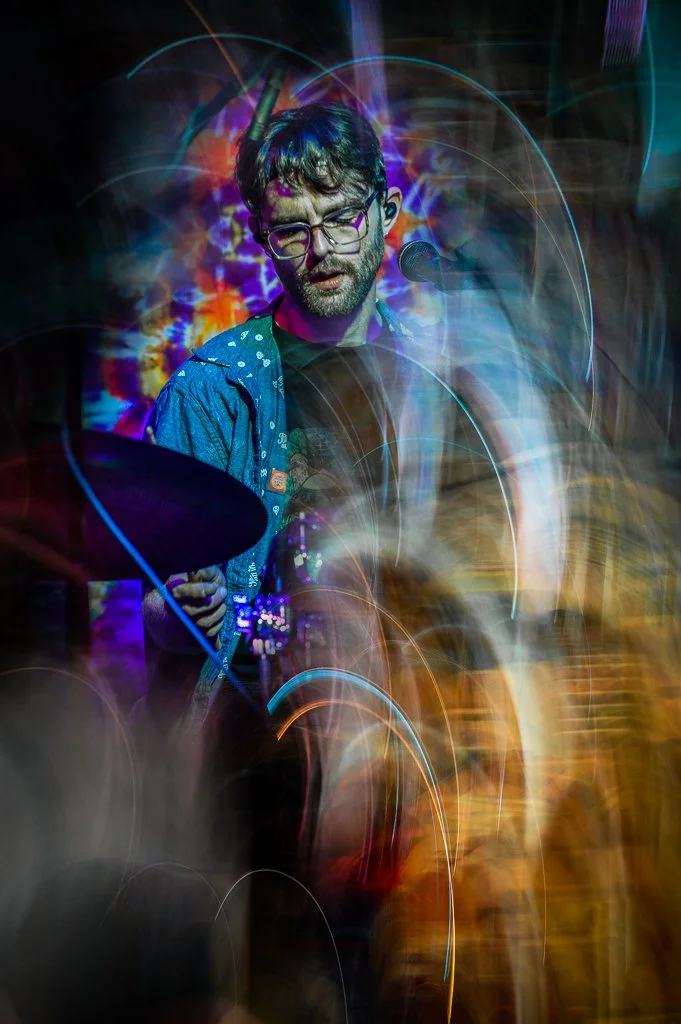
Concert photography is one of the best environments for experimenting with multiple exposures because live performances already contain many of the elements that make layered images work:
movement
dramatic lighting
strong silhouettes
changing colors
emotional moments
Unlike traditional concert images that freeze a single instant, multiple exposure allows you to combine different moments of a performance into one frame.
A single image can show:
a musician’s movement across the stage
changing lighting patterns
the relationship between performer and audience
energy that normally disappears between frames
This makes multiple exposure especially useful for creating images that feel more artistic or editorial rather than purely documentary.
Concert Multiple Exposure Techniques That Work Well
Performer + Movement
One of the simplest approaches is combining multiple positions of the performer.
Example:
first exposure → musician standing still
second exposure → musician moving or playing
third exposure → another gesture or lighting moment
The final image creates a sense of motion while keeping the performer recognizable.
This works especially well with:
guitarists
drummers
vocalists moving across the stage
Performer + Stage Lighting
Concert lighting naturally creates interesting layers.
Try combining:
performer silhouette
colored stage lights
beams through haze
LED screens
reflections
The key is avoiding too much visual information. A strong subject combined with a simple lighting layer usually creates a cleaner result.
Performer + Crowd Interaction
Multiple exposure can also tell a larger story.
Examples:
singer on stage + crowd hands
musician + audience reaction
performer + venue atmosphere
This creates a stronger feeling of connection than a traditional single frame.
Camera Settings for Concert Multiple Exposure
Concert environments are already challenging, so settings matter.
Recommended starting point:
Manual exposure
gives consistent brightness between frames
Lower ISO when possible
reduces noise when layers combine
Fast shutter speed
helps keep important moments sharp
Wide aperture
allows more light and creates separation
RAW capture
provides more flexibility if editing afterward
Because stage lighting changes constantly, it is often better to slightly underexpose rather than risk losing highlight detail.
Multiple Exposure Landscape Photography
Landscape photography offers a completely different approach to multiple exposure.
Instead of emphasizing movement and energy, landscape multiple exposures are often about atmosphere, texture, and visual storytelling.
Common combinations include:
landscape + clouds
landscape + trees
water movement + shoreline
architecture + environmental details
flowers + natural textures
The goal is usually not to create a realistic scene, but to create a more emotional interpretation of a place.
Landscape Multiple Exposure Ideas
Trees + Landscape
A popular technique is combining:
a wide landscape image
a close-up tree texture or branches
The result creates a connection between the small details and the larger environment.
Water + Clouds
Multiple exposures work especially well with moving elements.
Examples:
waves layered over rocks
clouds blended into mountains
waterfalls combined with surrounding landscapes
This can create a dreamlike appearance while still maintaining a natural feel.
Architecture + Environment
For travel photography, try combining:
historic buildings
city textures
surrounding landscapes
This creates images that show both the location and the feeling of being there.
Advanced Multiple Exposure Techniques
Once you understand the basics, multiple exposure becomes more about controlling the relationship between images.
Use Negative Space Intentionally
Negative space is one of the most powerful tools in multiple exposure photography.
A cleaner first image gives the second image room to appear.
Good candidates:
silhouettes
profiles
isolated subjects
simple backgrounds
Busy images competing with each other usually create confusion.
Think About Brightness Relationships
Brightness determines how images blend.
Generally:
bright areas dominate
dark areas reveal additional layers
A common approach:
Image 1:
strong shape or silhouette
Image 2:
texture or detailed environment
This creates separation between the layers.
Use Color Relationships
Color can completely change the mood of a multiple exposure.
Try combinations like:
warm sunset + cool blue shadows
concert lighting + black-and-white portrait
green foliage + urban textures
Complementary colors can create especially strong results.
Common Multiple Exposure Mistakes
Multiple exposure photography is easy to experiment with, but difficult to master.
Common problems include:
Too Much Detail
Combining two detailed images often creates visual clutter.
Better approach:
Pair:
simple subject + detailed texture
Weak Subject Separation
If both images have similar brightness and contrast, they can disappear into each other.
Look for:
clear outlines
strong contrast
different visual structures
No Intent Behind the Layers
Random combinations rarely work.
Before shooting, ask:
“What is the second image adding?”
The strongest multiple exposures usually communicate an idea rather than simply combine images.
Overusing the Effect
Multiple exposure works best when used selectively.
A single creative image in a gallery often has more impact than an entire collection where every image uses the technique.
Multiple Exposure Editing Workflow Examples
Editing gives you significantly more control than most in-camera systems.
A basic workflow:
Step 1 — Select Your Base Image
Start with your strongest image.
This is usually:
portrait
silhouette
landscape shape
architectural element
Step 2 — Add the Second Layer
Place the texture or secondary image above the base image.
Common choices:
trees
clouds
city scenes
lights
patterns
Step 3 — Adjust Blend Modes
Common Photoshop blend modes:
Screen
Lighten
Multiply
Overlay
Experiment to see how the images interact.
Step 4 — Use Masks
Masks allow you to control exactly where each image appears.
This is often the difference between a random blend and a polished composite.
Step 5 — Final Color Adjustment
Finish with:
contrast adjustments
color grading
selective brightness changes
The goal is making both images feel like one finished photograph.
Final Thoughts
Multiple exposure photography is one of those techniques where experimentation matters more than expensive equipment.
You do not need:
a specialized camera
complicated software
advanced editing skills
You need:
strong visual ideas
simple compositions
an understanding of contrast
willingness to experiment
For photographers just starting:
Begin with simple combinations:
silhouette + texture
person + environment
landscape + clouds
For concert photographers:
Use multiple exposure selectively to capture movement and emotion that a single frame cannot.
For landscape photographers:
Focus on atmosphere and storytelling rather than simply creating unusual effects.
The best multiple exposures feel intentional. They should make the viewer notice something they would not experience in a normal photograph.
Frequently Asked Questions
What cameras have multiple exposure mode?
Many modern mirrorless and DSLR cameras from Nikon, Canon, Sony, Fujifilm, and OM System include built-in multiple exposure features.
The exact controls vary by camera model, but most allow you to combine multiple frames directly in-camera.
Is multiple exposure photography better in-camera or in Photoshop?
Both approaches have advantages.
In-camera:
faster
more spontaneous
encourages experimentation
Editing workflow:
more control
easier corrections
unlimited combinations
Many photographers use both depending on the project.
What images work best for multiple exposure photography?
The strongest combinations usually include:
one simple image
one detailed image
strong contrast between layers
Examples:
silhouette + landscape
portrait + texture
musician + stage lights
Can beginners try multiple exposure photography?
Yes.
It is actually one of the best creative techniques for beginners because there are no strict rules.
Start with simple combinations and focus on understanding how images interact.
Does multiple exposure reduce image quality?
Not necessarily.
In-camera multiple exposures may create a processed file depending on the camera system, while editing software allows you to maintain full RAW control.
The final quality depends more on your workflow than the technique itself.
==========
All photographs © Chris Sidoruk. Images are protected by copyright and may not be used, copied, modified, or redistributed without written permission.
Related Creative Photography Guides
→ Long Exposure Photography Guide
→ Bracketing Photography Guide
Related Gear Guides
